| Permissions | Admin Portal is only accessible to Sys admins |
| Related readings |
In the Users tab of the Admin Portal, system administrators can invite new users and manage existing ones.
TABLE OF CONTENTS
Invite new users
To invite a user to the Biolevate application:
1. Go to the Users tab in the Admin Portal.
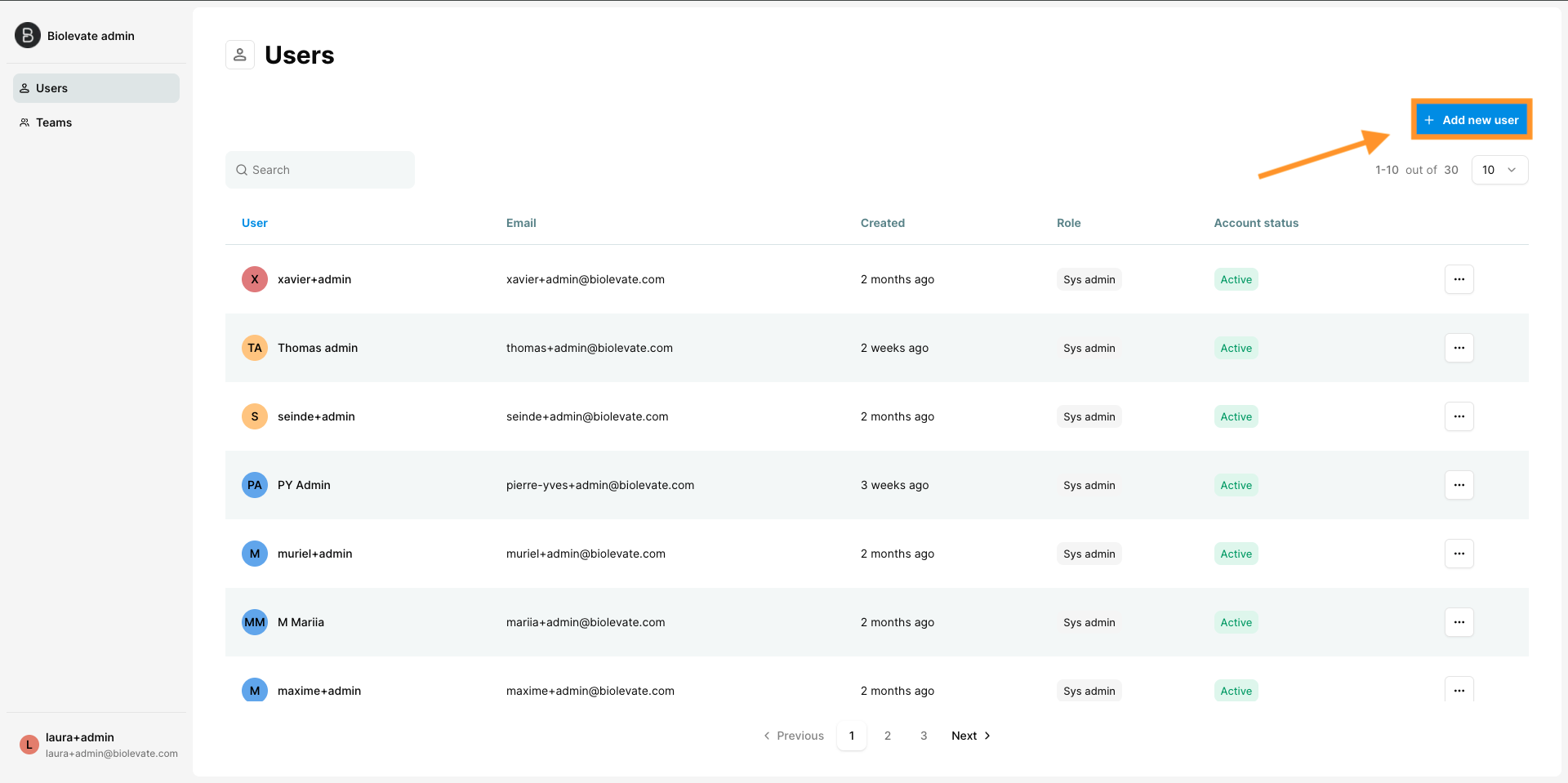
2. Click on "+Add new user".
3. Complete the form with the required information:
- First name
- Last name
- Role: Sys admin or User
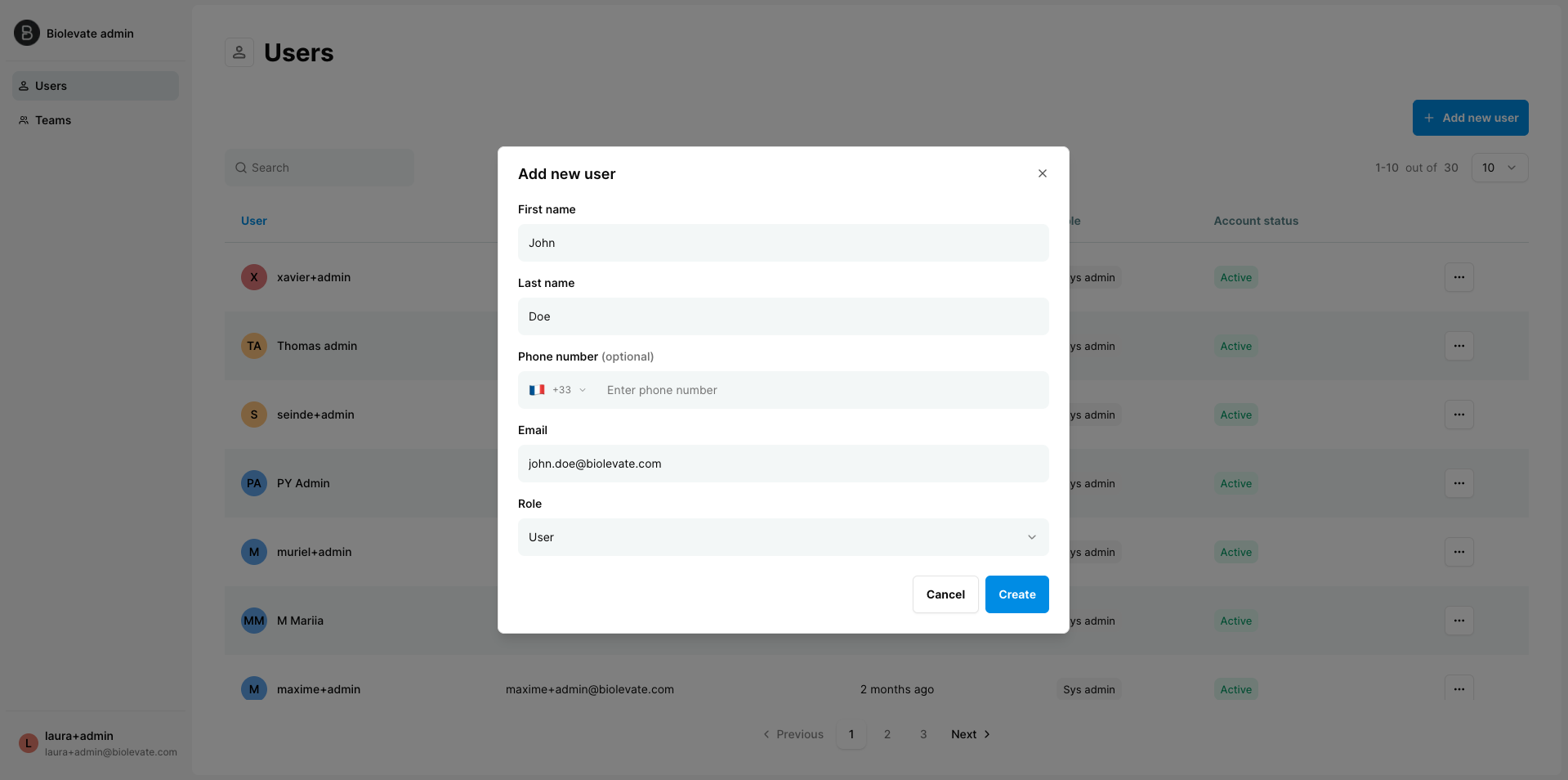
4. Click "Create".
The user is added to the users list, and an activation email is sent to the provided email address.
If the email is not received within a few minutes, the user should check their spam folder.
The invitation is valid for 72 hours. If the user exceeds the period, we recommend deleting and resending an invitation.
Manage existing users
The users list displays the following information:
- First name and last name
- Creation date
- Role
- Status: Active or Deactivated
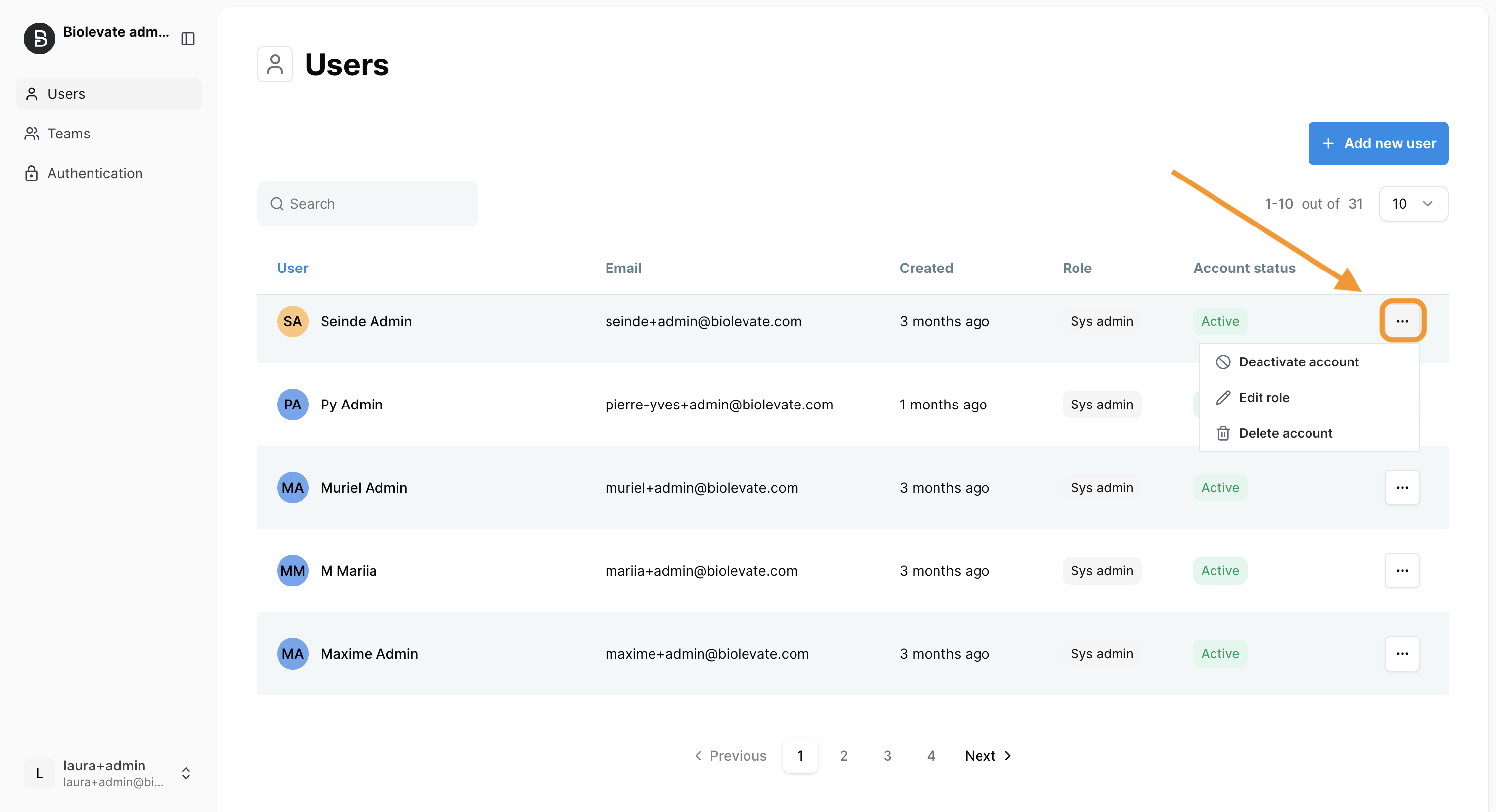
An action menu is available on the right side of each row, allowing administrators to:
- Deactivate account: the user is marked as deactivated and can no longer log in.
- Reactivate account: the user is marked as active and regains access.
- Edit role: upgrade or downgrade role between user and system administrator
- Delete account: the user is permanently removed. Caution: deleted users may be the sole owners of certain artifacts.
Search, sort and navigate
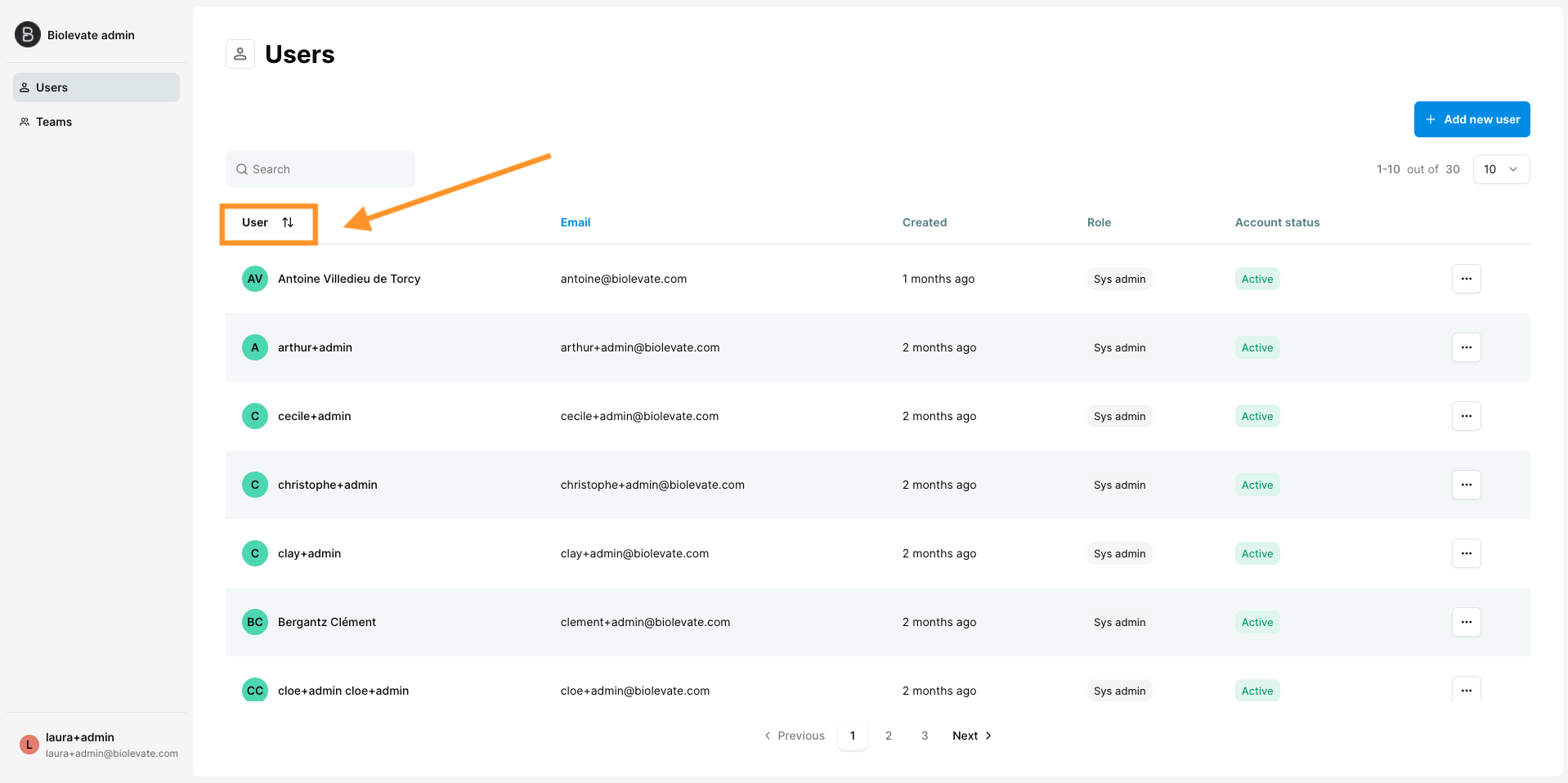
- Navigate through pages to browse the full list of users. Update number of users listed by page.
- Use the search bar to find users by first name, last name or email.
- Click column headers to sort the list.
Was this article helpful?
That’s Great!
Thank you for your feedback
Sorry! We couldn't be helpful
Thank you for your feedback
Feedback sent
We appreciate your effort and will try to fix the article