| Permissions | Admin Portal is only accessible to Sys admins. |
| Related readings |
The Admin Portal allows System Administrators to configure and manage the Biolevate application.
TABLE OF CONTENTS
Access the Admin Portal
Access to the Admin Portal is restricted to users with the Sys Admin role.
To open the Admin Portal:
1. Click "Account" at the bottom-left of the application
2. Select "Access admin portal"
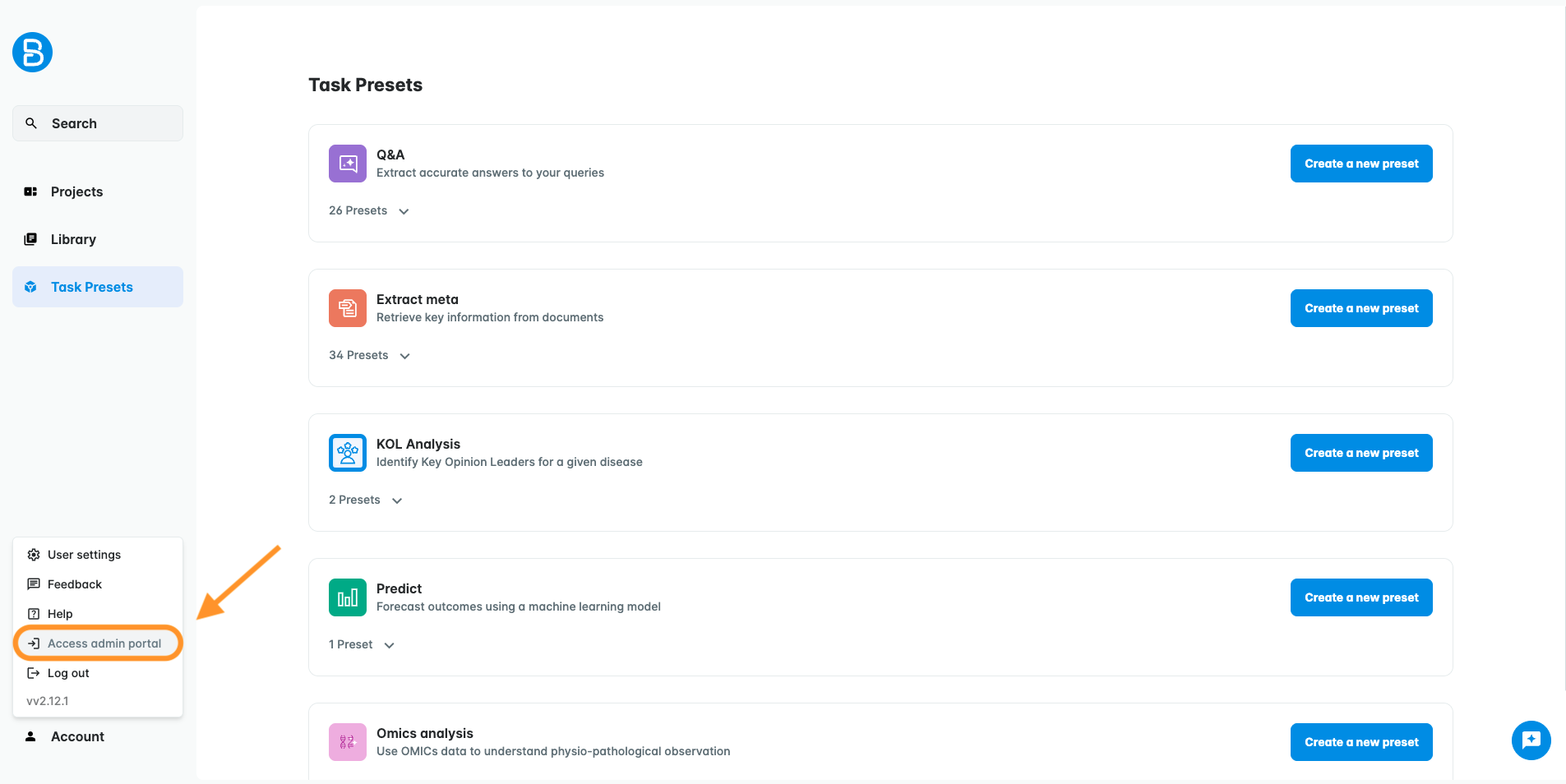
The Admin Portal opens in a new browser tab.
From the Admin Portal, the "Access Biolevate" option in the same menu allows you to return to the main application.
Administer the Application
The Admin Portal provides access to the following administration features:
- Users: invite new users and manage existing ones.
- Teams (coming soon): create and manage teams to support permission management.
- Integrations (coming soon): discover and enable connectors to integrate Biolevate with external tools.
- Data (coming soon): configure data connectors, define synchronization and indexing rules, and manage document taxonomy.
Was this article helpful?
That’s Great!
Thank you for your feedback
Sorry! We couldn't be helpful
Thank you for your feedback
Feedback sent
We appreciate your effort and will try to fix the article