| Permissions | Admin portal is only accessible to Sys admins |
| Related readings |
In the Authentication tab of the Admin Portal, system administrators define how users authenticate and which security controls are enforced.
TABLE OF CONTENTS
Password authentication
Password complexity
For username/email and password sign-in, administrators can define password requirements:
Minimum length
At least one number (0–9)
At least one symbol (e.g., ! @ # $ % ^ & *)
At least one lowercase letter (a–z)
At least one uppercase letter (A–Z)
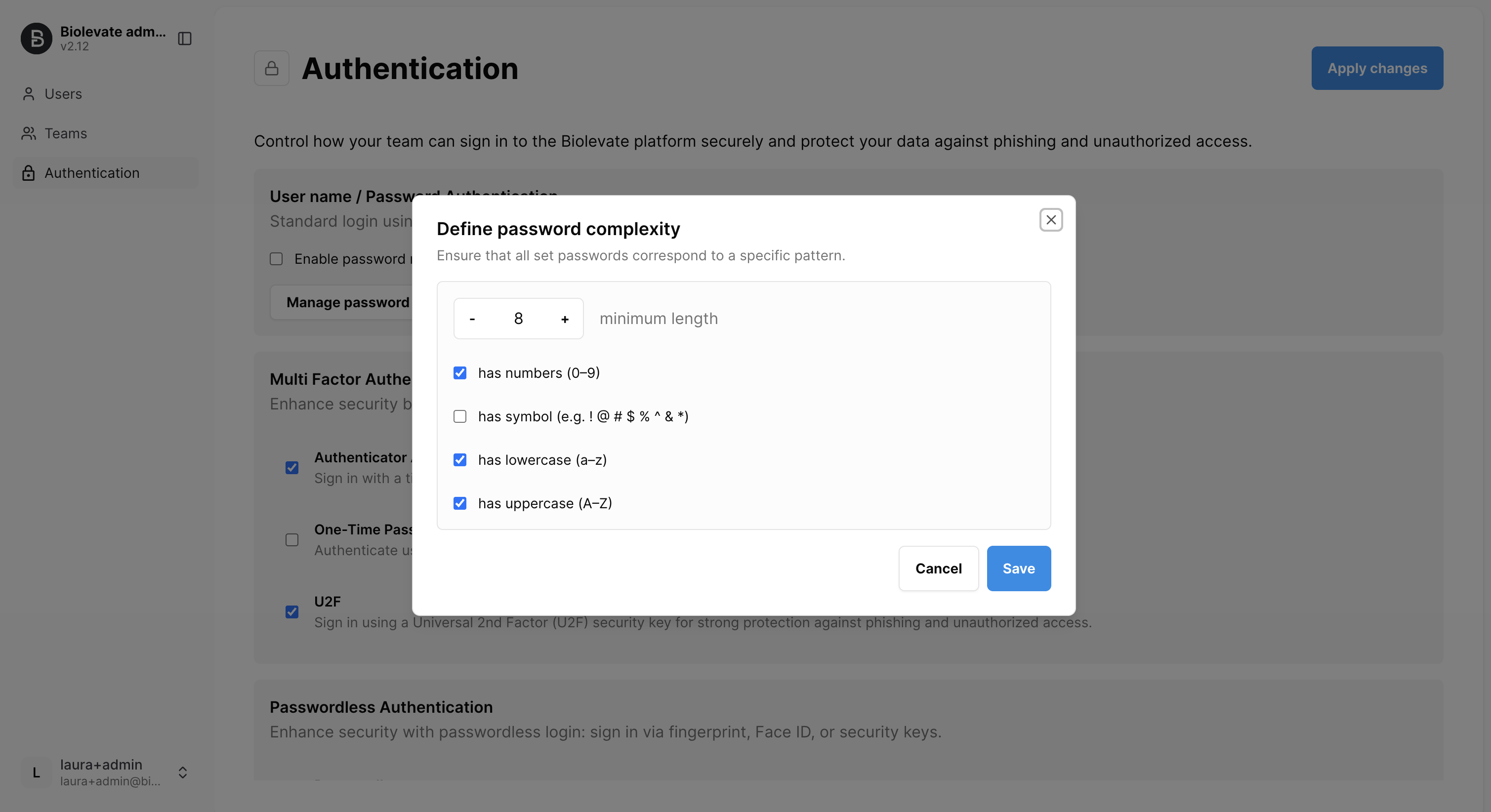
Changes apply only to newly created or updated passwords (during account activation or when a user changes their password). Existing passwords remain valid until they are updated.
Password reset
System administrators can enable or disable password reset function. If enabled, users who forget their password can request a reset during sign-in. A temporary code valid for 72 hours will be sent to the registered email address.
Multi Factor Authentication (MFA)
An additional verification step can be required regardless of the primary login method.
Available second factors are:
Authenticator app: Time-based one-time codes (TOTP) generated by apps such as Google Authenticator or Microsoft Authenticator.
One-time passcode (OTP): Single-use code sent by email or SMS.
U2F security key: Hardware-based universal second factor device.
When MFA is enforced, users must complete both primary authentication and the selected second factor.
Passwordless authentication
Passwordless sign-in can be enabled to reduce password usage and phishing risk.
Supported methods depend on the user’s device and may include:
Biometric authentication (fingerprint, facial recognition)
Hardware security keys
Users register their passwordless method during account setup or from their security settings. Passwordless authentication can coexist with MFA factors.
Was this article helpful?
That’s Great!
Thank you for your feedback
Sorry! We couldn't be helpful
Thank you for your feedback
Feedback sent
We appreciate your effort and will try to fix the article