| Permissions |
More information below |
| Related readings |
A project is a space dedicated to a subject you need to work on.
This allows to have a specific context for your work, your data and the people you want to collaborate with.
TABLE OF CONTENTS
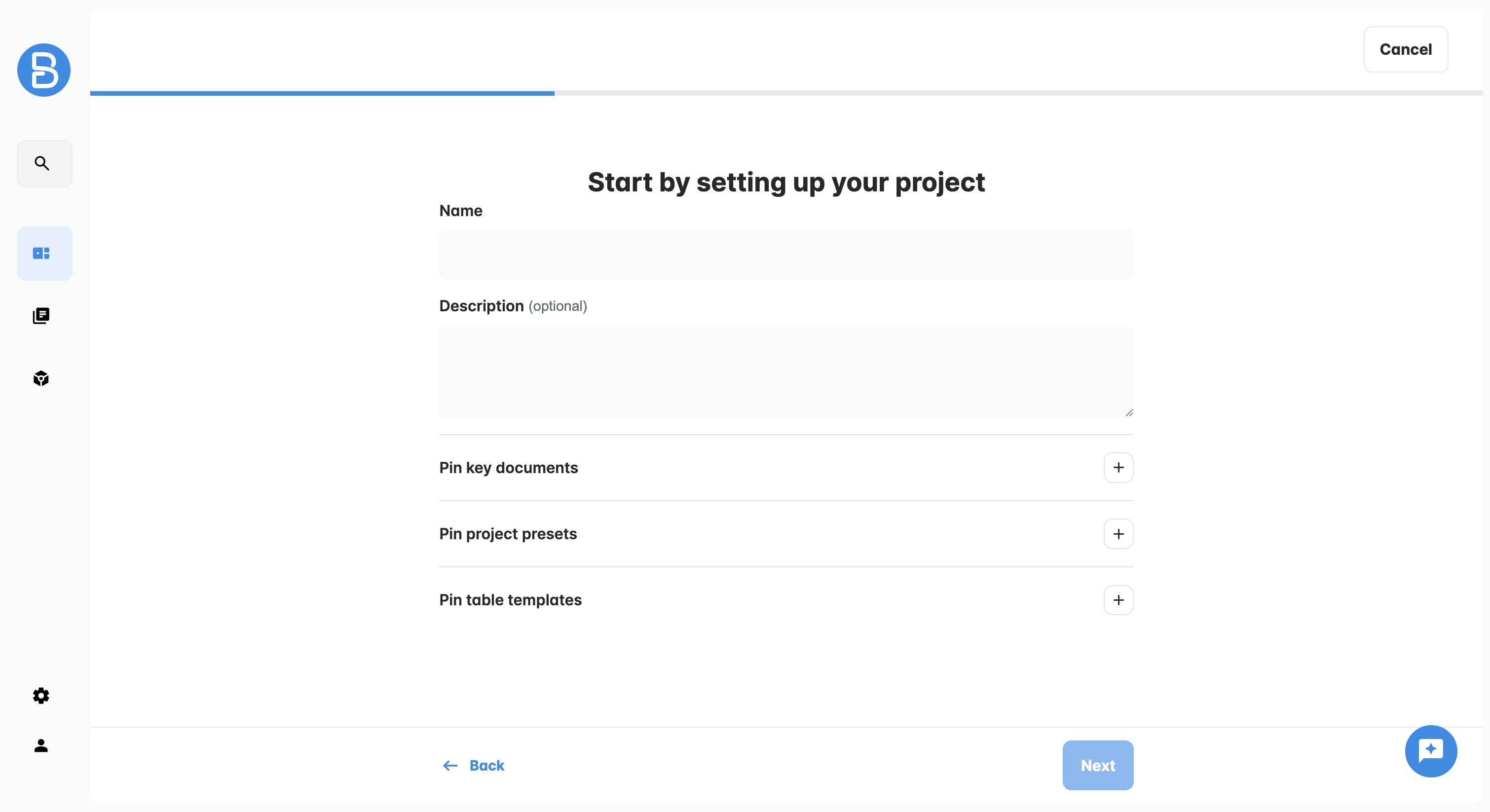
Create a new project
The Projects tab is the first one on the left menu.
Click on it and then click on "New project" to start building your space.

You will need to add:
- A name (mandatory)
- A description: this is optional but highly recommended
- Key documents: optional, allows to show these documents in priority when navigating resources in the project
- Project presets and table templates: optional, allows to show these configurations in priority when navigating presets and templates
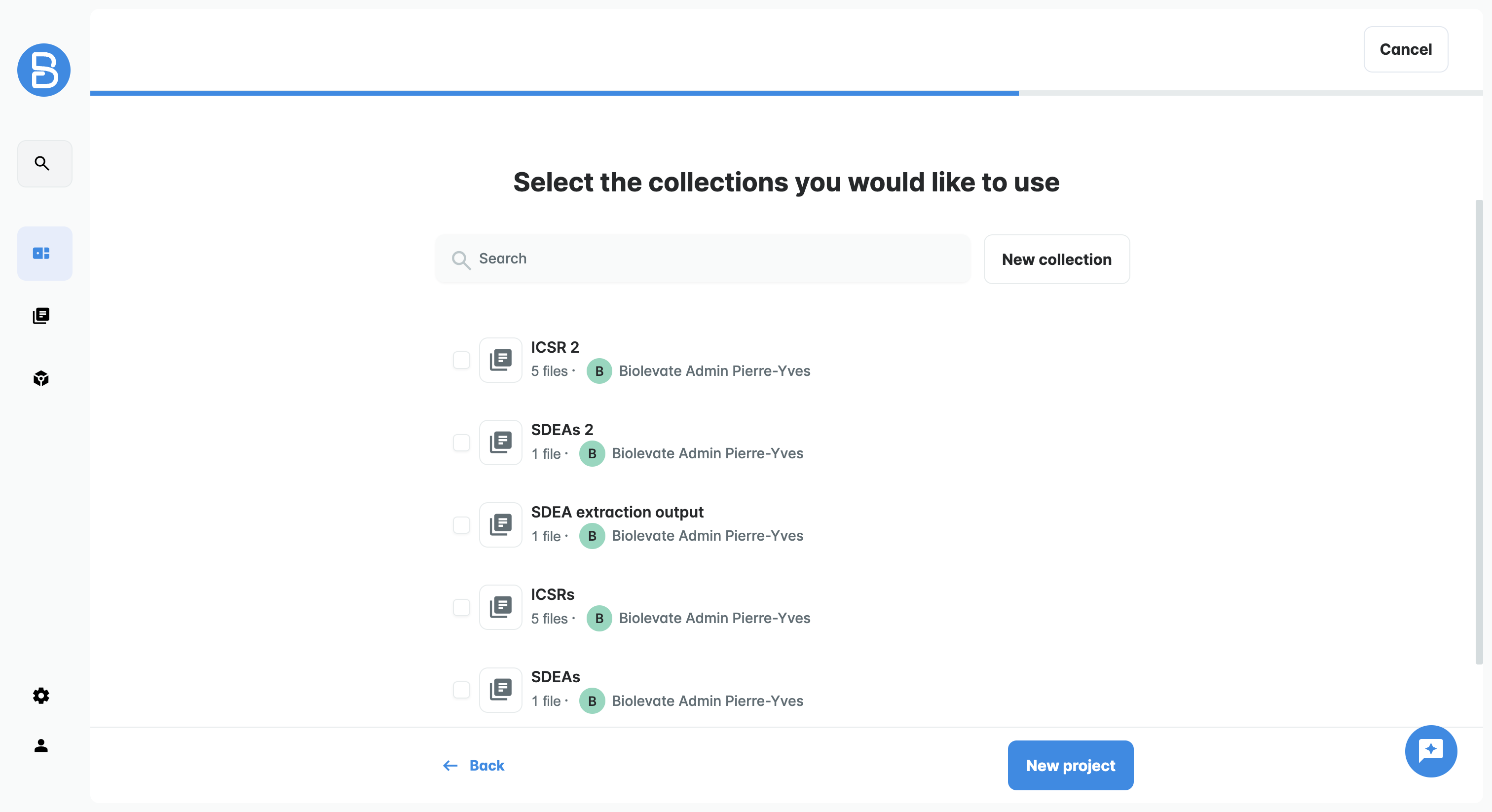
Then, you can select collections from your Library to add resources to your project.
If not, you will be able to add resources later from external searches, manual import or from the Library.
You can validate to create your project.
Organize your projects
In the Projects tab, you will find all the projects you have access to, including your own projects and those shared with you with READ or WRITE permissions.
To help you organize your work, several tools are available.
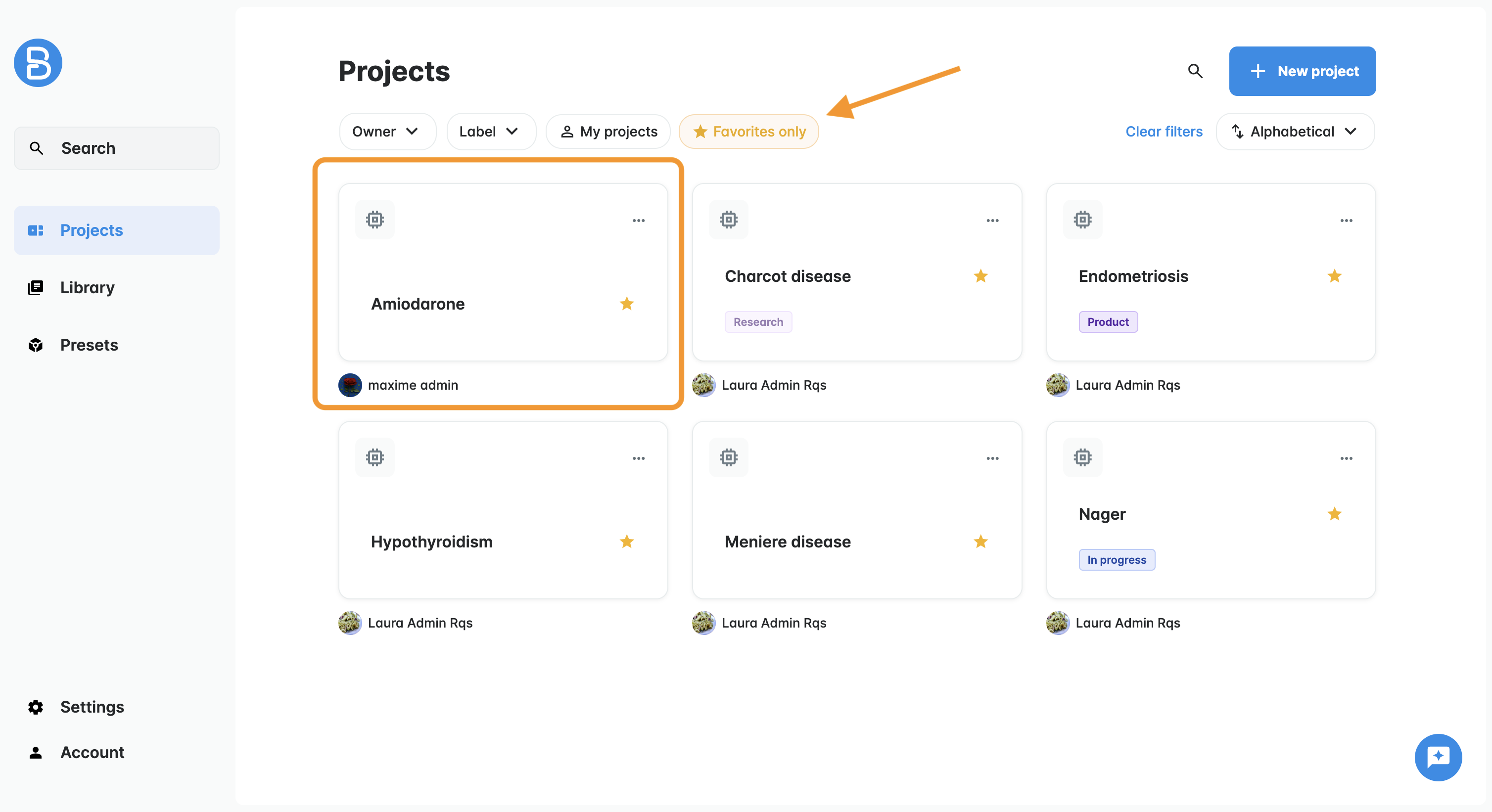
Favorite projects
You can add or remove a project from your favorites from the project menu.
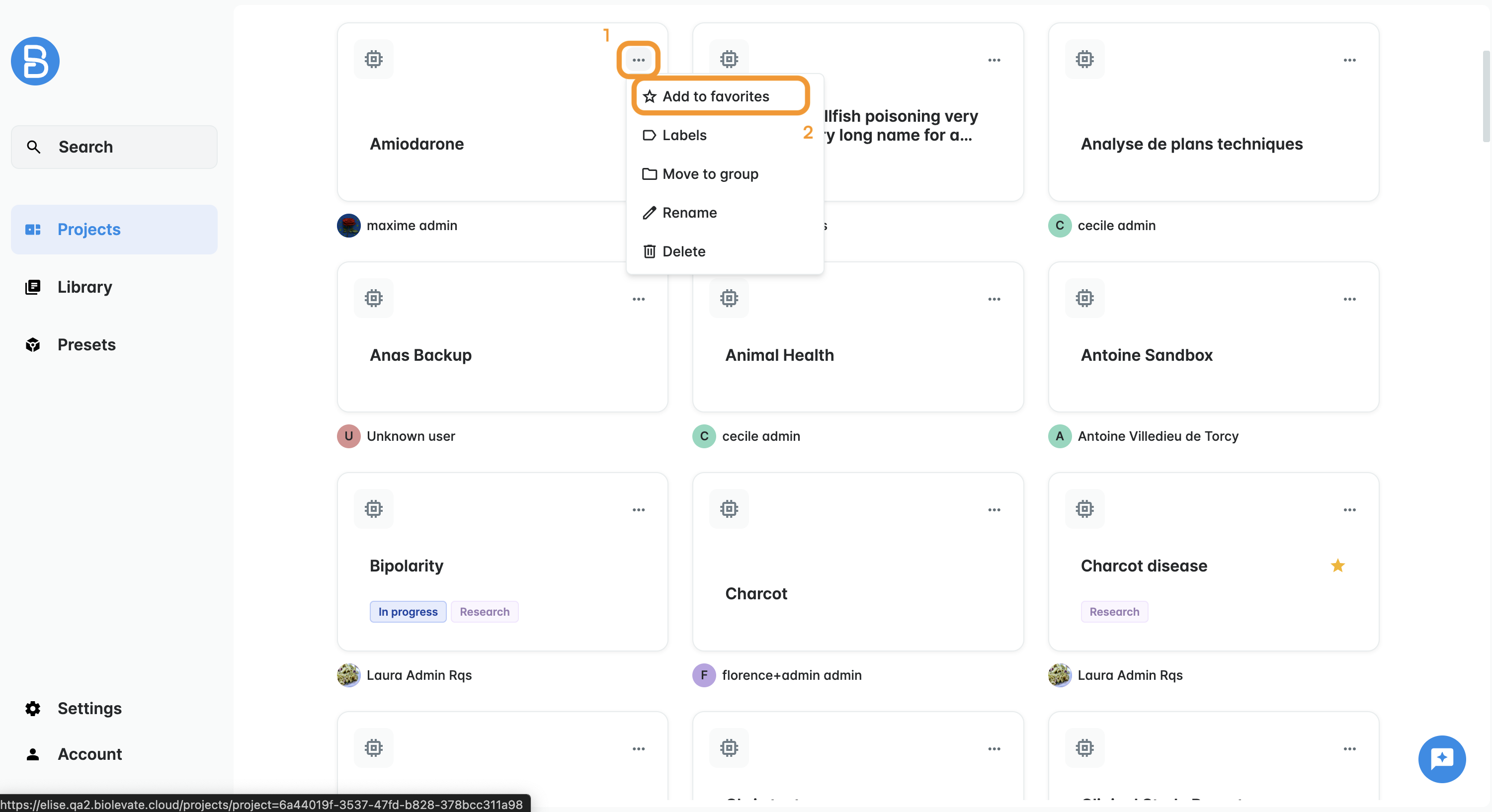
This classification is personal and allows you to quickly access your preferred projects.
Labels
You can create and assign labels to your projects for more advanced organization.
To do so:
- Select "Labels" in the project menu.
- If the label(s) you need already exists, select it.
- If not, create a new label by choosing its name and color.
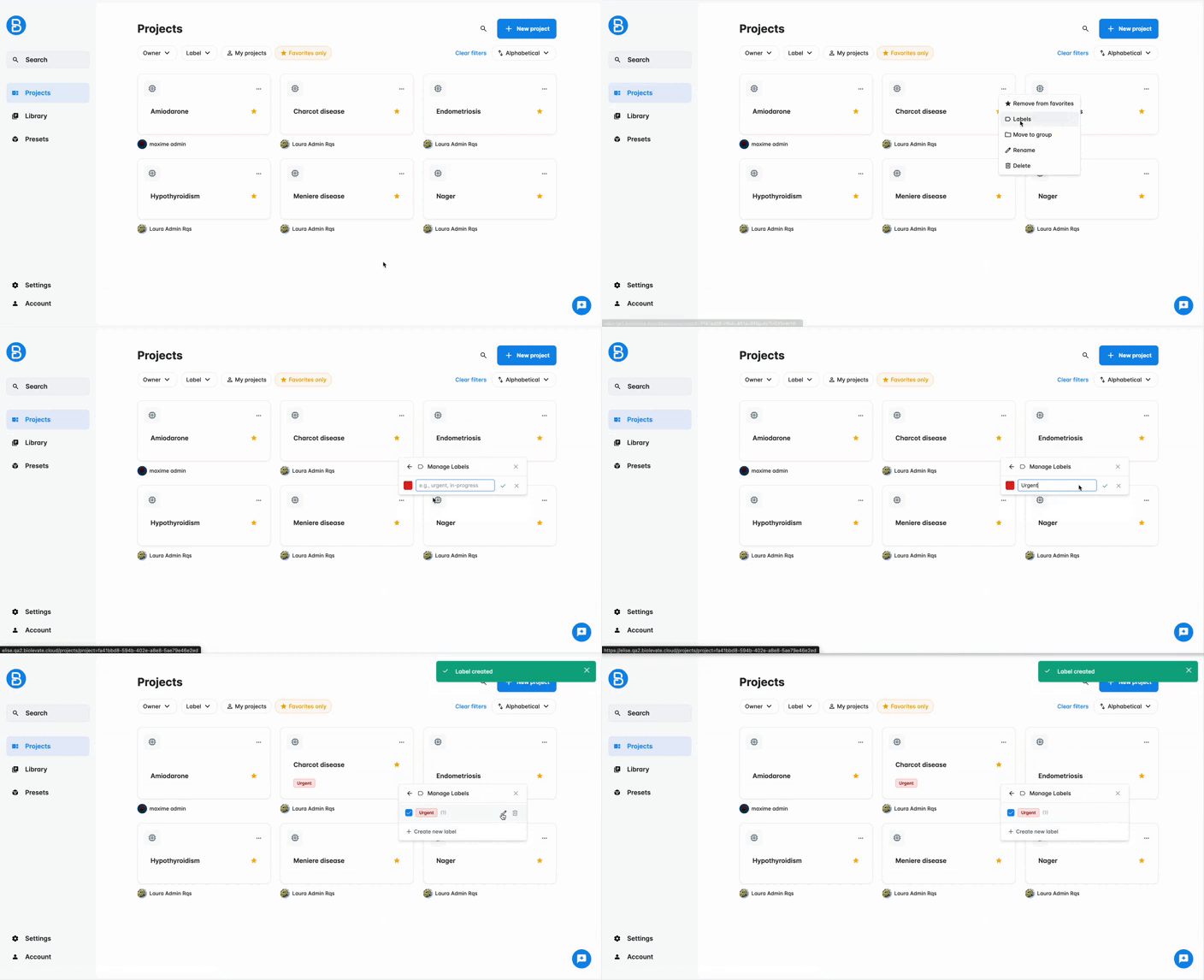
You can assign multiple labels to a project, and use them to filter your projects list.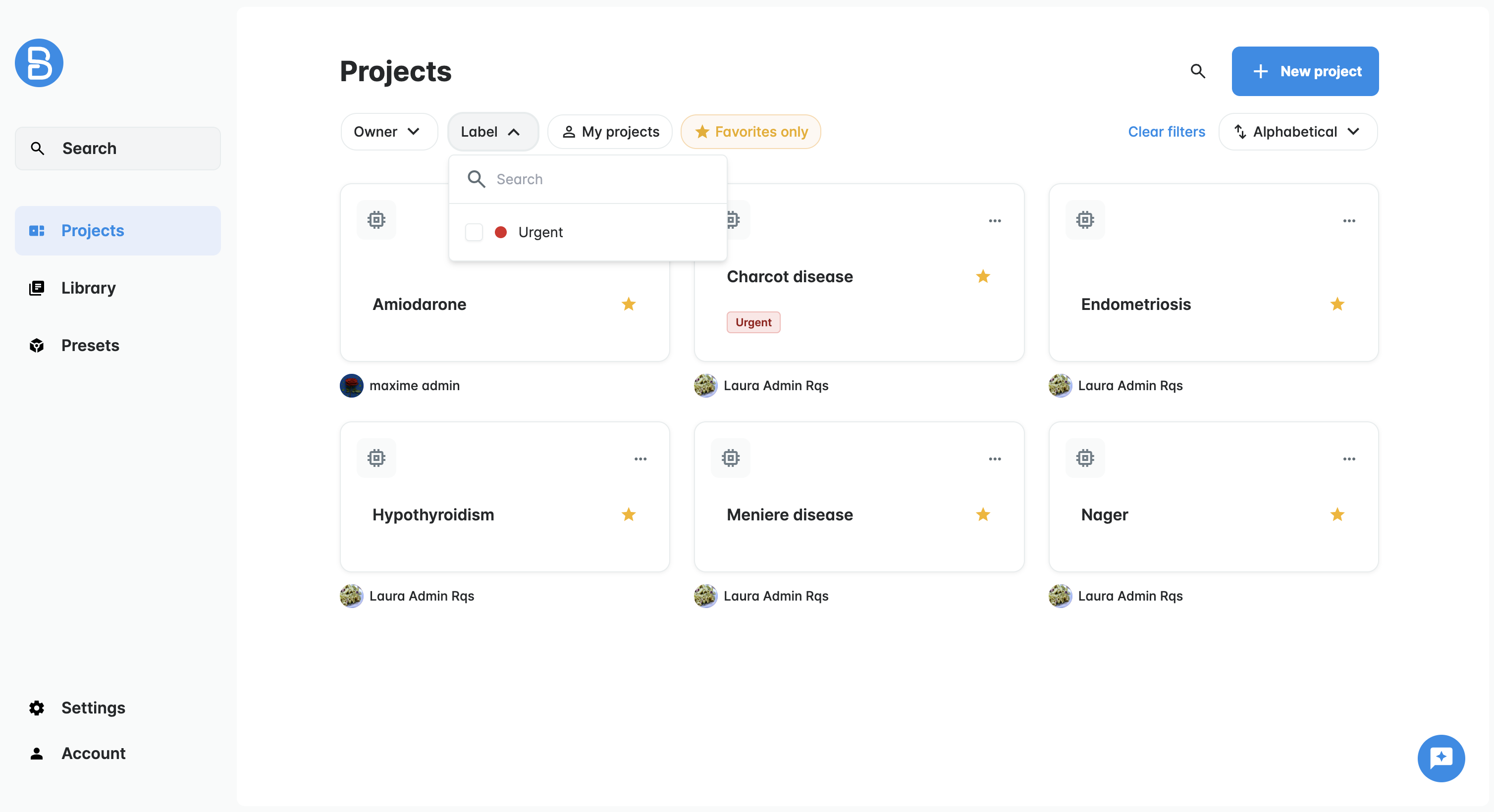
Groups
You can group projects to better organize your workspace and manage access.
To do so:
- Select "Move to group" in the project menu.
- If a suitable group exists, select it.
- Otherwise, create a new group and define its name.
Once a group is created, you can manage its projects and permissions.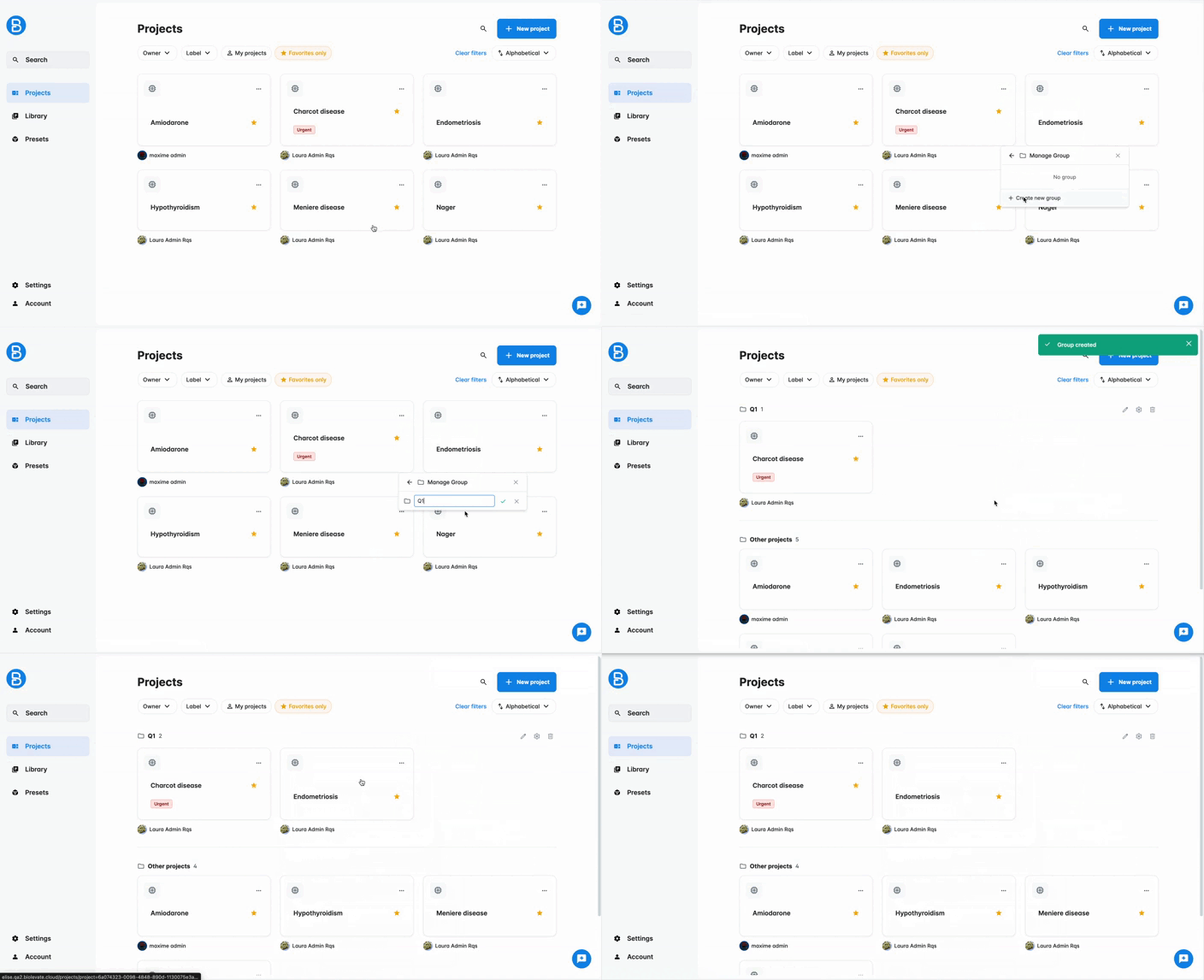
It is recommended to define permissions at the group level to control user actions:
- Users with READ access can view projects and remove their own projects from the group
- Users with WRITE access can view projects, add or remove their own projects, and edit the group name.
- The group OWNER can view projects projects, add or remove their own projects, edit the group name, edit the permissions and delete the group.
Important notes:
- Only the project owner of a project or a Sys admin can move a project.
- Access to a group does not grant access to all its projects automatically; users can only access projects they already have permission for.
Work on a project
Now that your project is created, you can build your work environment by adding resources, getting knowledge from them, writing documents and collaborating with others.
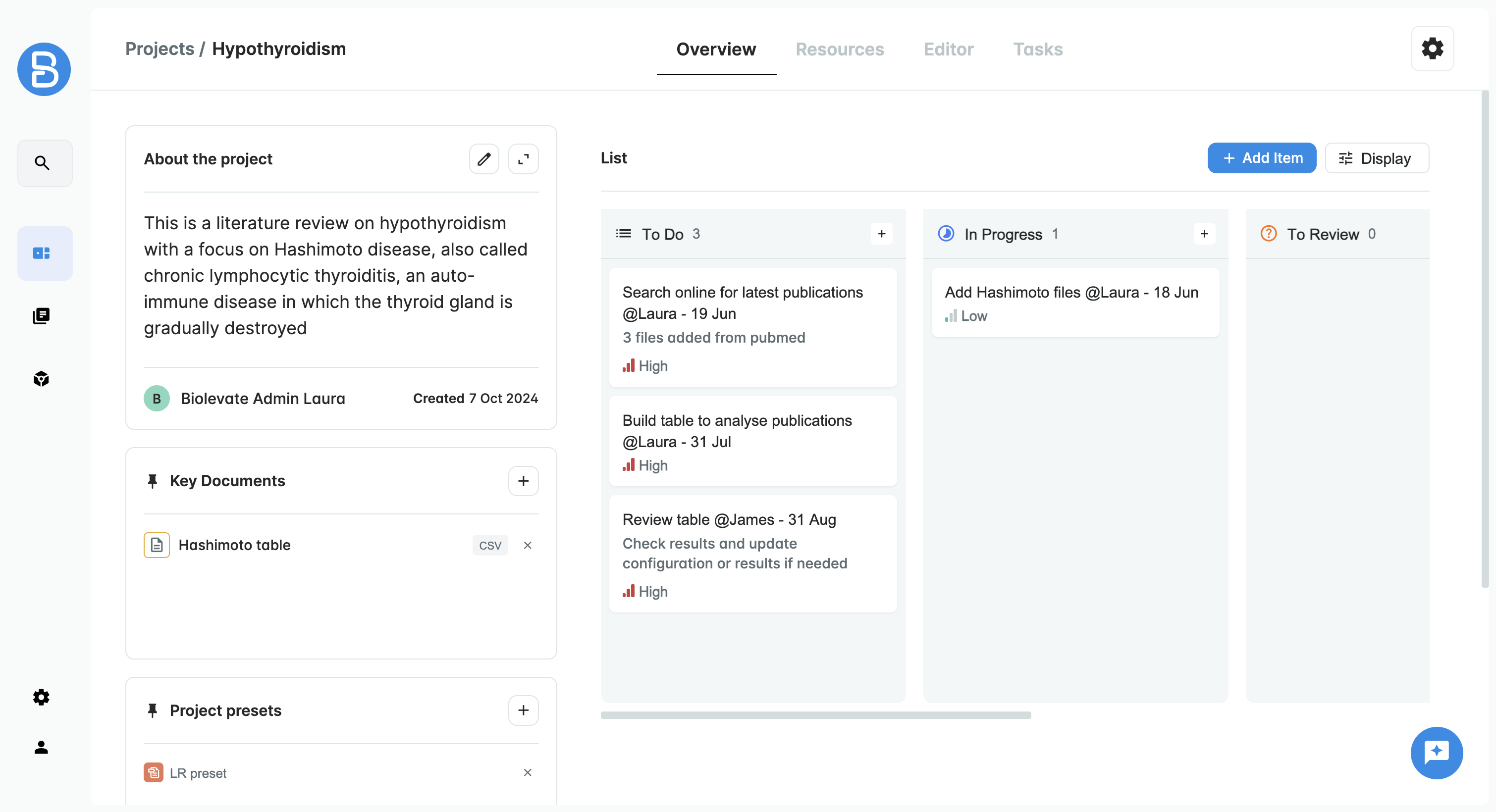
Project overview
The Overview tab of the project is a dashboard with:
- Project description
- Key documents (if any)
- Project presets (if any)
- Table templates (if any)
- Project management board
Get knowledge from my data (Resources)
In a project, you can use existing collections or create new ones to have the necessary data for completing your work.
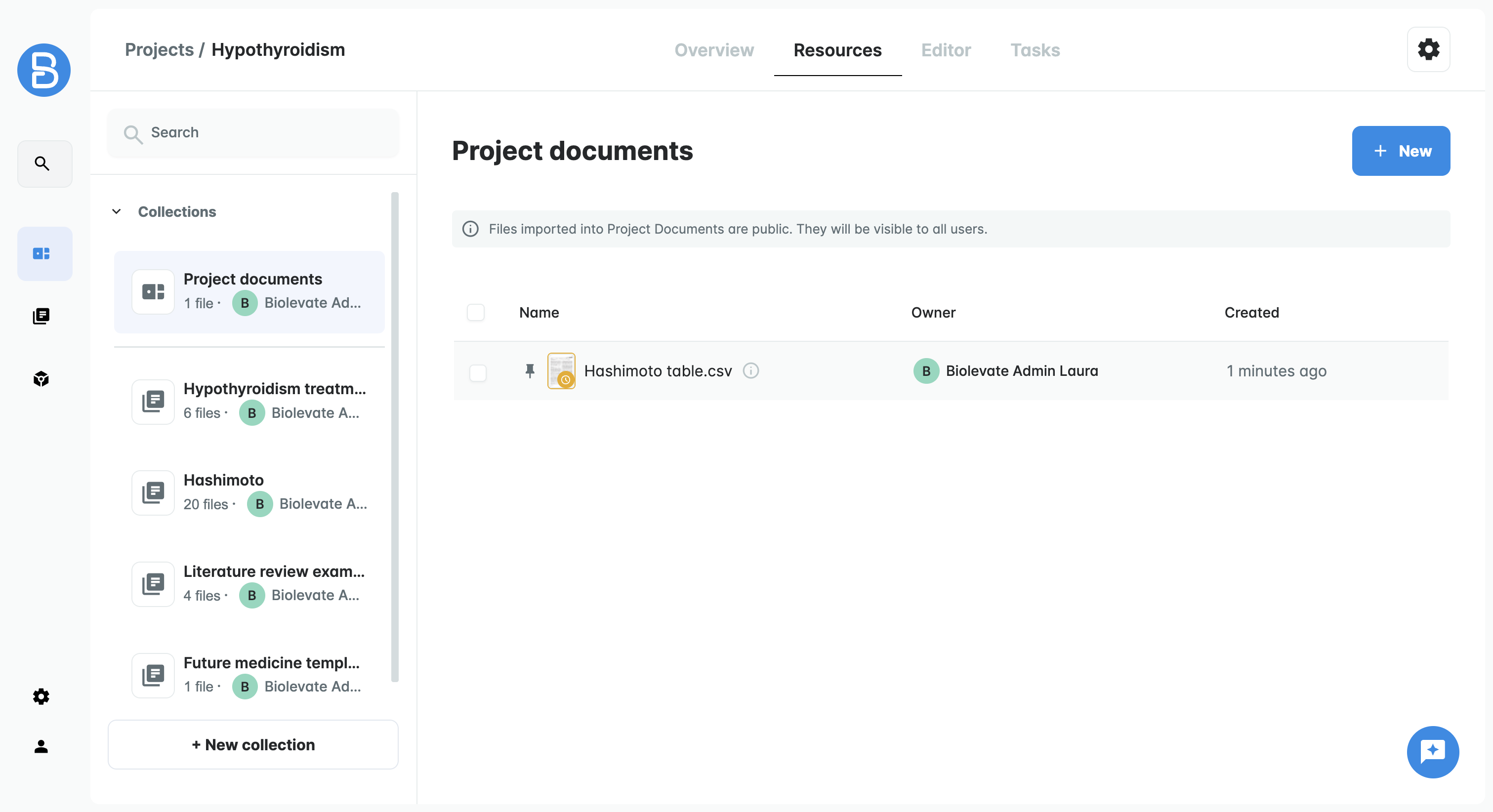
Once your data is ready, you can start structuring it and enriching it: ask questions, extract specific data, get information online and more.
This is managed from the Resources tab.
To know more, check the articles Organize your resources and Extract knowledge from your resources.
Write documents (Editor)
In the Editor tab, you can write documents.
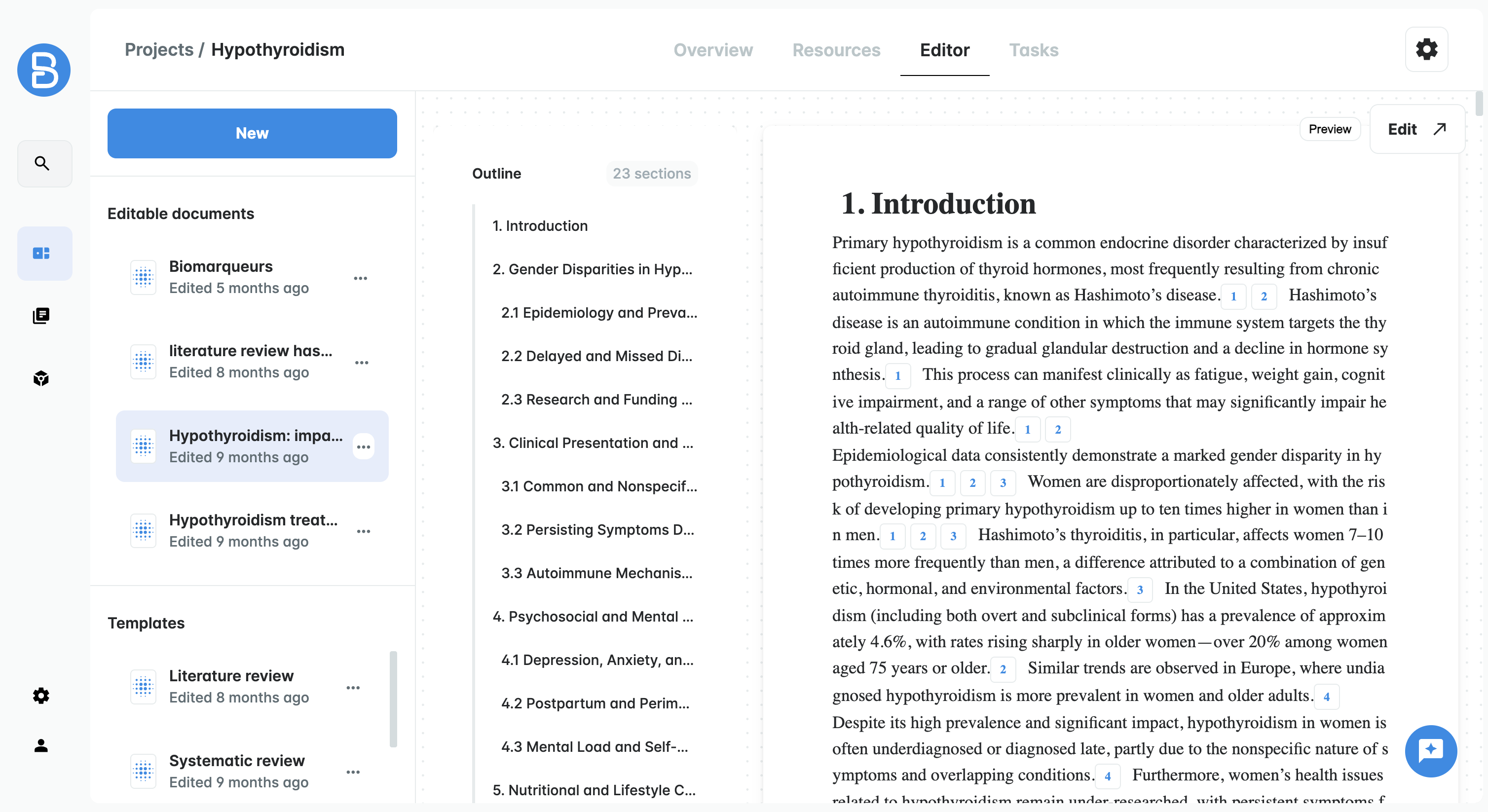
Once you have collections available in your project space, you can use them as references to support your writing.
To know more, check the article Write a dynamic document.
Launch tasks (Tasks)
From the Tasks tab, you can run different types of actions:
- Q&A: ask questions and check compliance criteria
- Extract meta: extract data from your documents
- Biblio-search: get new resources from external databases
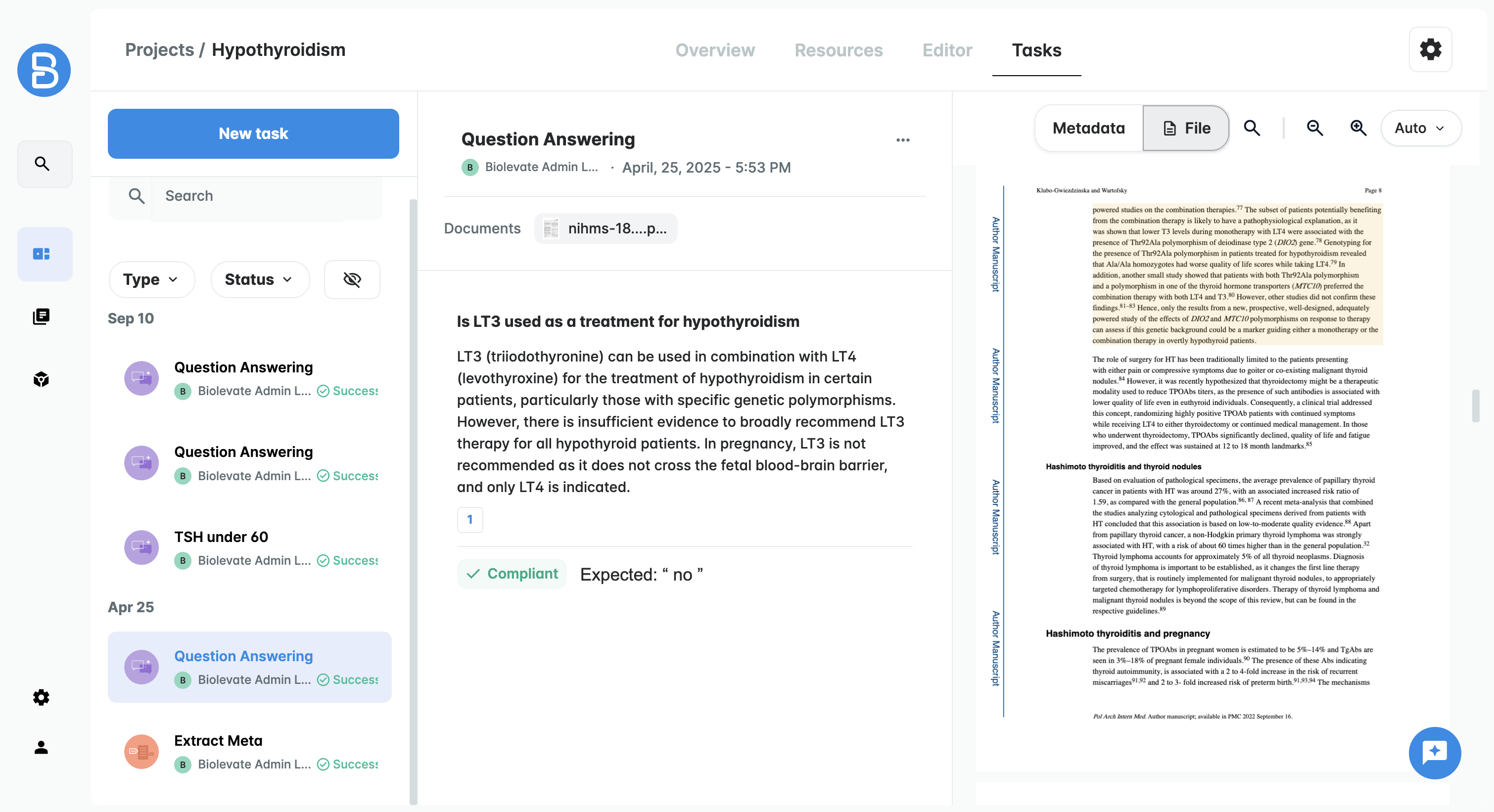
To know more, check the article Launch tasks.
Collaborate on a project
If you want to collaborate on a project, you will need to give access to your project and its resources to your coworkers.
You will have to use policies.
Project policies
First, go to your project settings by clicking on the cogwheel on top right of your screen.
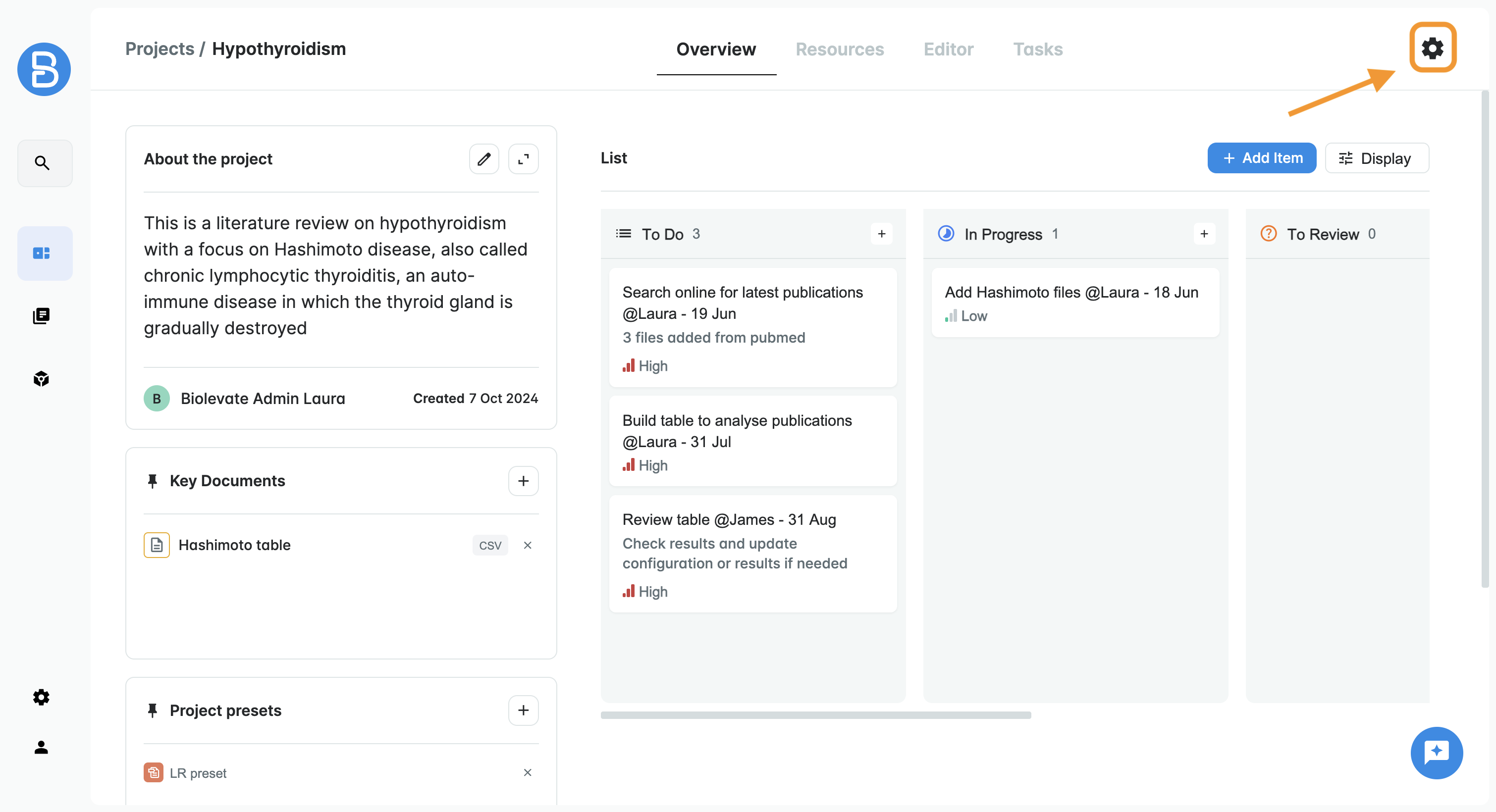
Then select a policy or create a policy.
Users in this policy will have access to your project with READ or WRITE permissions:
| Action | Sys Admin | User 'write' | User 'read' | User |
| Delete project | YES | NO | NO | NO |
| Edit project policy | YES | NO | NO | NO |
| Edit project details | YES | YES | NO | NO |
| Upload documents | YES | YES | NO | NO |
| Add/remove/create collections | YES | YES | NO | NO |
| Modify collections | YES | see collection policy | see collection policy | NO |
| Ask review for a PDF | YES | see collection policy | see collection policy | NO |
| Create dynamic document | YES | YES | NO | NO |
| Read dynamic document | YES | YES | YES | NO |
| Edit/rename/delete/request review of dynamic document | YES | YES | NO | NO |
| Launch task | YES | YES | NO | NO |
| See tasks results | YES | YES | YES | NO |
| Edit a task result | YES | YES | NO | NO |
Collection policies
To apply a policy to a collection, you need to go to the Library and find your collection.
Please note that this access applies to the collection and not to the project.
If the collection is used in another project, it does not mean the user will have access to the project.
Was this article helpful?
That’s Great!
Thank you for your feedback
Sorry! We couldn't be helpful
Thank you for your feedback
Feedback sent
We appreciate your effort and will try to fix the article