| Permissions |
|
| Related readings |
|
Metadata files can be enriched by attaching their corresponding full-text documents, allowing existing metadata and extracted knowledge to be preserved while making the complete document available.
TABLE OF CONTENTS
Metadata files
A metadata file contains descriptive information about a document, such as its title, authors, abstract, and publication details, but not the full text.
You can add metadata files to the platform in two ways:
- Download abstracts from Search.
- Import .ris or .nbib files into the Library.
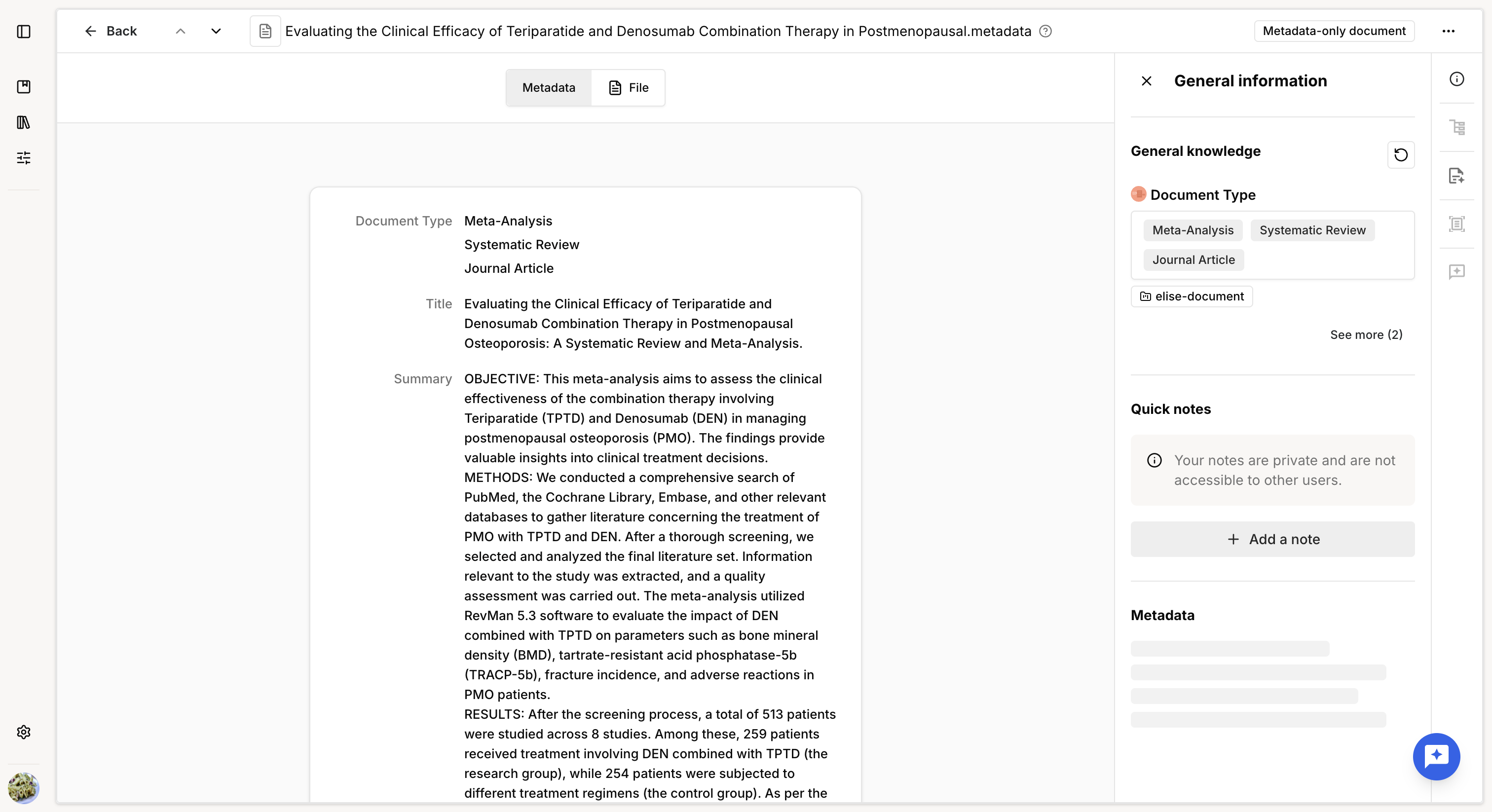
When you open a metadata file, its metadata is displayed in the preview.
The right-side panel provides access to the General information and Knowledge tabs.
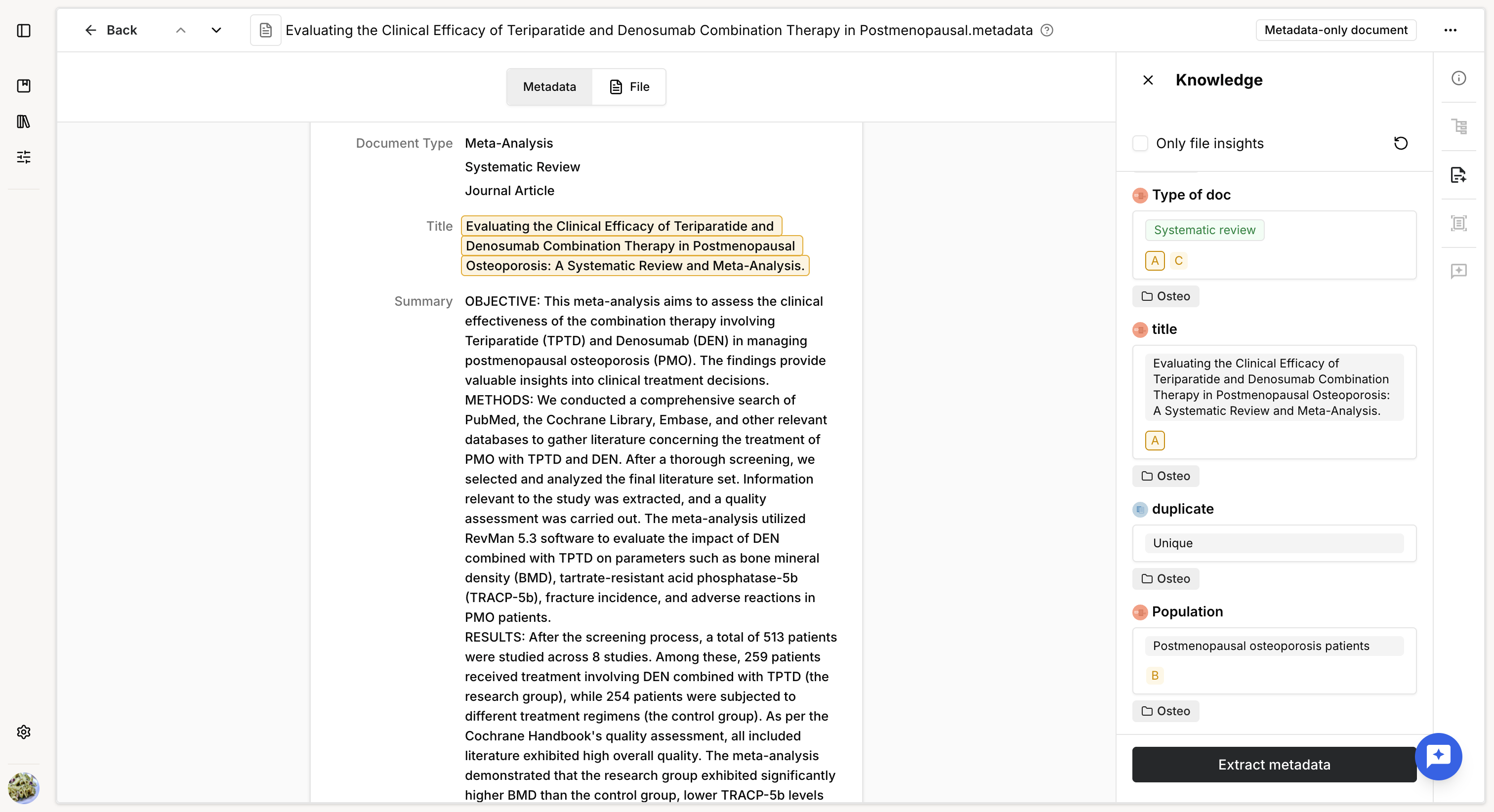
Knowledge extracted or added to a metadata file behaves the same way as knowledge extracted from a full-text document.
You can view supporting highlights and use the Explain feature to understand how the information was identified.
Add a full-text file
If you have the full-text document on your computer, you can attach it to an existing metadata file without losing any previous work, including extracted knowledge.
To attach a full-text file:
- Open the metadata file.
- Click File to switch to the file preview.
- Click Add file.
- Select the full-text document from your computer.
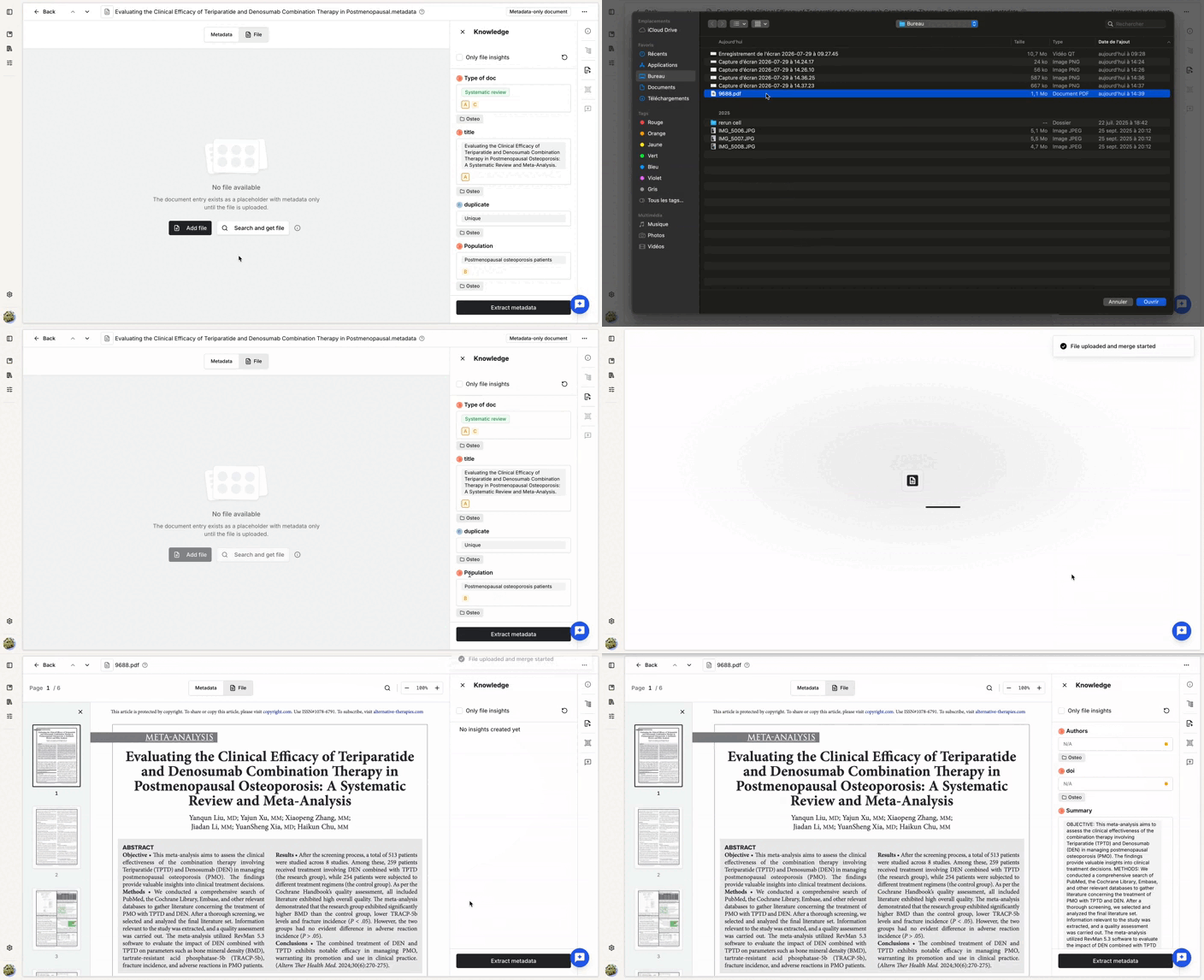
The file is uploaded and automatically indexed.
After indexing, the document's general knowledge may be updated, as the full-text provides additional information that was not available in the metadata alone.
The original metadata remains available from the metadata preview, alongside potential new metadata.
Add multiple full-text files
You can enrich several metadata files at once using one of the following methods.
Upload and merge
Use Upload and merge from a collection to upload multiple full-text files and automatically match them with existing metadata files.
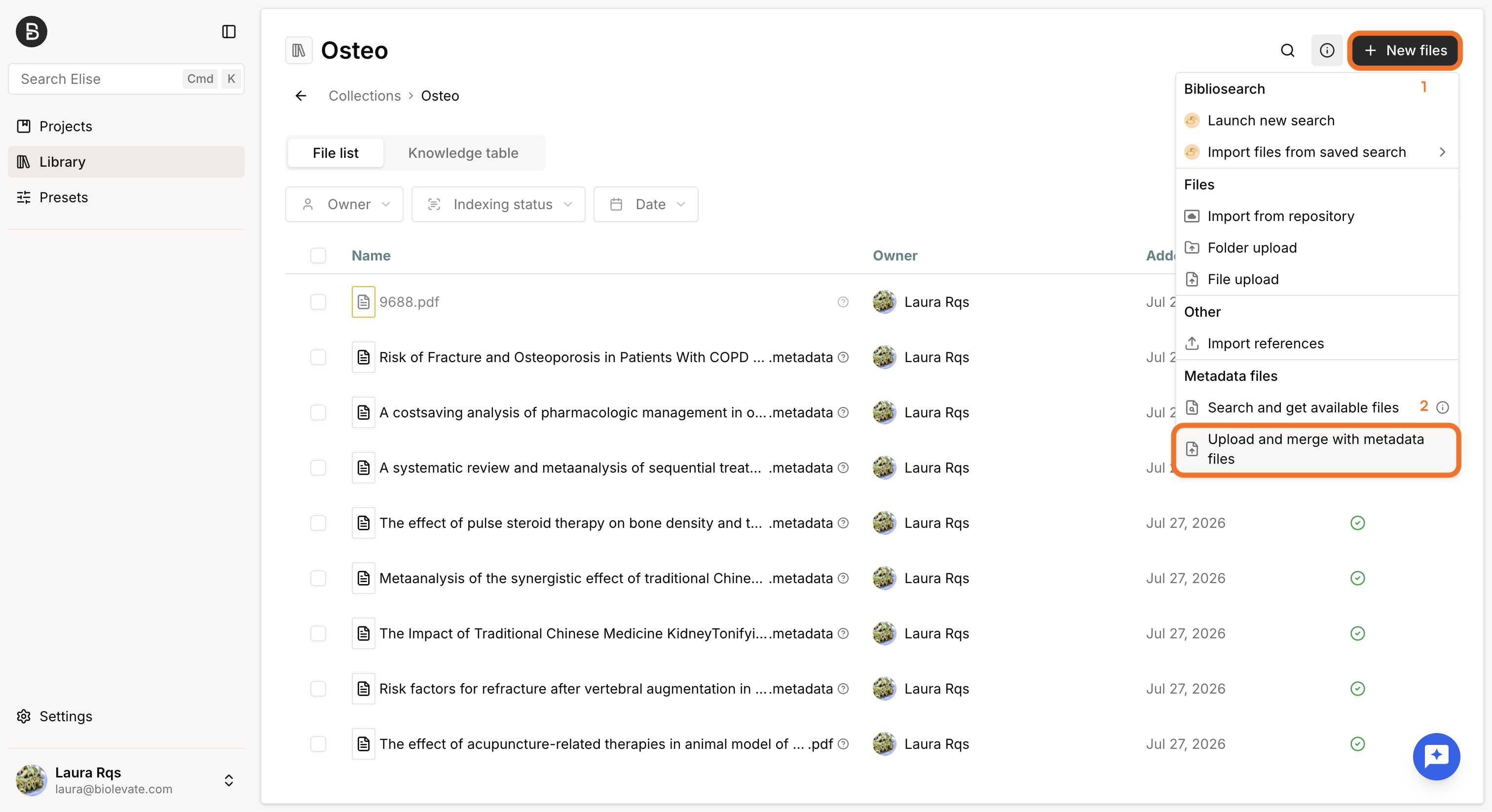
The matching process runs as a background task that remains accessible while it is running.
You can open the task at any time to monitor its progress.
The task is divided into two sections:
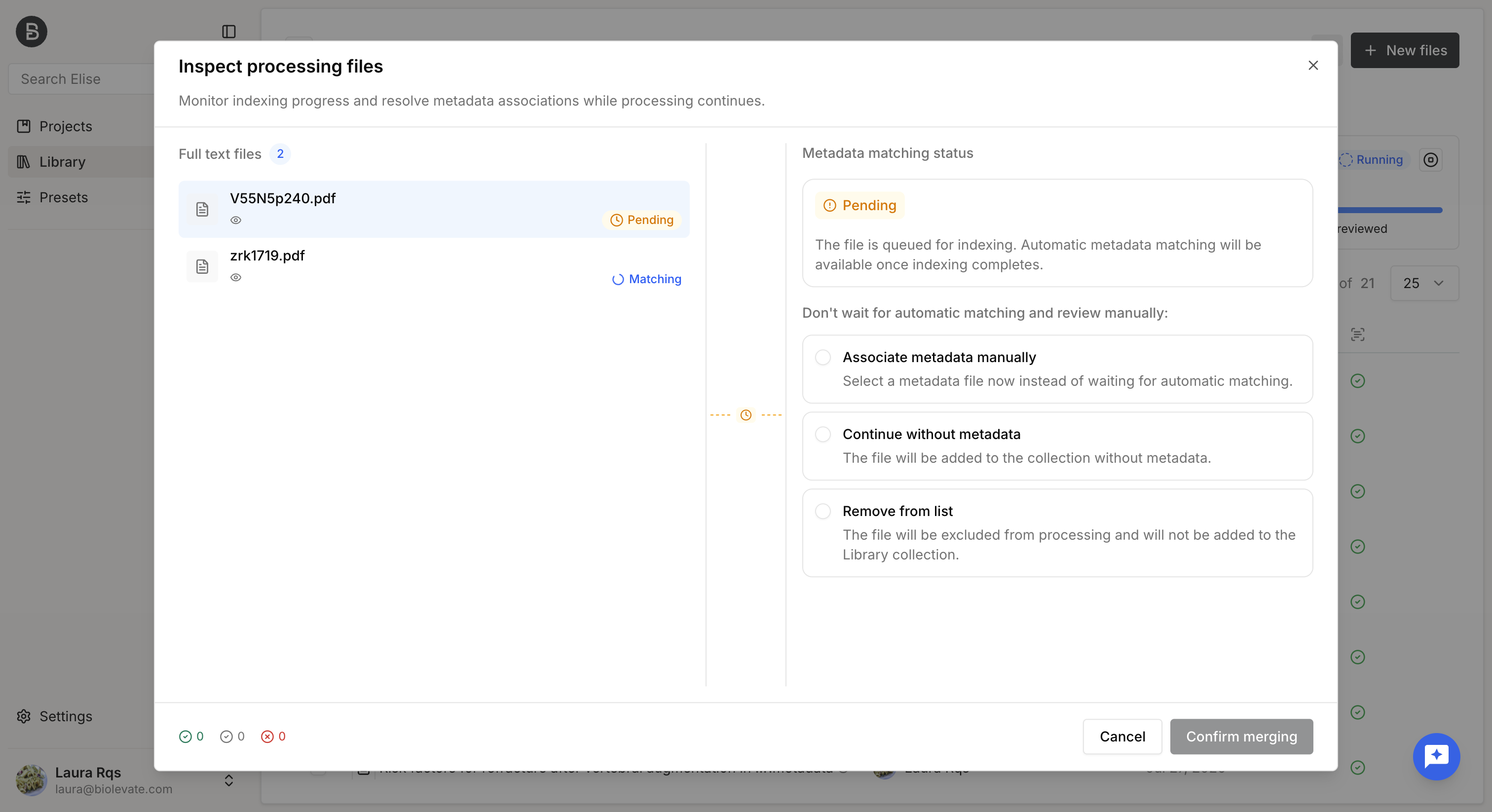
Processing
The Processing section lists files that are still being handled by the platform.
For each file, you can see its current status, such as:
- Pending, while the document is in queue for indexing.
- Indexing, while the document is being processed.
- Matching, while the platform searches for the corresponding metadata file.
Even before processing is complete, you can already take action on each file by:
- Manually matching it to an existing metadata file.
- Importing it as a standalone full-text file without matching it to a metadata file.
- Removing it from the import.
Processed
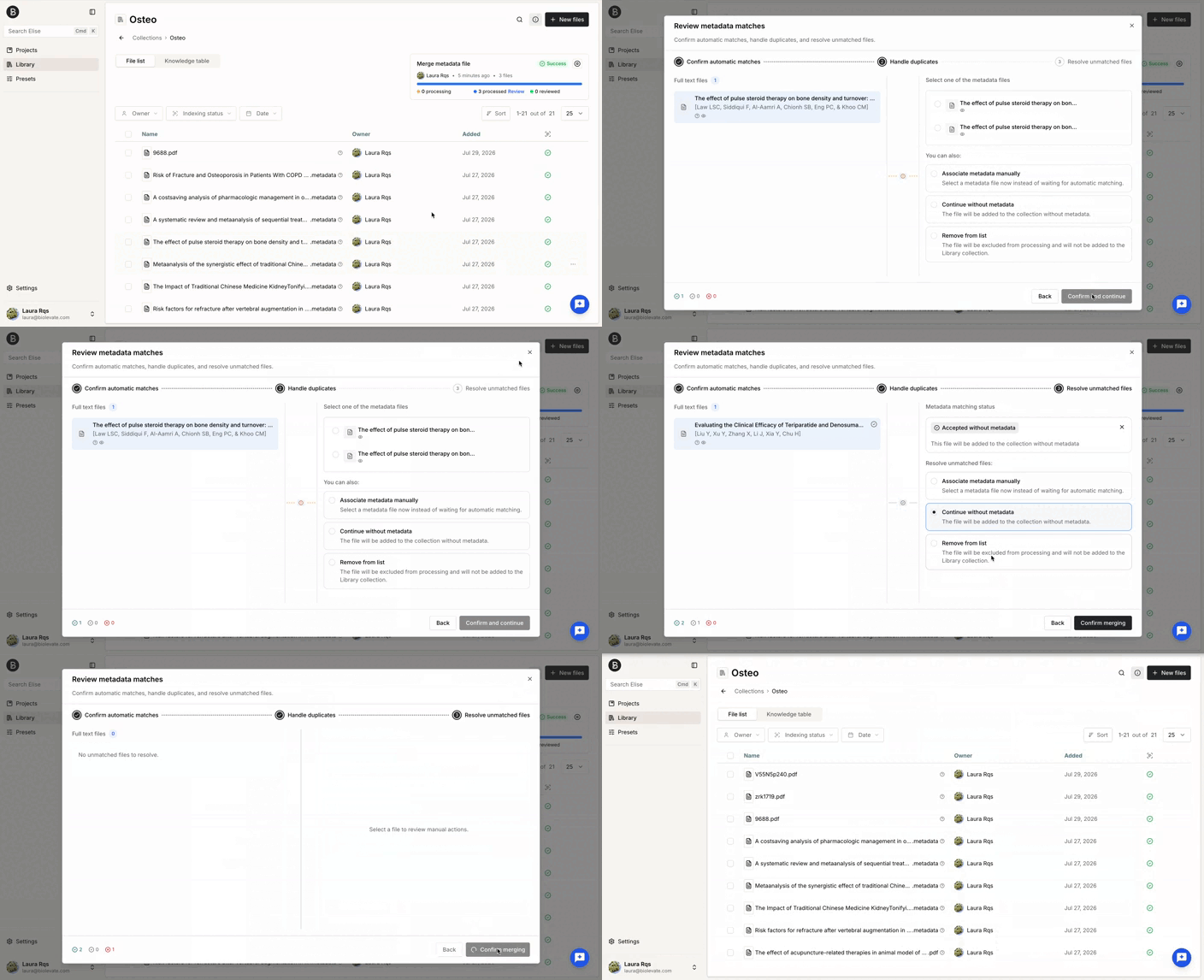
As files complete processing, they move to the Processed section, where you can review and validate the proposed actions.
The review is organized into three steps:
- Match validation: review the proposed matches and deselect any incorrect ones.
- Duplicate handling: if multiple metadata files match the same document, choose which metadata file to merge with.
- Unmatched files:for files that could not be matched automatically, you can:
- Link them manually to an existing metadata file.
- Import them as standalone full-text files without merging.
- Remove them from the import.
Processing time depends on the number and complexity of the uploaded files. As a guideline, processing one to three files typically takes about one minute.
Search and merge
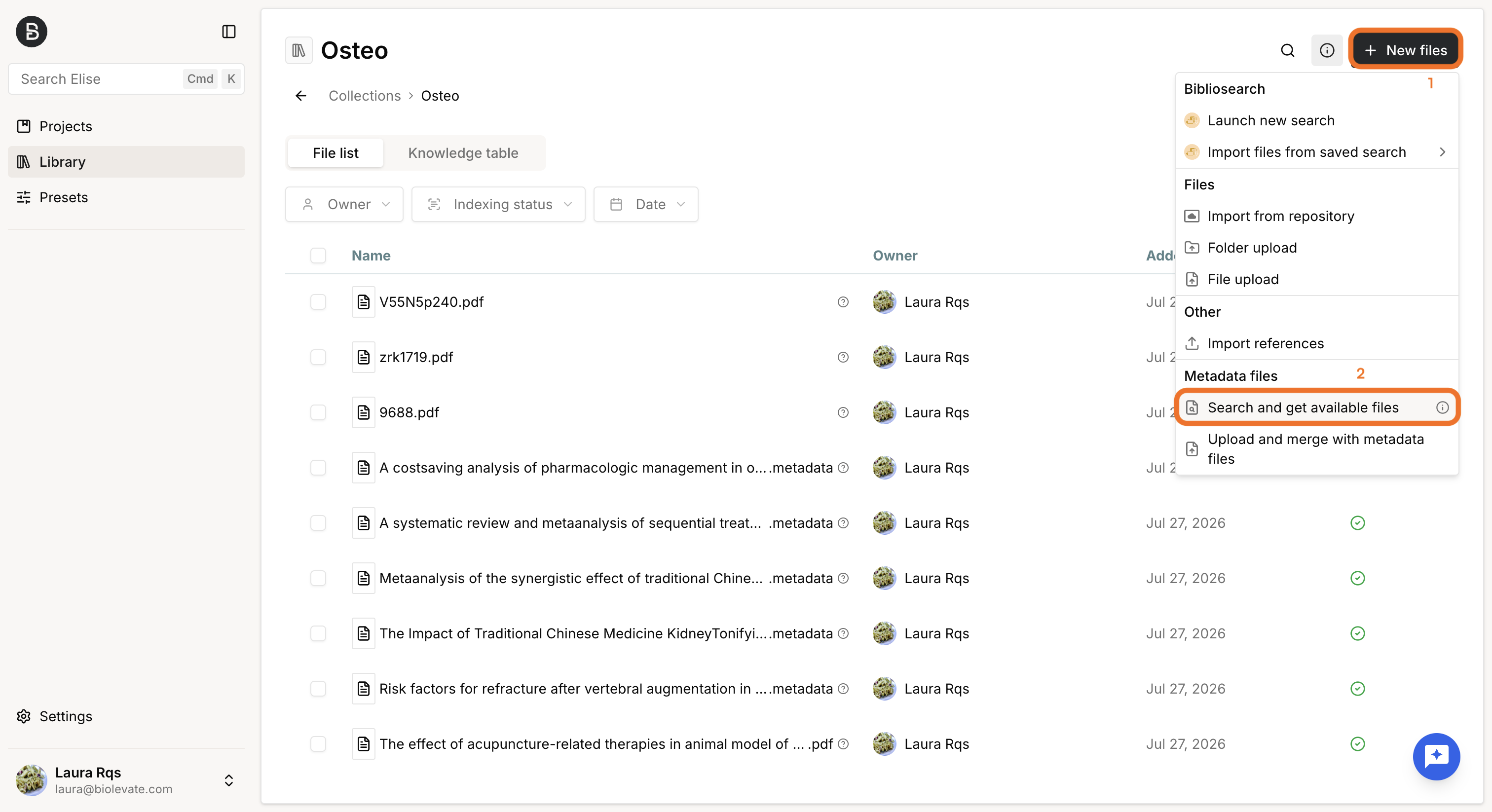
Use Search and get available files from a collection to automatically retrieve matching full-text documents for your metadata files.
The platform first searches your Library for existing full-text documents. If no local match is found, it searches online sources, such as PubMed, using the identifiers available in the metadata (when available).
The matching process runs as a background task. Once completed, you can review the proposed matches before applying them.
During the review, you can display both the metadata file and the retrieved full-text to help validate each match.
The review includes the following cases:
- No match found: the platform could not locate a corresponding full-text document. You can export the list of unmatched files, including their titles and identifiers.
- Multiple metadata files matched to the same full-text:this typically indicates duplicate metadata records. For each proposed match, you can:
- Accept the match, which creates separate document entries sharing the same full-text but retaining their respective metadata.
- Reject the match for one or more metadata files.
- Single match found: the platform identified one matching full-text for a metadata file. You can either accept the proposed match or reject it.
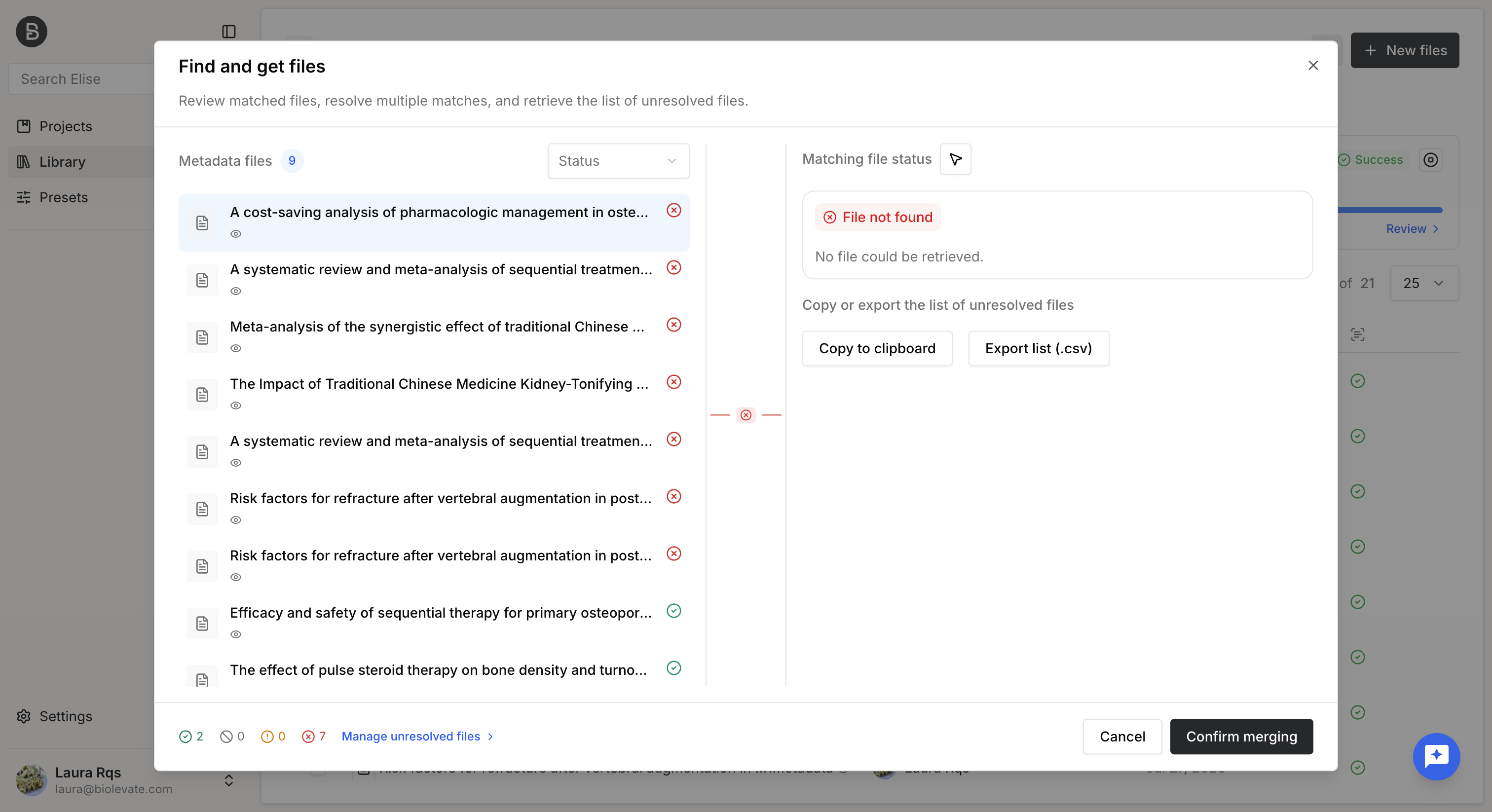
Once the review is complete, the accepted matches are imported and merged with their corresponding metadata files.
Was this article helpful?
That’s Great!
Thank you for your feedback
Sorry! We couldn't be helpful
Thank you for your feedback
Feedback sent
We appreciate your effort and will try to fix the article