| Permissions |
|
| Related readings |
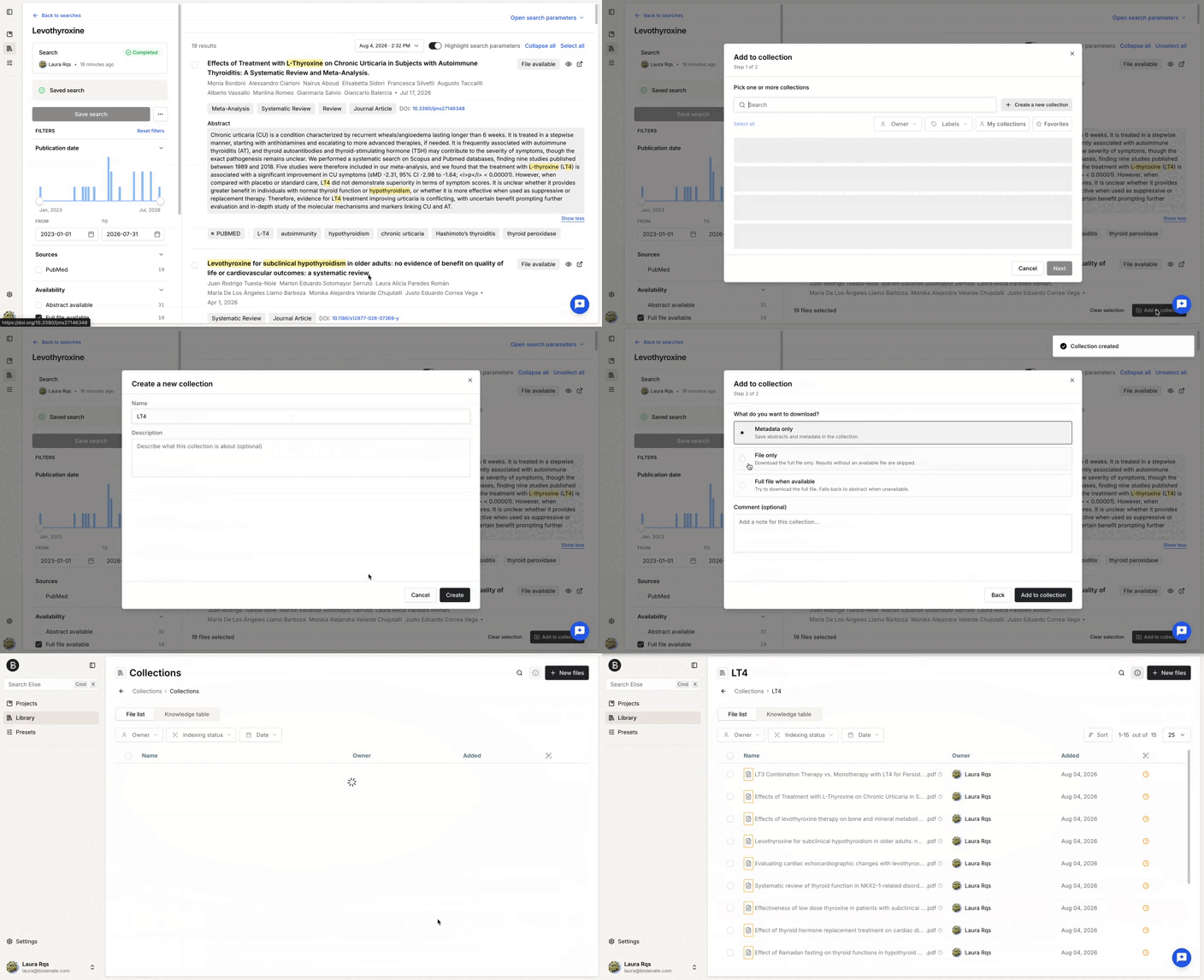
Search results can be imported into a collection as full-text documents, metadata files, or a combination of both, depending on availability.
TABLE OF CONTENTS
Select one or more search results and choose how they should be imported.
If the search was started from a collection, imported documents are added directly to that collection.
Otherwise, you must choose the destination collection.
Import full-text documents
Select Files to download available open-access full-text documents.
Filtering results by Files available is recommended before downloading.
Import metadata only
Select Metadata only to import publication metadata and abstracts when the full text is unavailable.
This creates a metadata file that can be used throughout the platform.
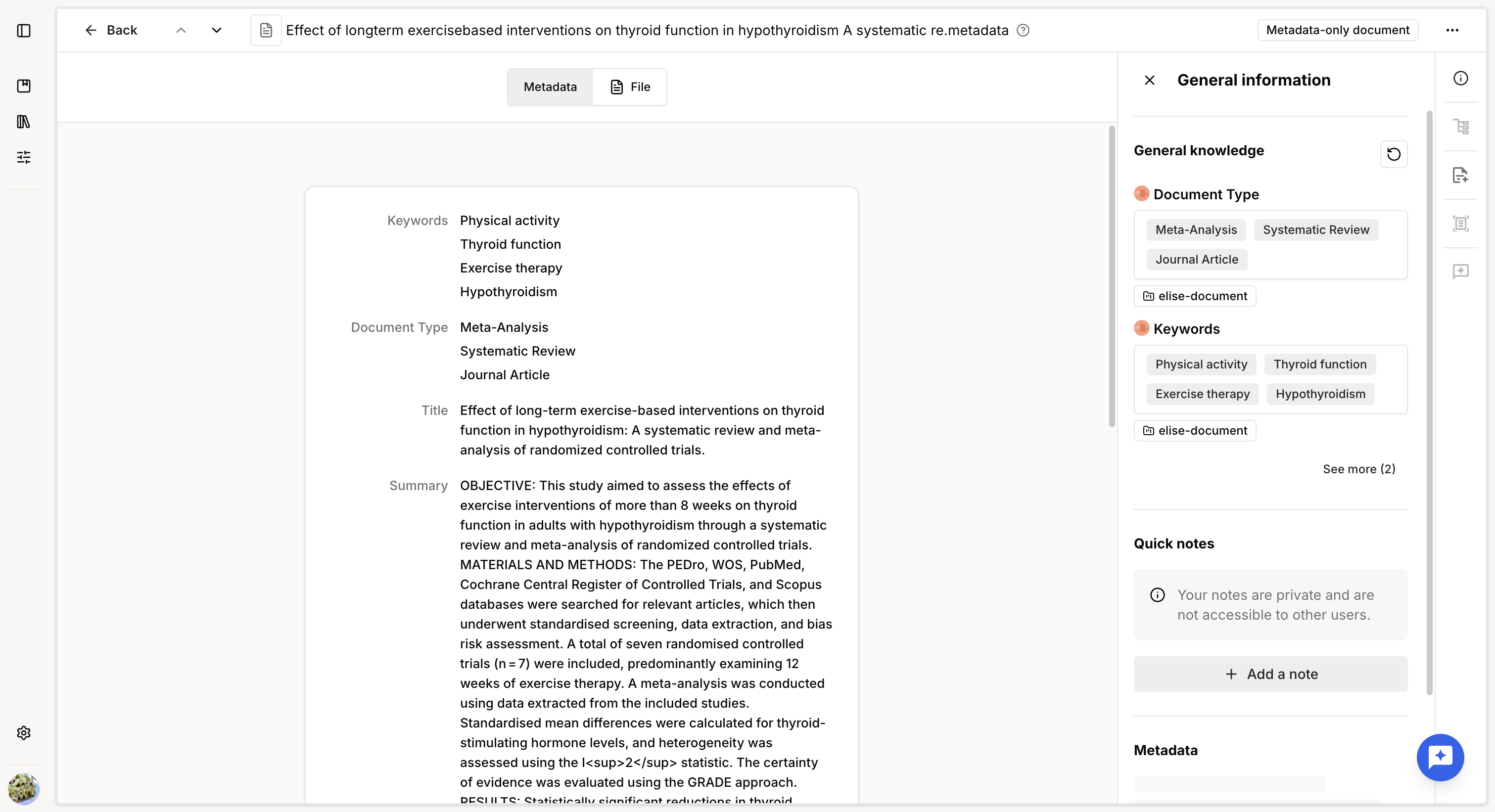
Import full text when available
Select Full file when available to automatically:
- Download the full-text document when available.
- Otherwise import the metadata and abstract.
Review import history
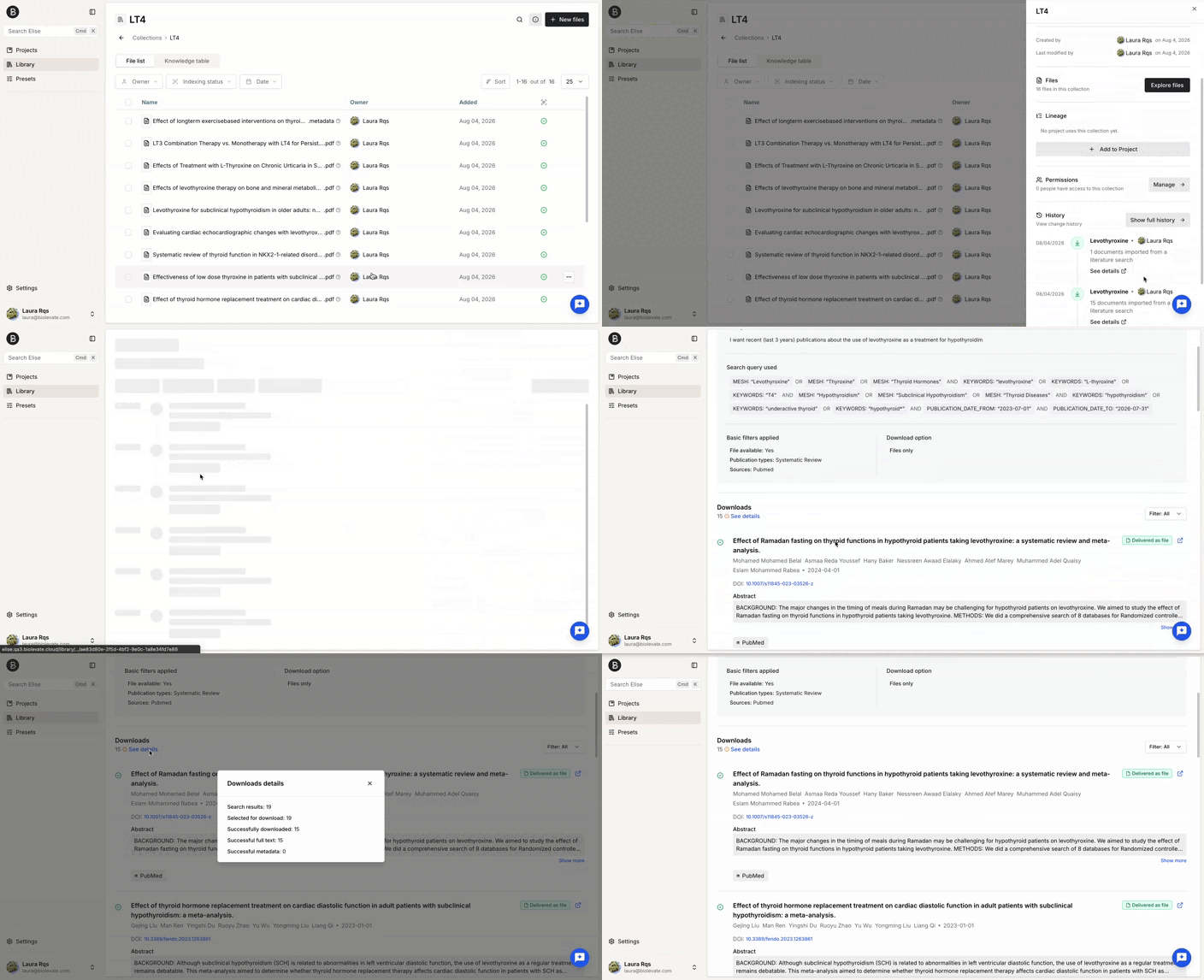
You can review imported documents from the collection history.
To access it:
- Open the Library.
- Open the collection or the collection panel
- Select Show full history.
The history records documents added through:
- Manual uploads.
- Connected repositories.
- Collection transfers.
- Search imports.
For documents imported from a search, the history also includes the search query, applied filters, and associated comments when available.
Was this article helpful?
That’s Great!
Thank you for your feedback
Sorry! We couldn't be helpful
Thank you for your feedback
Feedback sent
We appreciate your effort and will try to fix the article