| Permissions |
|
| Related readings |
The References tab helps identify, review, and validate supporting references associated with a file.
TABLE OF CONTENTS
Find supporting references
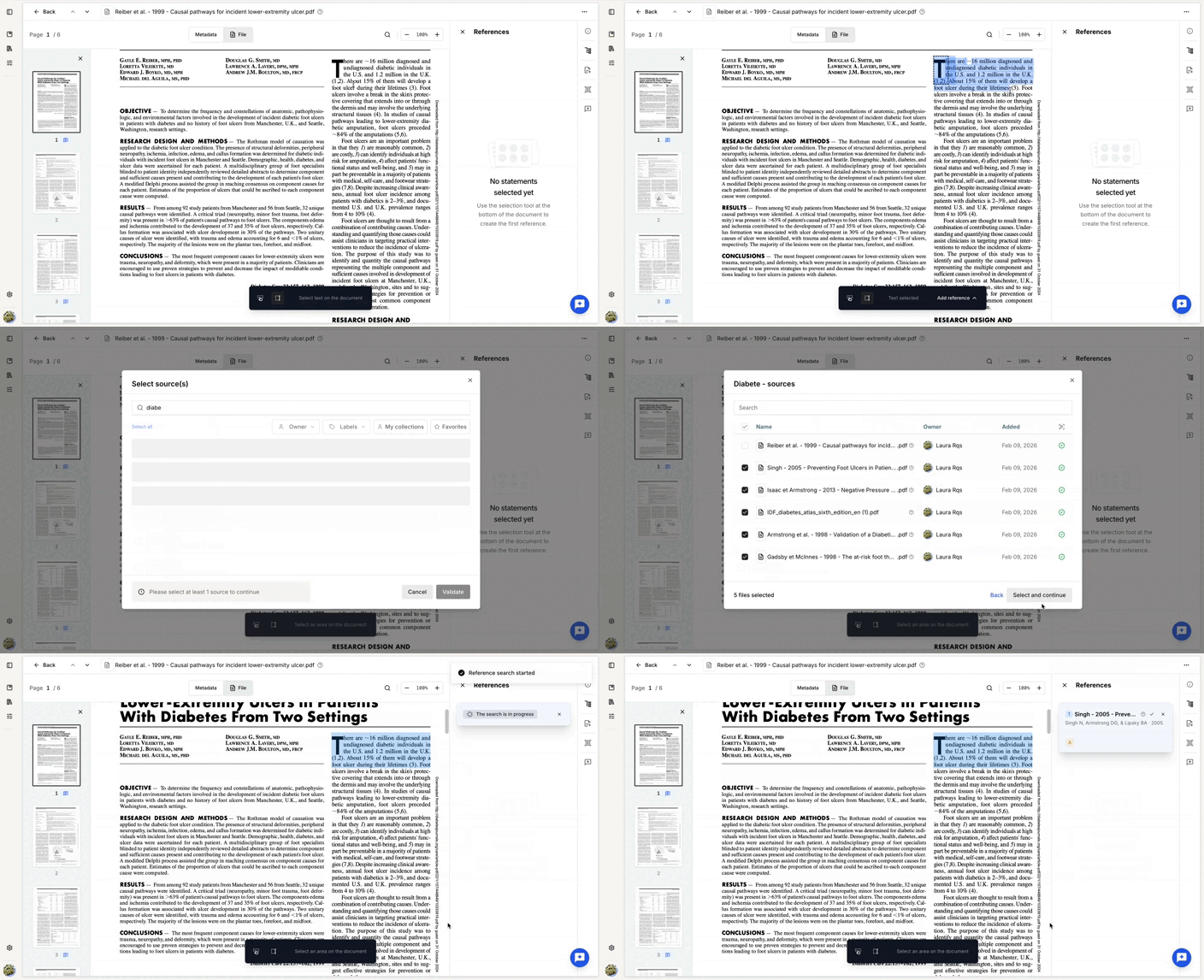
The References Finder identifies supporting references for a statement selected in the document.
To use it:
- Choose a selection mode from the toolbar:
- Text: provides more precise selection, but is not available for all file formats.
- Block: useful when text selection is unavailable, for example with scanned documents.
- Select the files or collections to use as sources.
- Launch the References Finder.
Processing time depends on the number of sources being analyzed. The tool runs in the background, so you can continue working, select another part of the document, or move to another task while it processes.
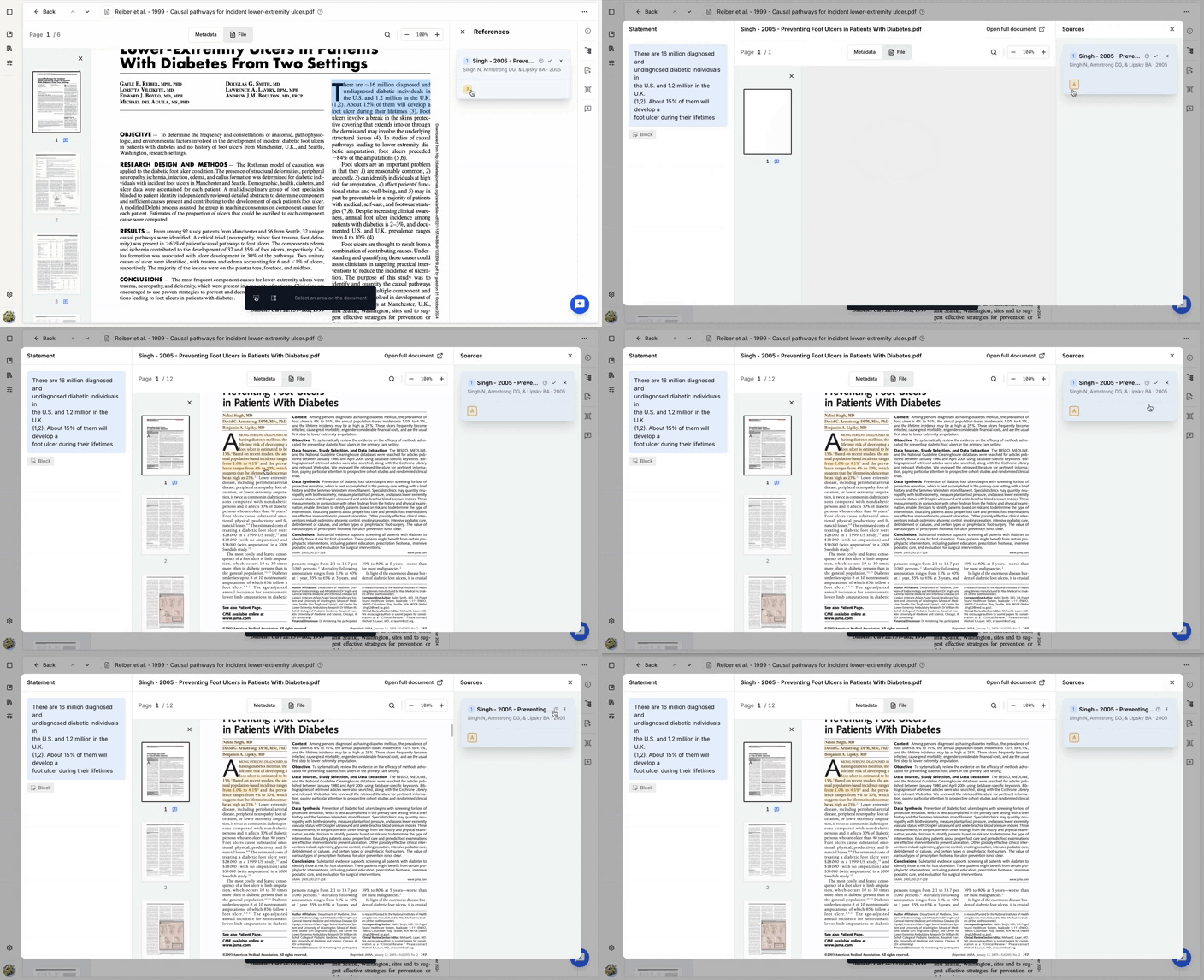
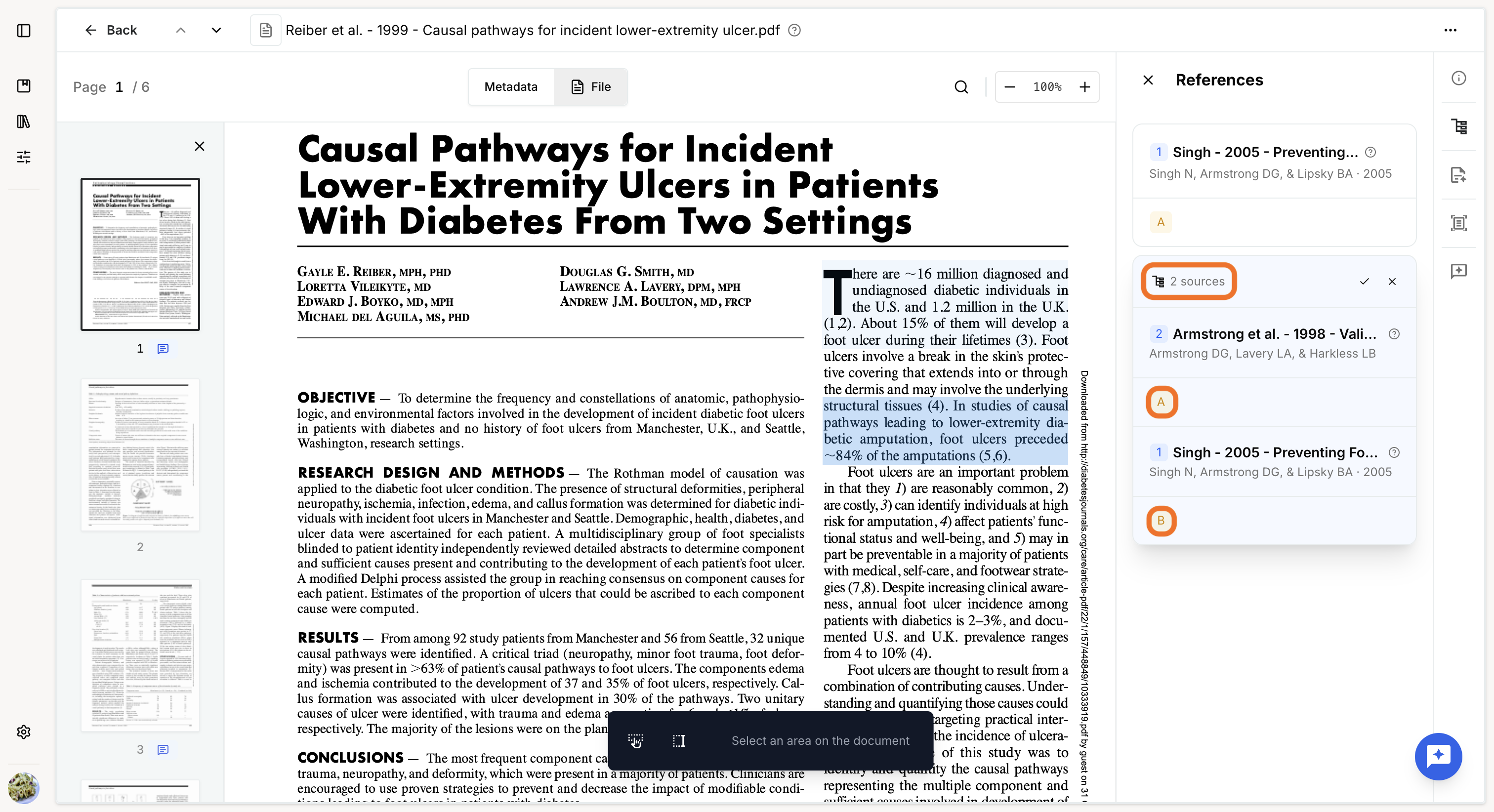
When processing is complete, several references and their supporting arguments are proposed. You can review the arguments associated with each reference and accept or reject the proposed references.
If the results are empty or insufficient, try reducing the number of sources or adjusting the size of the selected statement. Statements that contain too much or too little information may produce less relevant results.
Review supporting references
Statements with associated references are highlighted in blue.
Click a highlighted statement to display its related references in the right-hand panel.
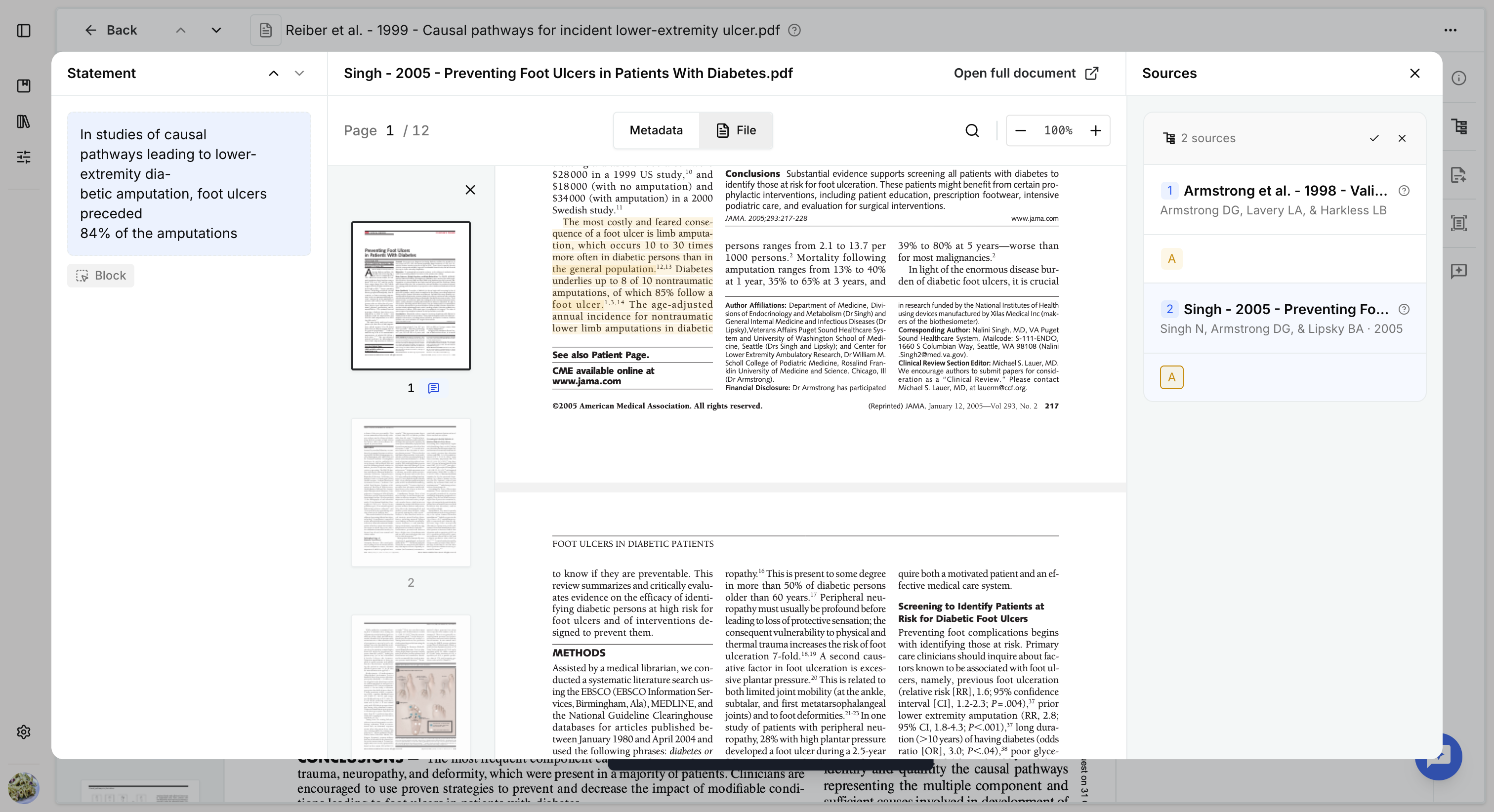
Then, click an argument (the letter displayed in yellow) or Sources to open the argument preview.
A modal opens with three areas:
- Left panel: navigate between the statements selected in the document.
- Right panel: explore the different arguments associated with the selected statement.
- Preview: view the arguments highlighted directly in the source document.
Was this article helpful?
That’s Great!
Thank you for your feedback
Sorry! We couldn't be helpful
Thank you for your feedback
Feedback sent
We appreciate your effort and will try to fix the article