| Permissions |
|
| Related readings |
After a Knowledge table has been computed, each cell provides information about its status, available actions, and, when applicable, the reasoning behind the generated result.
TABLE OF CONTENTS
Cell status
Each cell displays its current processing state.
Available statuses are:
- Pending: waiting in the processing queue.
- Running: currently being computed.
- Incomplete: missing required inputs.
- Error: computation failed.
- Completed: result available.
- Stale: inputs or configuration changed since the last computation.
- Manually edited: value modified by a user.
Pending and running cells cannot be edited.
Incomplete cells require changes to the table configuration before recomputation.
Stale cells should be recomputed to reflect the latest configuration.
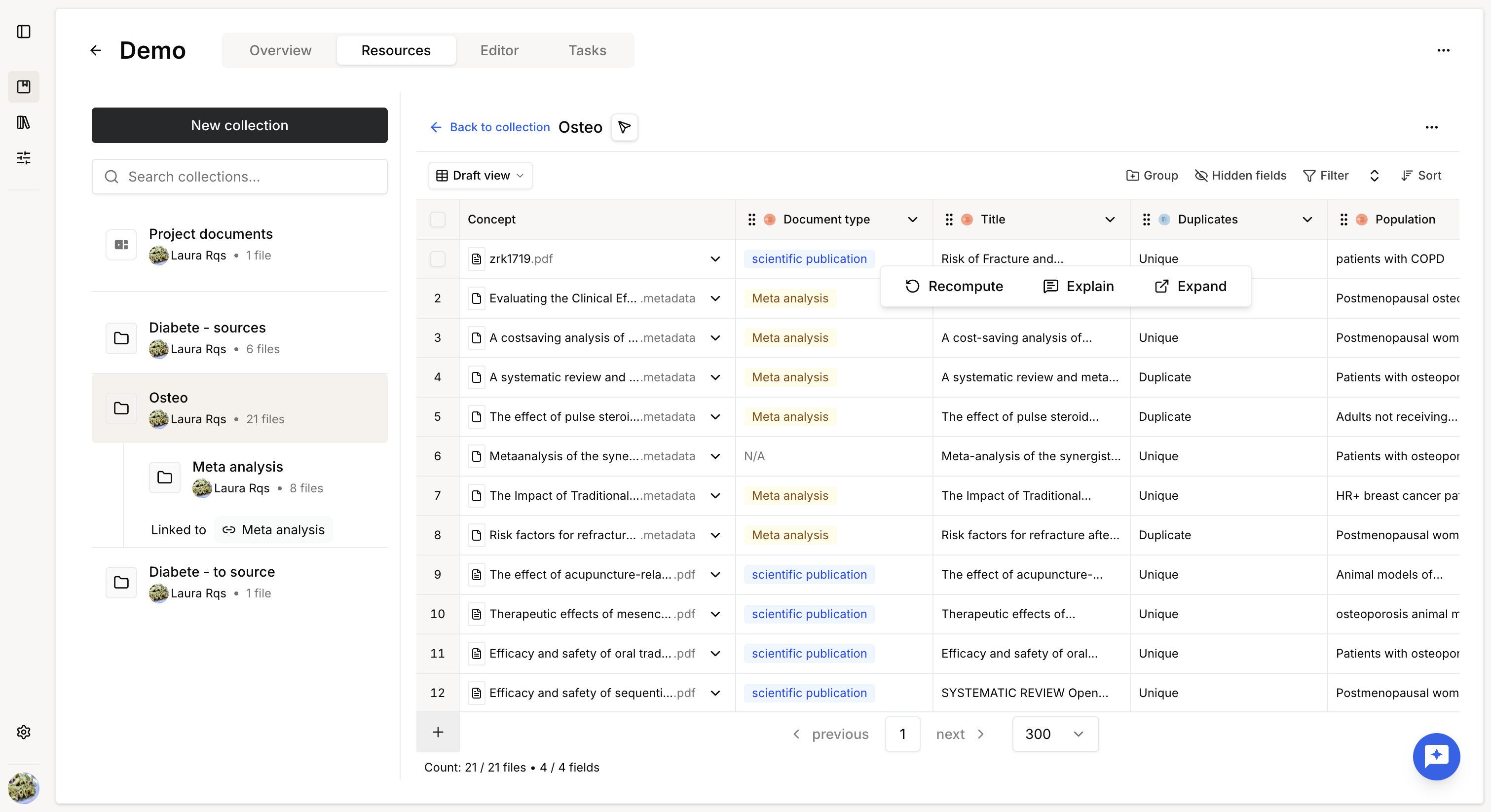
Computed cells provide several actions:
- Recompute
- Expand
- Explain
- Edit
Editing is available by double-clicking the cell.
Manual edits are tracked with a timestamp.
Explain
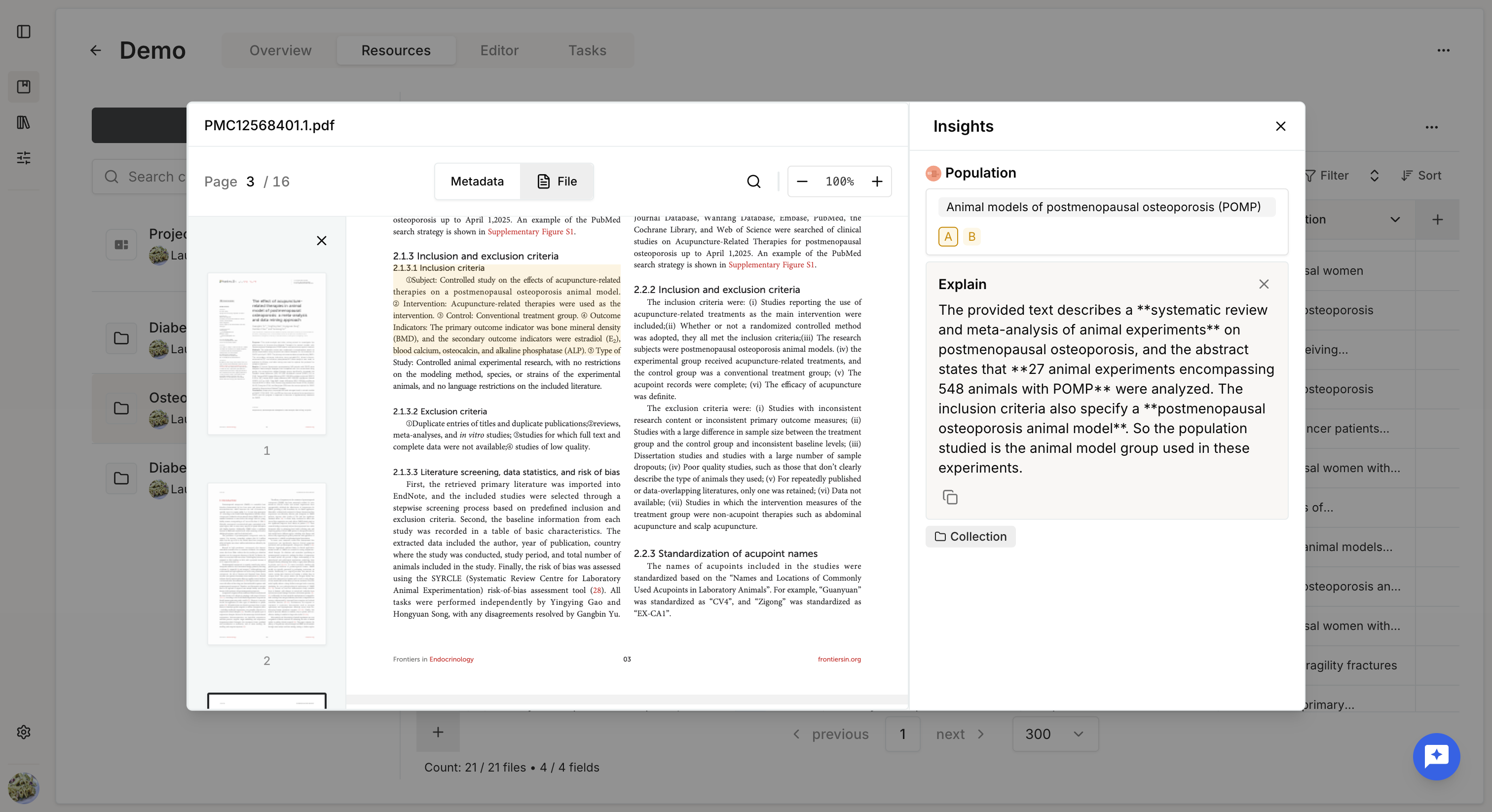
The Explain view lets you understand how a result was produced.
It displays:
- The extracted answer.
- The model's reasoning.
- Supporting evidence from the source document.
Display explanation as a column
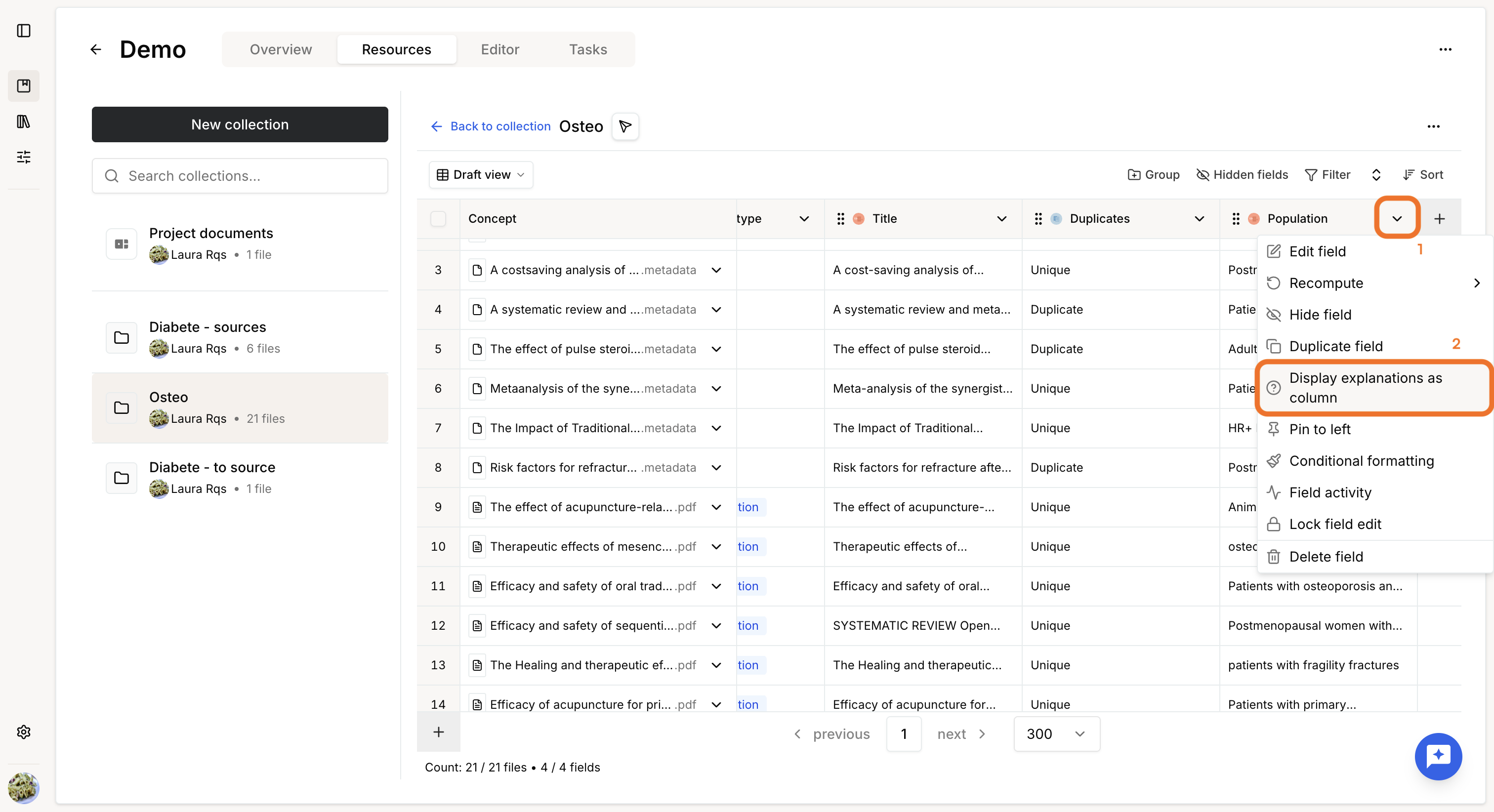
To create a dedicated explanation column:
- Open the field menu.
- Select Display explanation as column.
A new column is created containing the raw explanation for every row.
Review extracted data
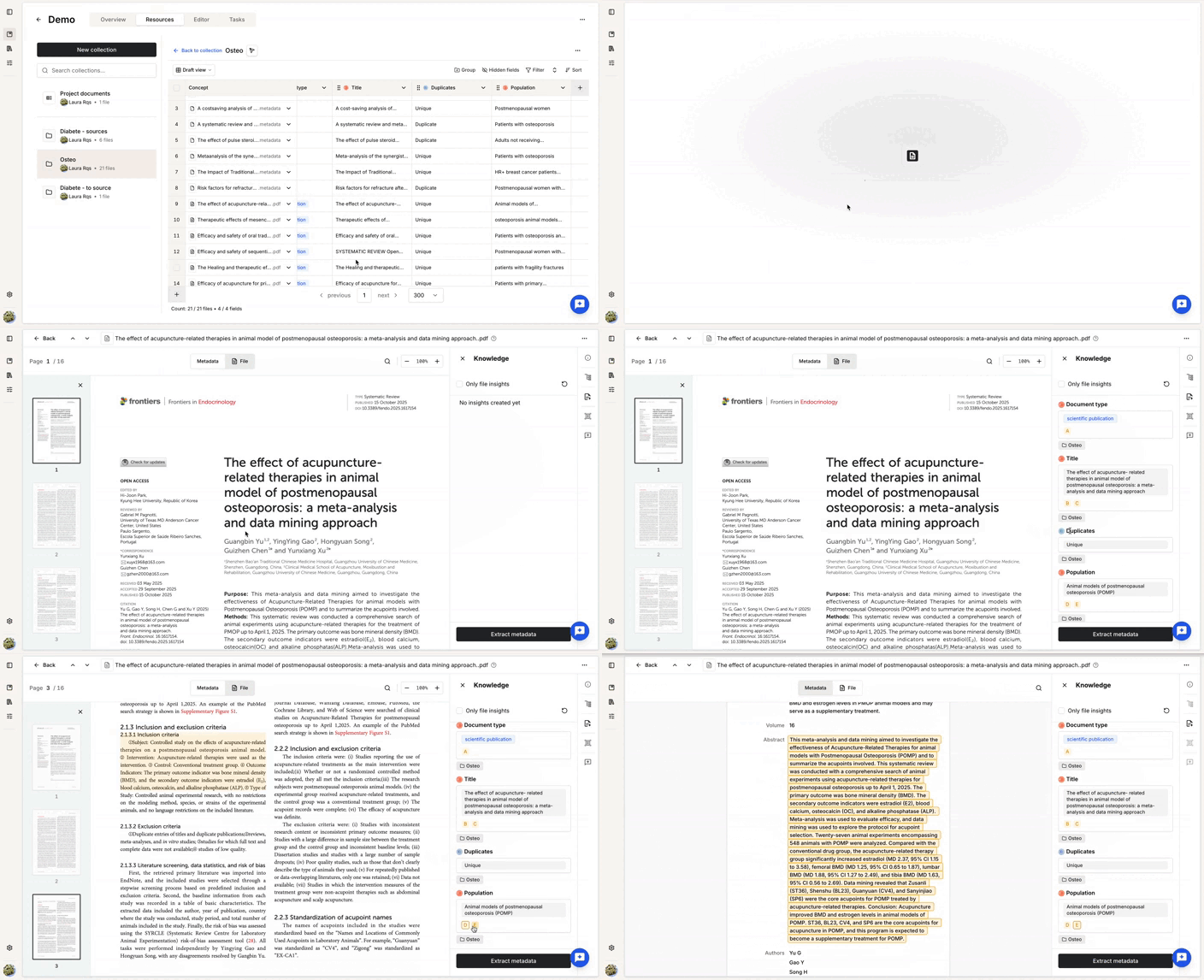
Opening a document automatically displays all extracted knowledge associated with that file.
You can review, validate, or manually edit any extracted value.
Edited cells remain editable and can be recomputed at any time to restore an automatically generated value.
Was this article helpful?
That’s Great!
Thank you for your feedback
Sorry! We couldn't be helpful
Thank you for your feedback
Feedback sent
We appreciate your effort and will try to fix the article