| Permissions |
|
| Related readings |
|
Knowledge tables can be exported in CSV or XLSX format, with options to include field guidelines and support complex data structures.
TABLE OF CONTENTS
Export a knowledge table
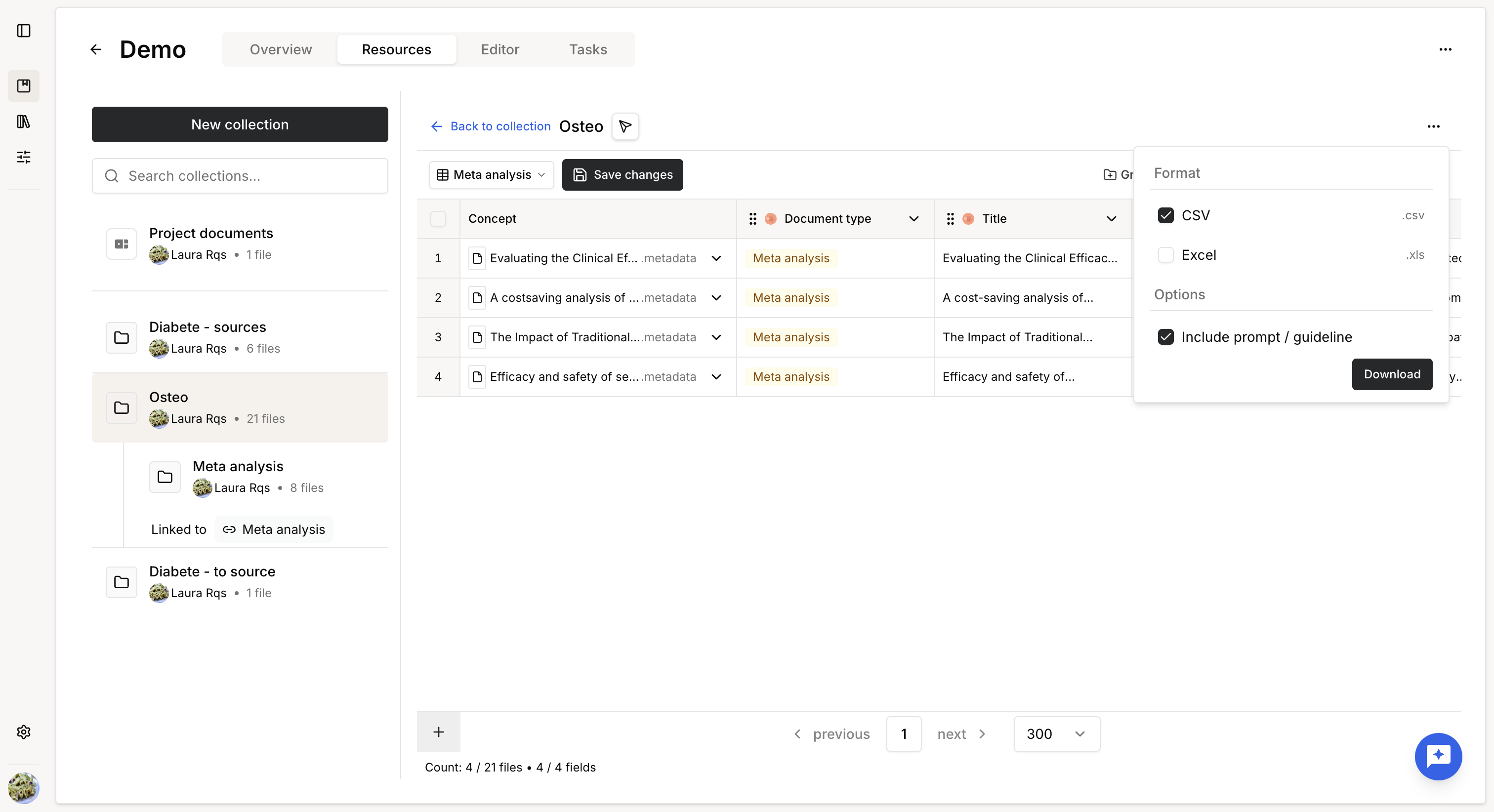
Knowledge tables can be exported as:
- CSV
- XLSX
To export a table:
- Click Download in the upper-right corner.
- Select the export format.
- Choose whether to include field guidelines.
When guidelines are included, each extracted field is accompanied by an additional column containing its configuration. For manually edited cells, the edit timestamp is exported instead of the original guideline.
Export multi-dimensional data
Tables containing Multi-dimensional Extract fields can only be exported in XLSX format.
Each multi-dimensional field is exported as a separate worksheet in the Excel file. The main worksheet contains the standard table, while each additional worksheet contains the nested data extracted for the corresponding multi-dimensional field, preserving the one-to-many relationship between documents and extracted entities.
Was this article helpful?
That’s Great!
Thank you for your feedback
Sorry! We couldn't be helpful
Thank you for your feedback
Feedback sent
We appreciate your effort and will try to fix the article