| Permissions |
|
| Related readings |
AI-generated content is supported by references that can be reviewed, exported, and formatted using different citation styles.
TABLE OF CONTENTS
Review references
All AI-generated content includes supporting references.
References are available both as in-text citations and in the References panel.
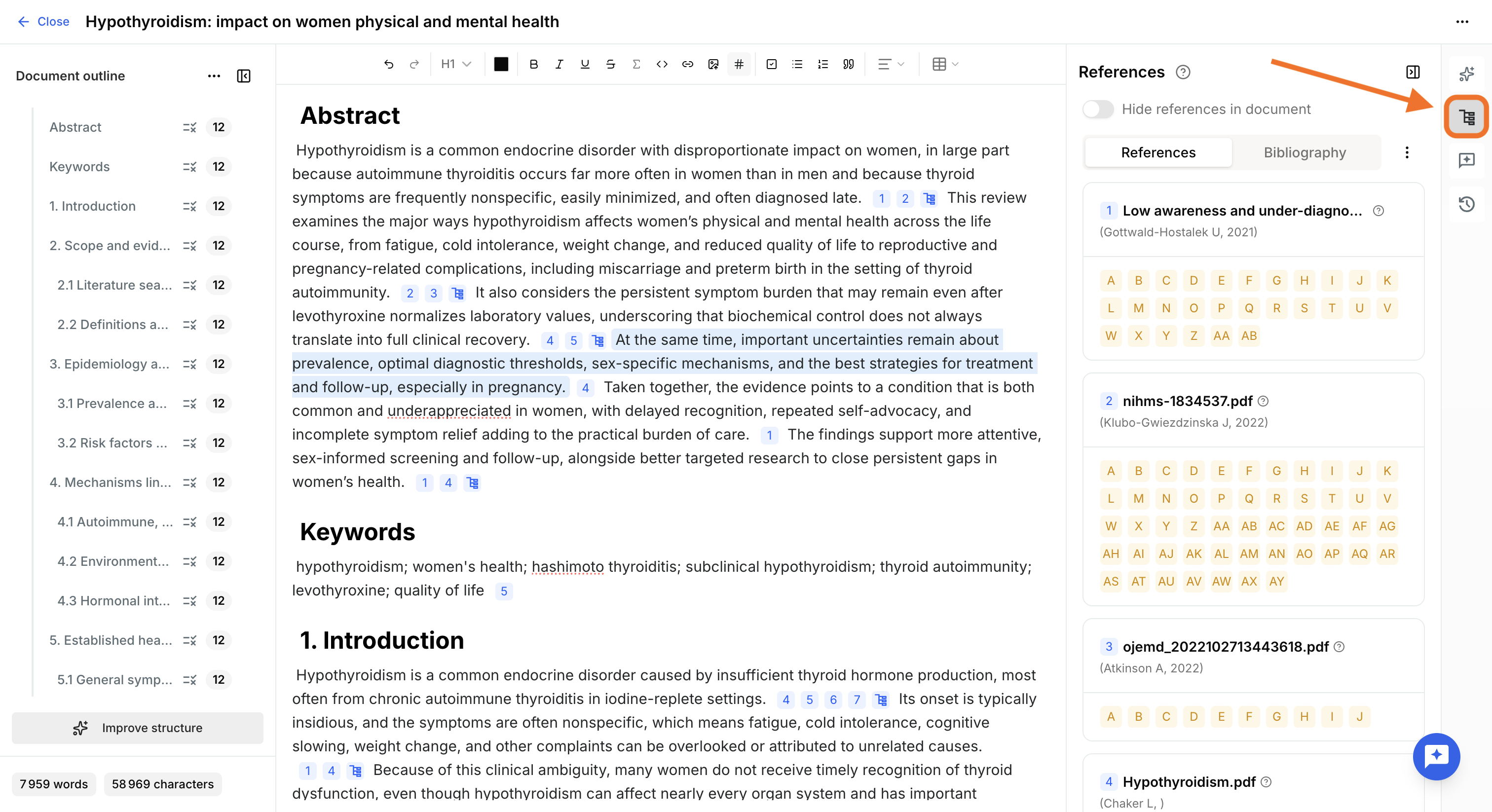
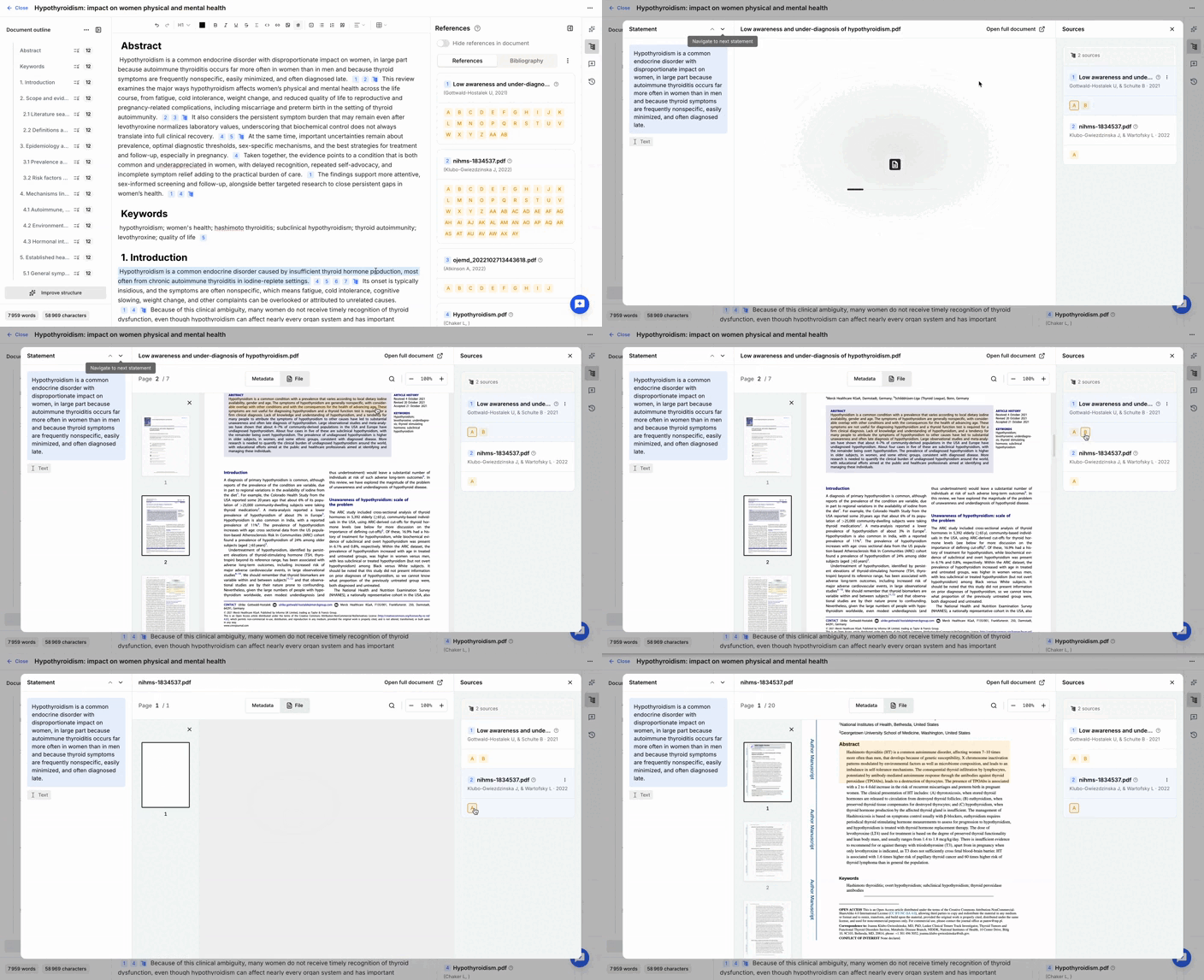
Click an in-text citation to review the evidence supporting the generated content.
A review window opens and displays:
- Left panel: the generated statements associated with references. You can navigate between statements.
- Center panel: a preview of the source document with the selected supporting argument highlighted.
- Right panel: the list of supporting arguments for the selected statement. You can switch between arguments to compare the available evidence.
This view allows you to review every generated statement and verify the exact passages from the source documents used to support it.
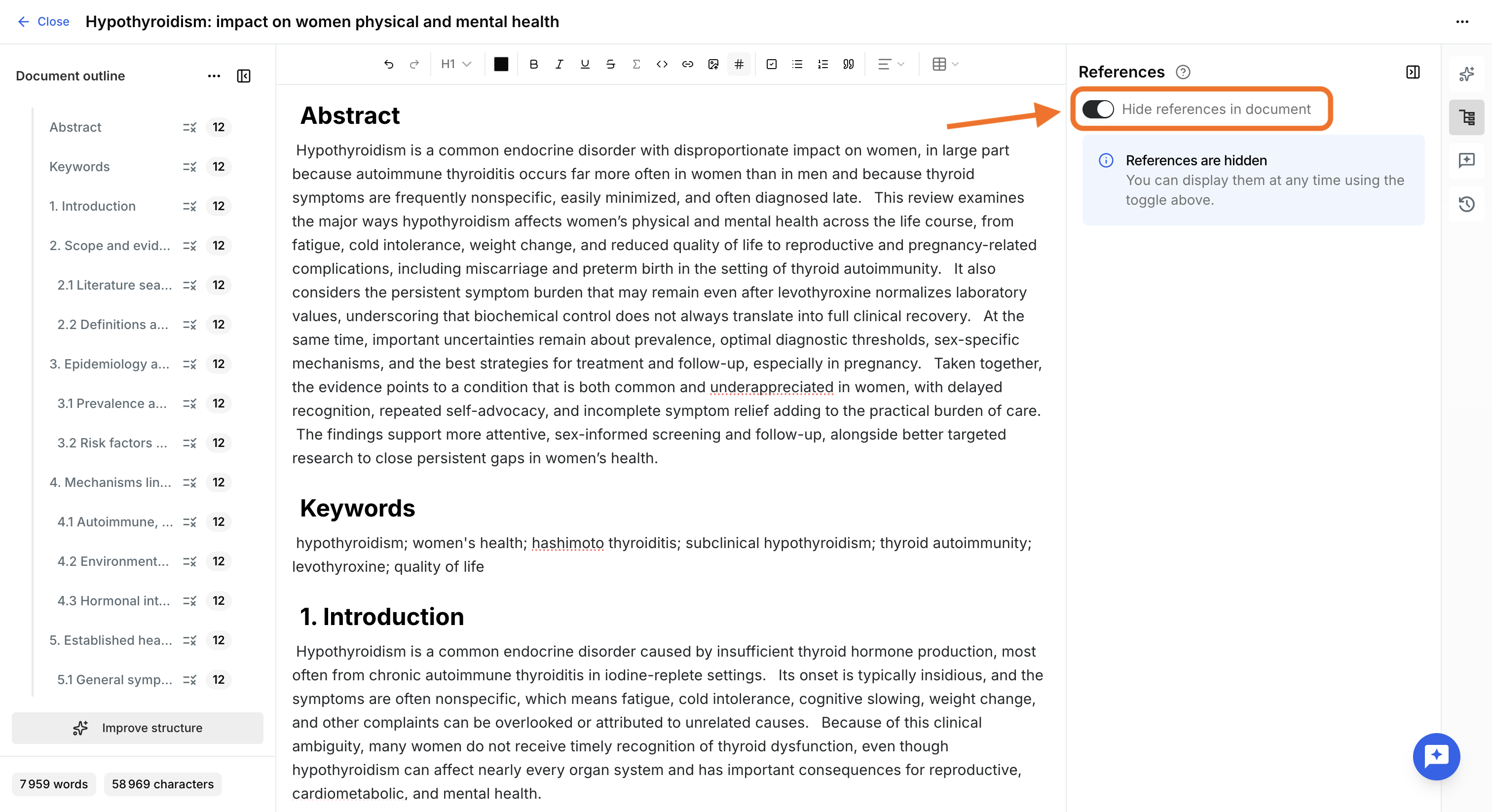
You can Hide references in document to hide in-text citations and the bibliography while editing. References remain attached to the content and can still be exported.
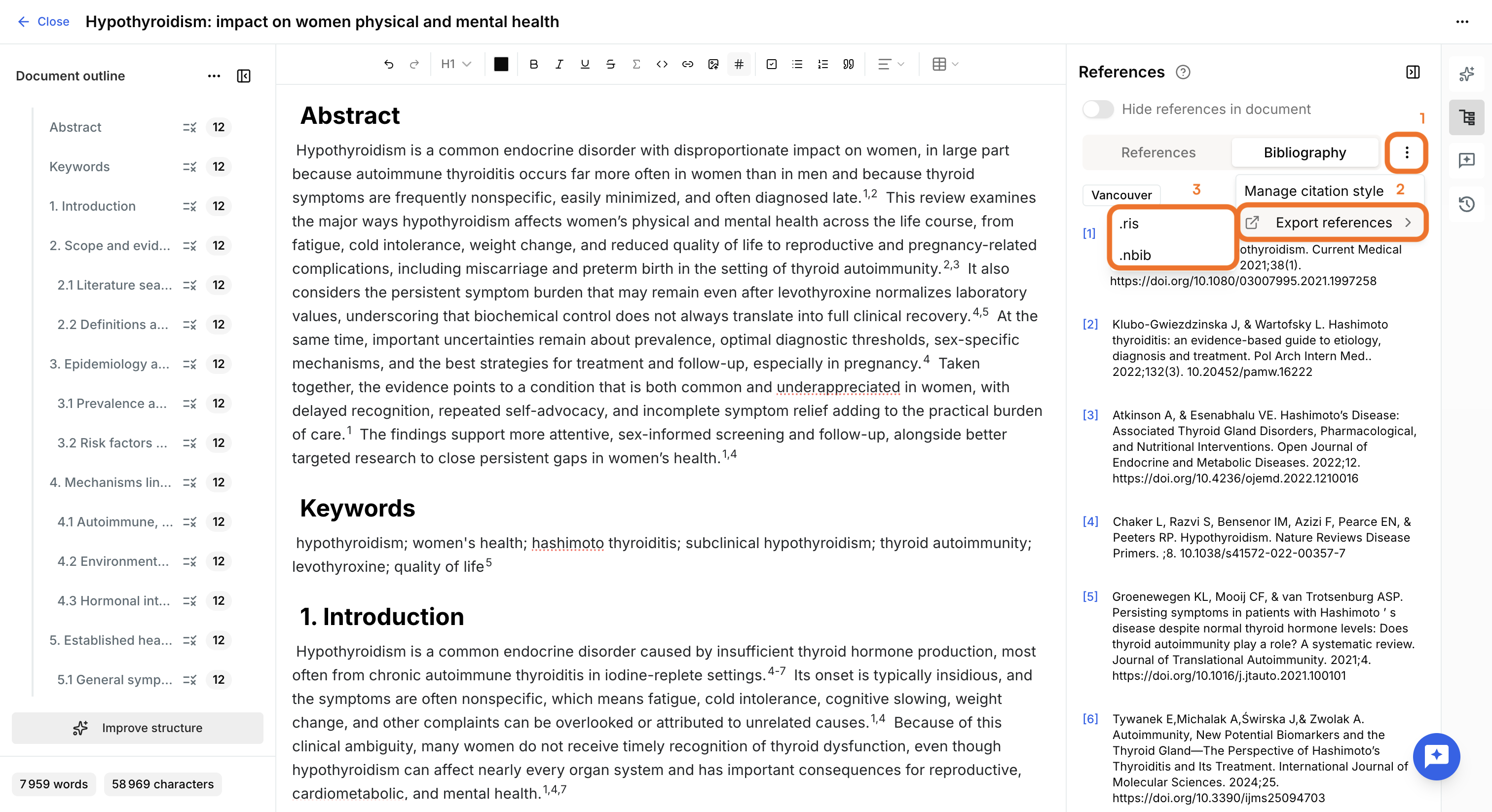
Export references
To export all document references in RIS or nbib format:
- Open the References panel.
- Open the More menu.
- Select Export references
- Choose between .ris or .nbib
Manage citation styles
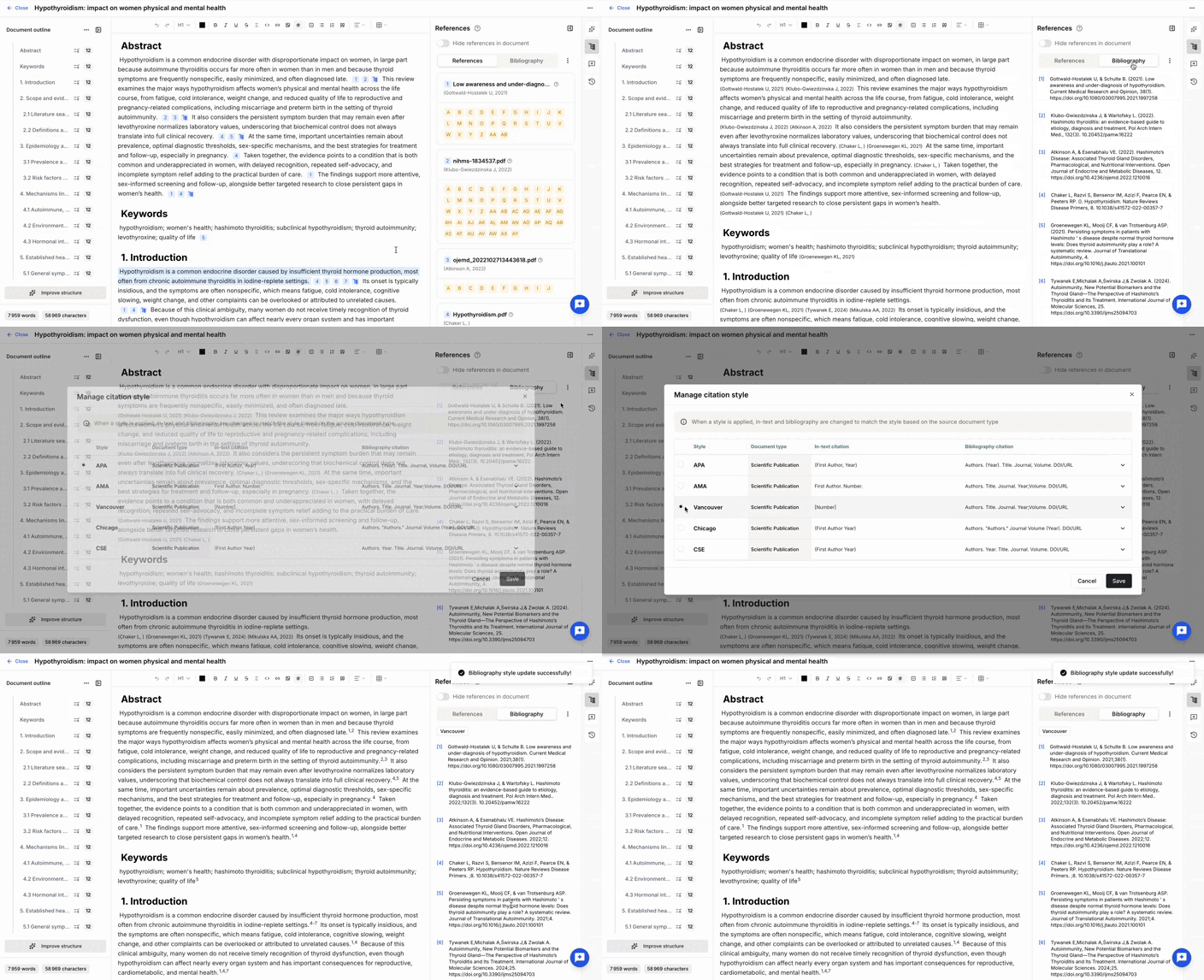
The Bibliography section of the References panel lets you manage the citation style used throughout the document.
By default, editable documents use the APA citation style.
To change it:
- Open Bibliography.
- Click Manage citation style.
- Select one of the available styles:
- APA
- AMA
- Vancouver
- Chicago
- CSE
The bibliography and all in-text citations are updated automatically.
Update citation metadata
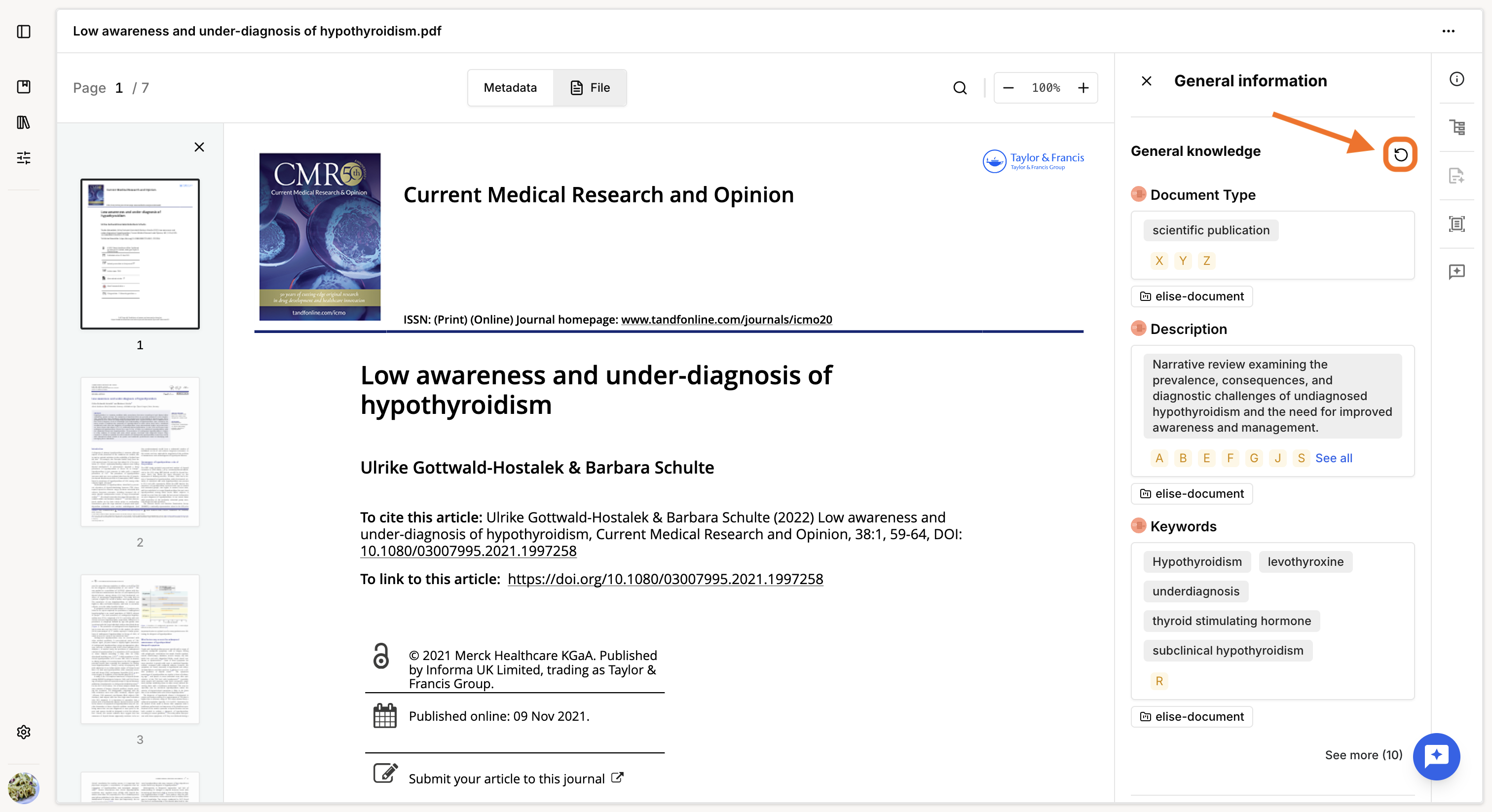
If citations are incomplete or missing information such as authors or publication dates, the corresponding metadata has not been extracted from the source document.
To update it:
- Open the source document.
- Recompute its General knowledge using the recompute button.
Was this article helpful?
That’s Great!
Thank you for your feedback
Sorry! We couldn't be helpful
Thank you for your feedback
Feedback sent
We appreciate your effort and will try to fix the article