| Permissions |
|
| Related readings |
Knowledge tables support collaborative work by displaying active users, preventing conflicting edits through field locking, and providing activity tracking for each field.
TABLE OF CONTENTS
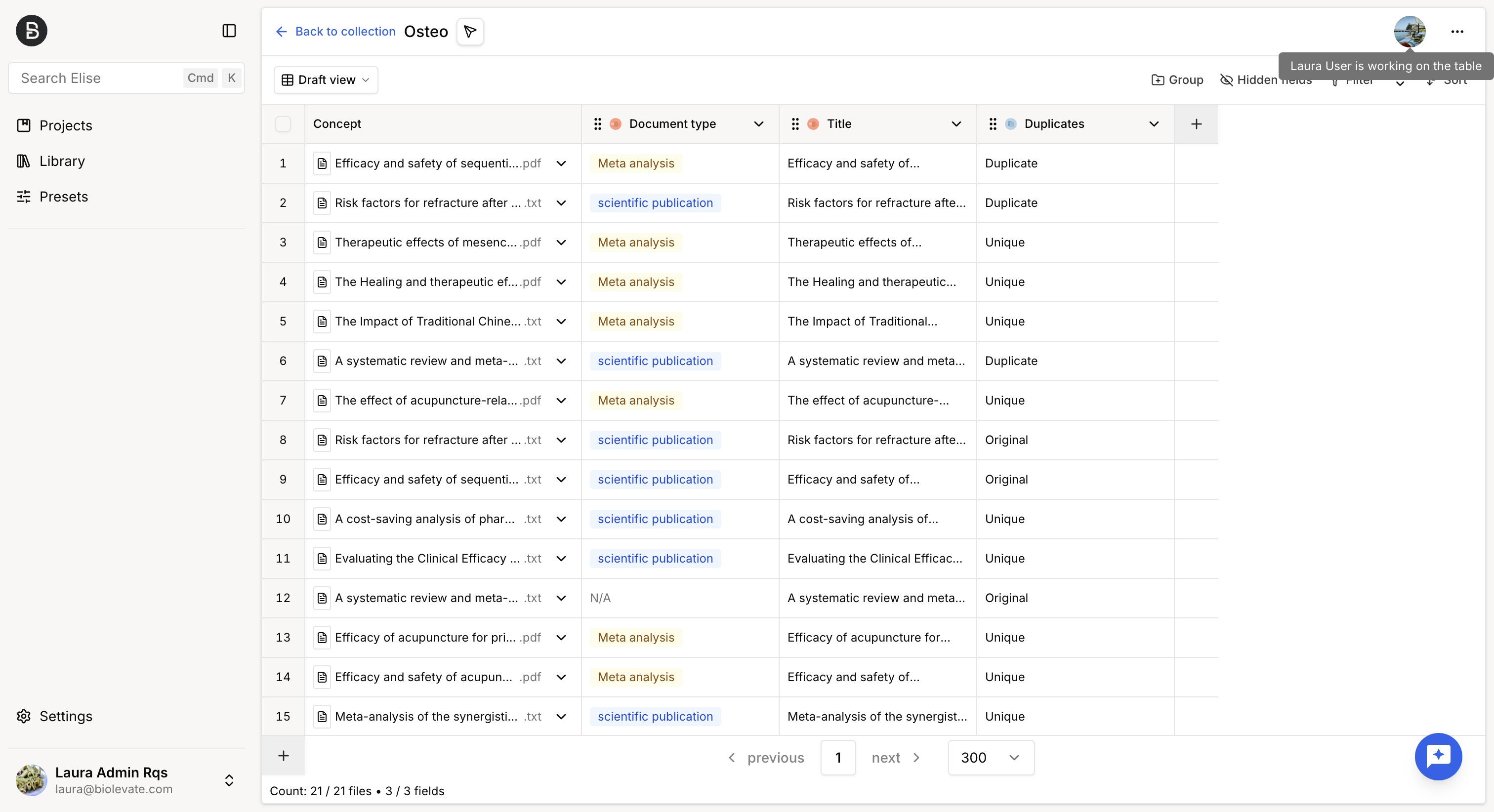
See active users
The user avatars displayed in the upper-right corner indicate who is currently working on the table.
Lock fields
To prevent editing conflicts, the Knowledge table automatically locks content while it is being edited.
- When a user edits a field, the field is automatically locked until the changes are saved or cancelled.
- When a user edits a cell, only that cell is locked, allowing other users to continue working elsewhere in the table.
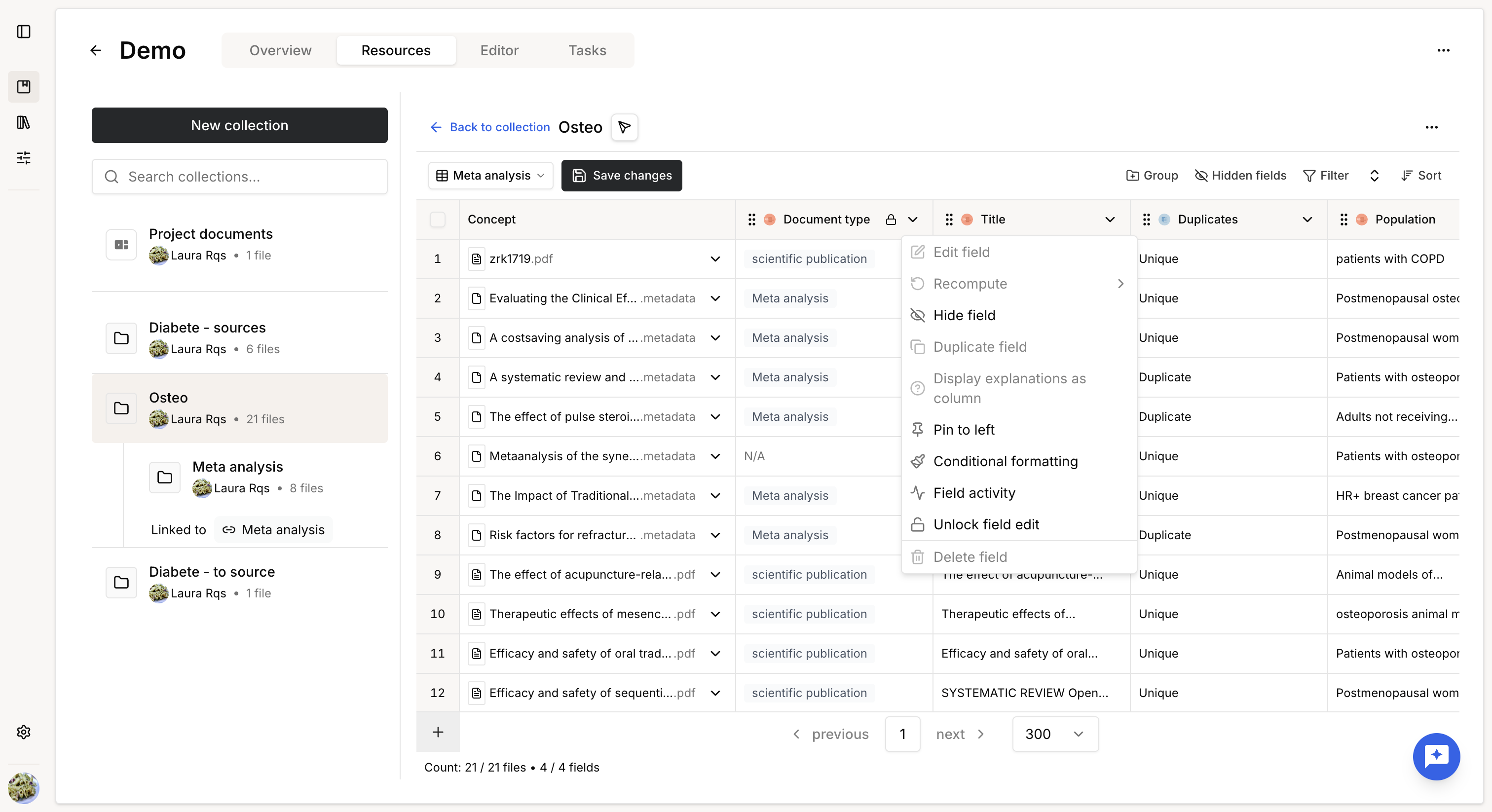
You can also manually lock a field to prevent other users from modifying it while you work.
A manually locked field can only be unlocked by the user who applied the lock or by a System Administrator.
View field activity
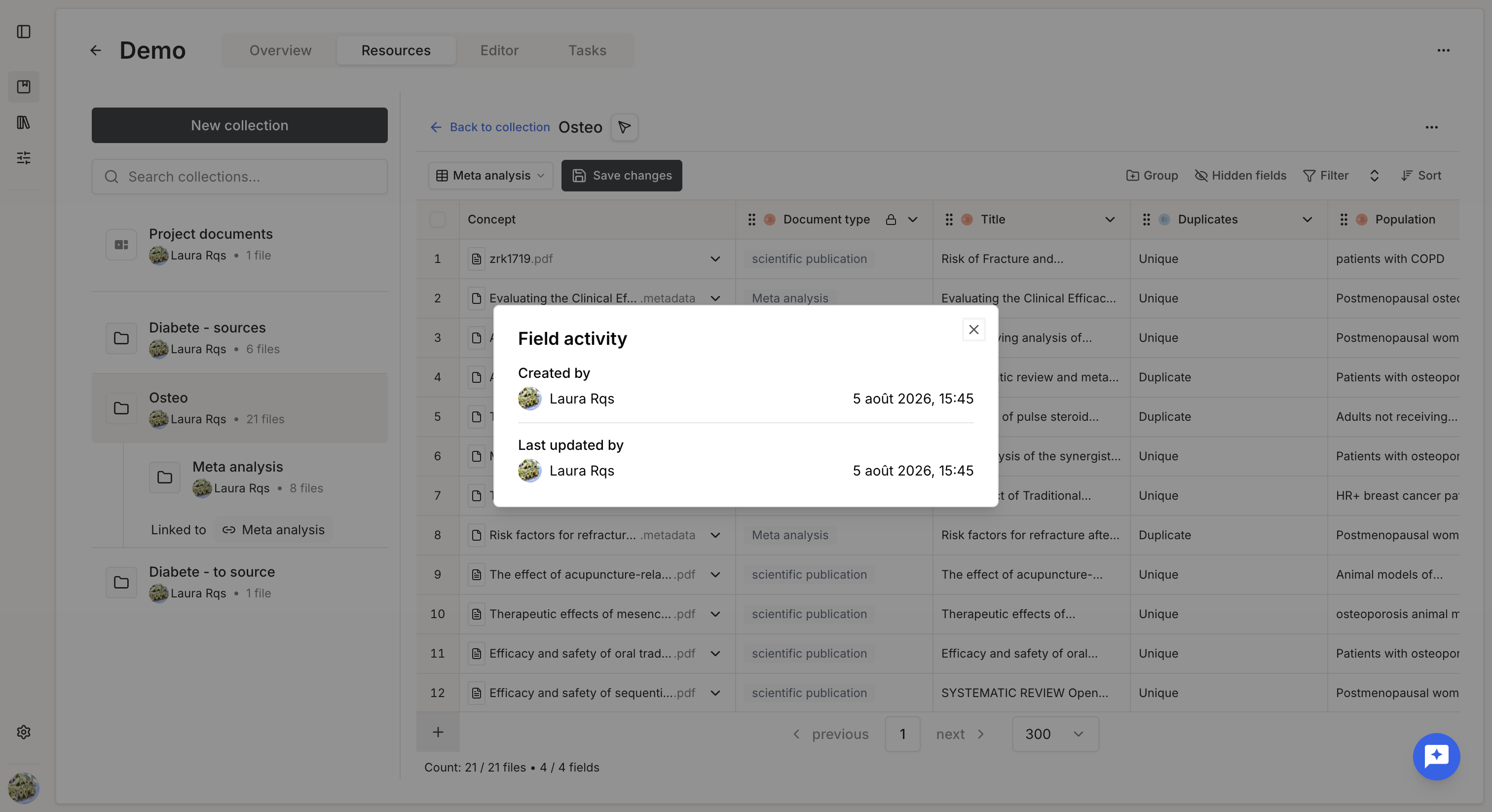
Each field includes an activity log showing:
- Creation date
- Creator
- Last modification date
- Last editor
Was this article helpful?
That’s Great!
Thank you for your feedback
Sorry! We couldn't be helpful
Thank you for your feedback
Feedback sent
We appreciate your effort and will try to fix the article