| Permissions |
|
| Related readings |
Editable documents support collaborative review through threaded comments attached to selected text.
TABLE OF CONTENTS
Add a comment
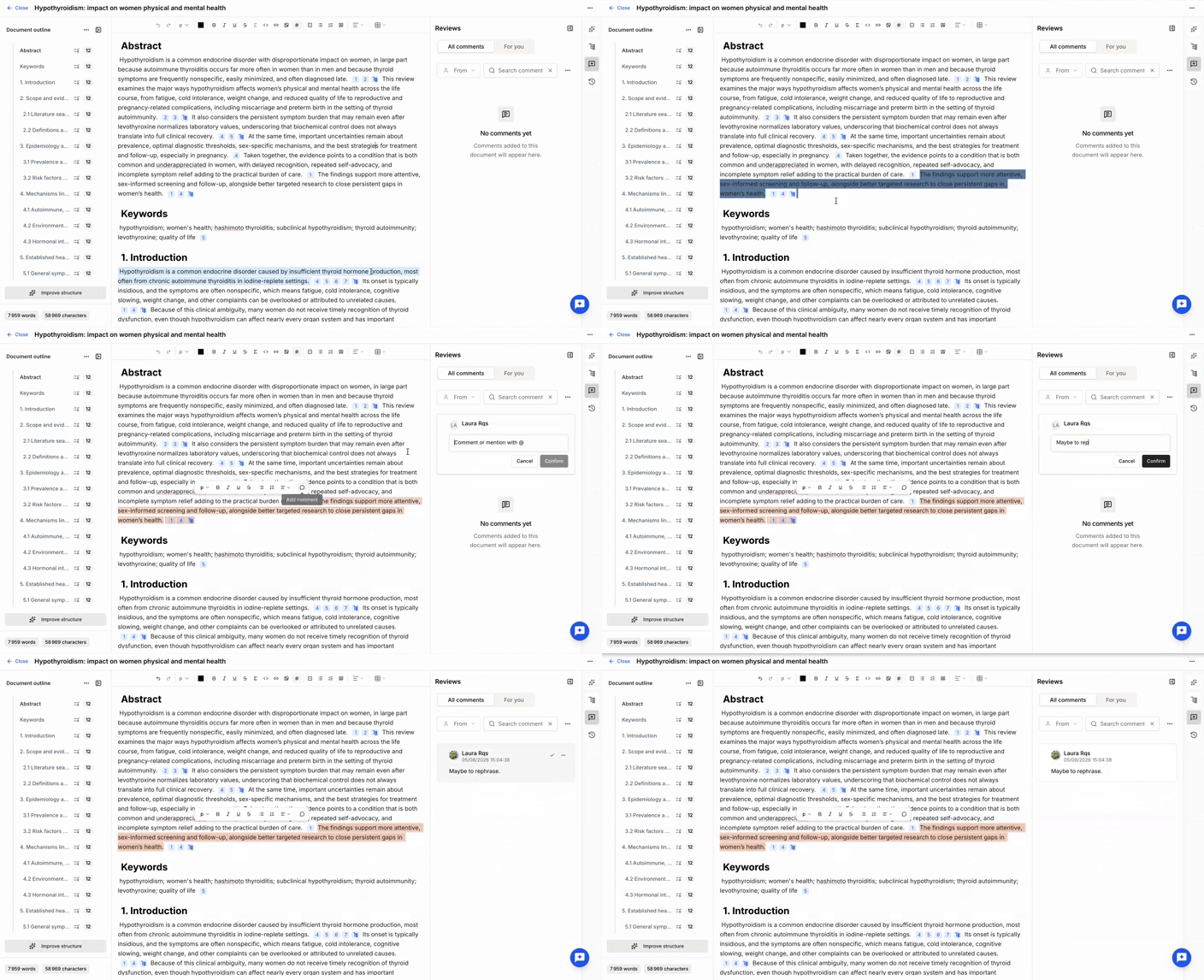
To create a comment:
- Select the text.
- Click Add comment.
- Enter your comment.
- Optionally, mention another user.
Users with at least Read permission on the project can add comments.
Review comments
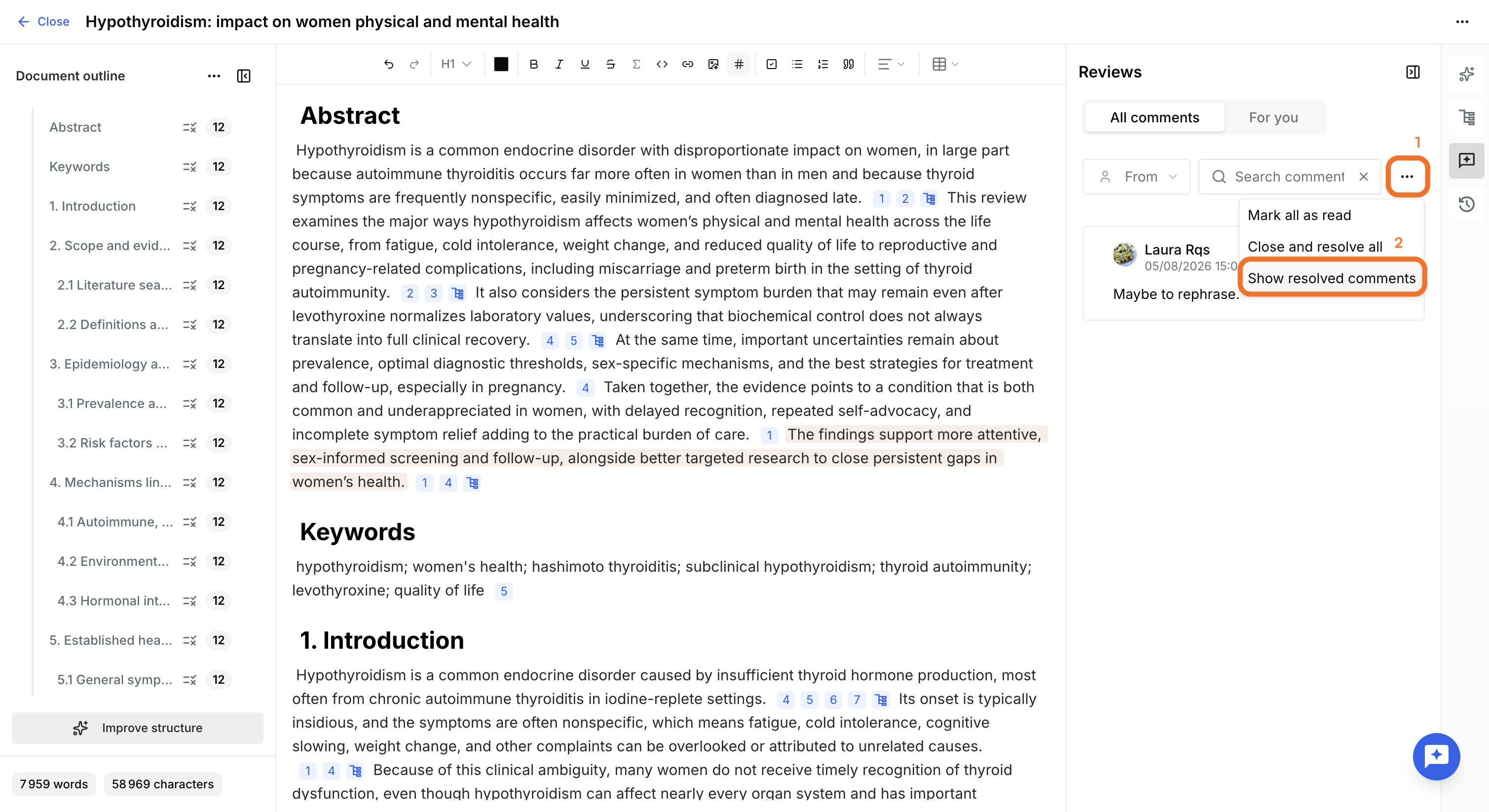
The Reviews panel lists all comments associated with the document.
Available features include:
- Viewing all comment threads.
- Filtering comments that mention you using the For you filter.
- Navigating directly to commented text.
- Marking all comments as read.
- Closing and resolving all owned comments.
Notifications are not currently available.
Resolve comments
Comments support threaded discussions.
Once a discussion has been addressed, it can be marked as Resolved to archive it.
Resolved discussions remain accessible through Show resolved comments.
Was this article helpful?
That’s Great!
Thank you for your feedback
Sorry! We couldn't be helpful
Thank you for your feedback
Feedback sent
We appreciate your effort and will try to fix the article