| Permissions |
|
| Related readings |
Table templates are reusable configurations that help you avoid rebuilding the same table structure when creating knowledge tables in a collection.
They are available from the Table Templates tab in the Presets section of the left navigation menu.
TABLE OF CONTENTS
Create a table template
You can create a table template in three ways:
- From a knowledge table: save the selected fields from an existing table.
- Manually: create a template from the Table Templates tab.
- From a CSV file: upload a template configuration.
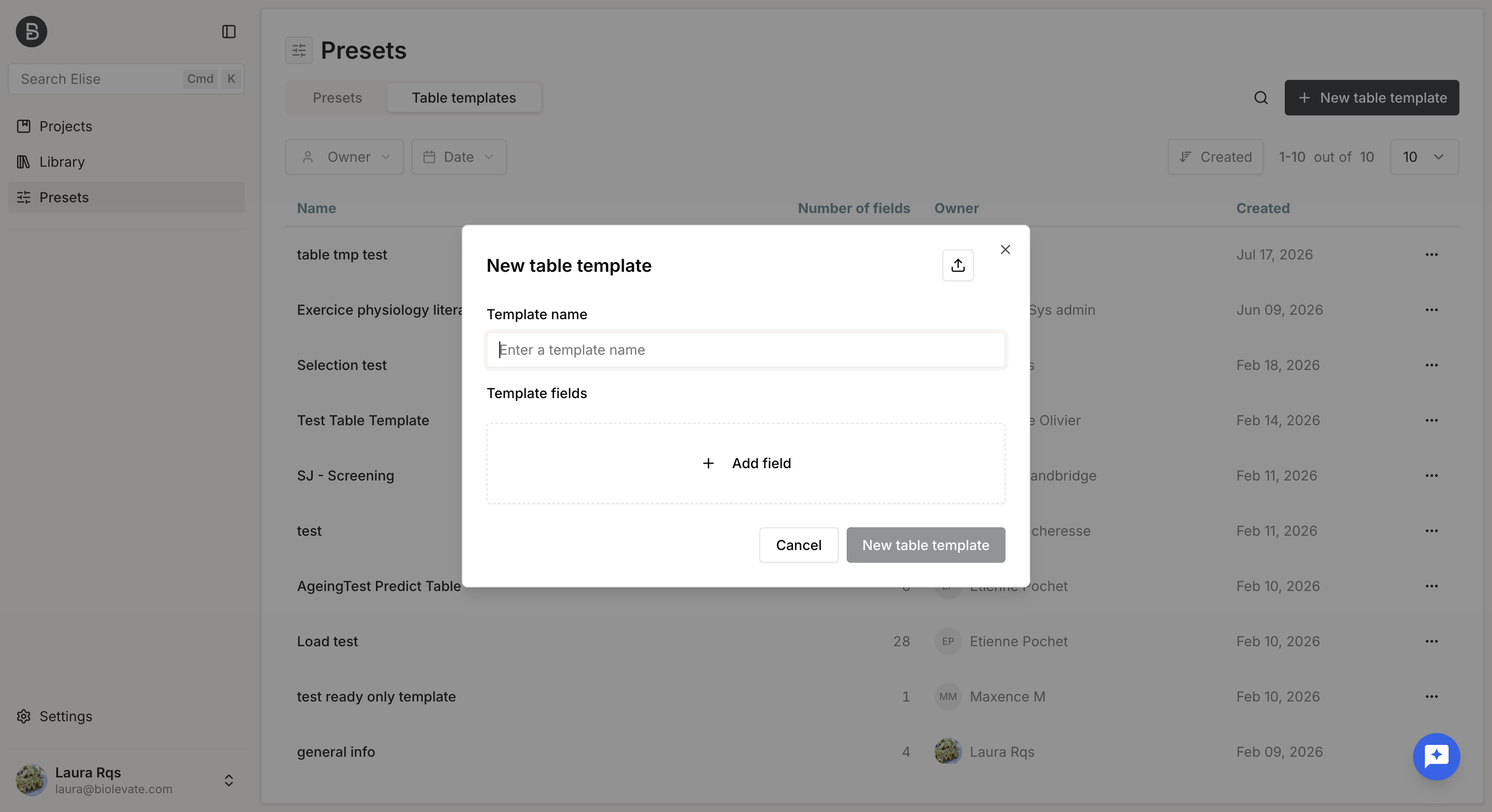
When creating a table template, you must provide:
- A name.
- At least one field.
The available field types are the same as those in a knowledge table:
- Extract
- Enrich
- Manual
- Duplicate detection
As in a knowledge table, you can use the output of one field as the input for another. These dependencies are displayed in the template configuration.
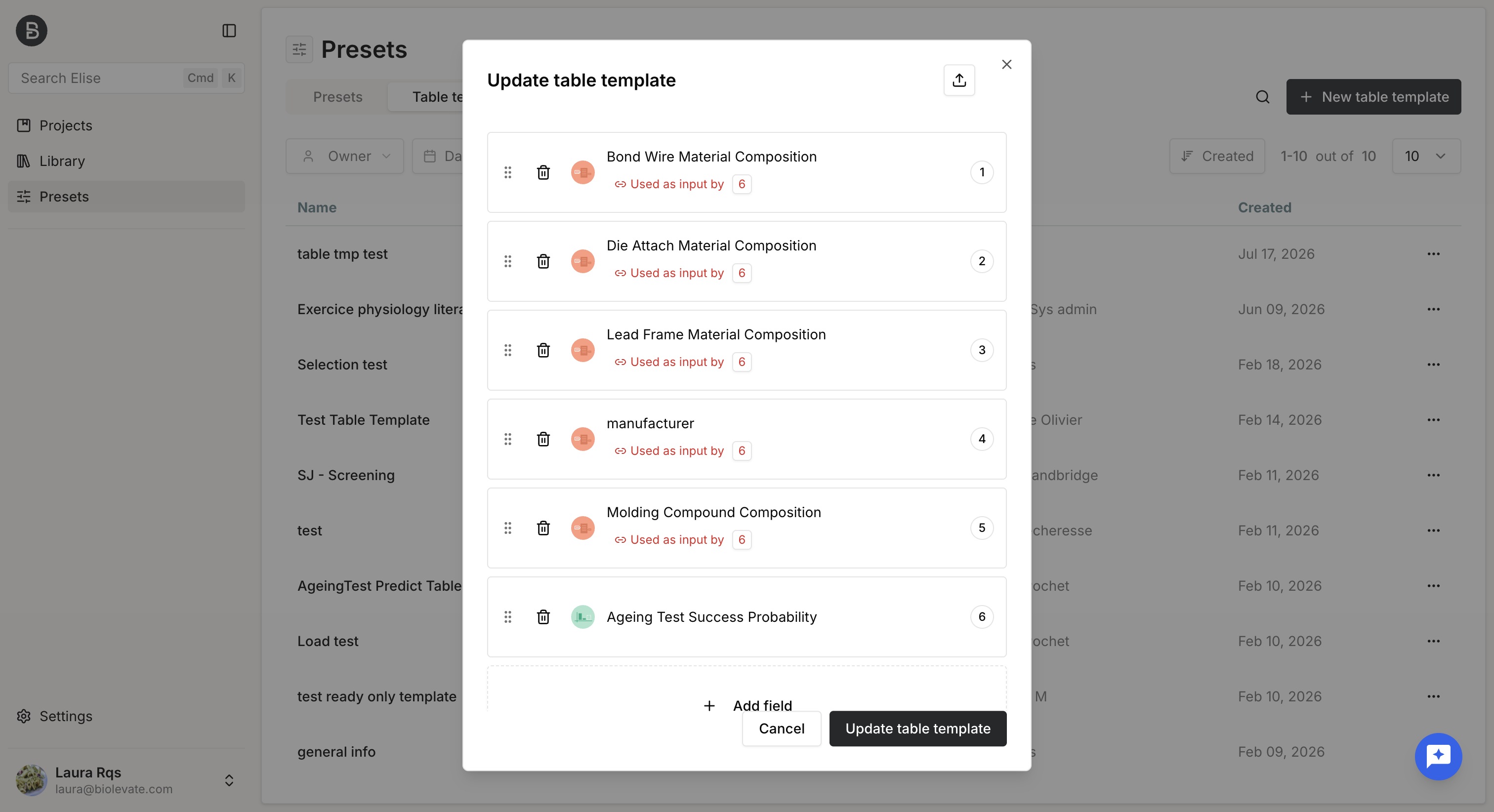
When your configuration is complete, click Create table template.
The template is then available from the Table Templates tab and can be used in any knowledge table.
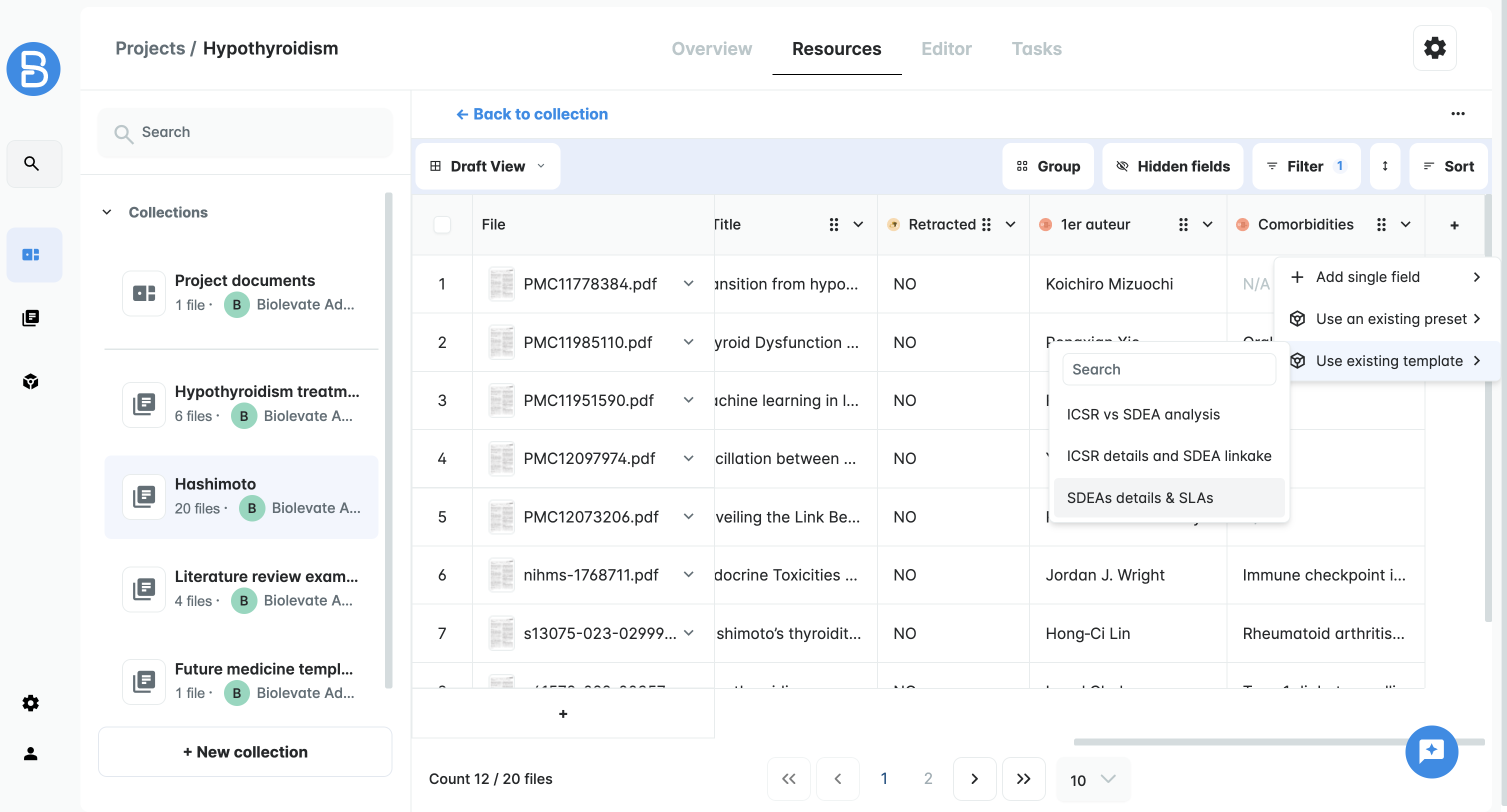
Manage table template
The Table Templates tab displays all templates you can access, including those for which you have at least Read permission.
With Write permission, you can:
- Edit a template
- Duplicate a template
- Download a template
With Read permission, you can:
- View a template
- Duplicate a template
- Download a template
When editing a template, you can update its name and configuration, but you cannot manage its access policy.
Only the template owner and system administrators can modify policies or delete templates.
Manage table template permissions
To manage a template's access policy:
- Go to the Table Templates tab.
- Open the template's menu.
- Select Manage permissions.
- Choose an existing policy or create a new one.
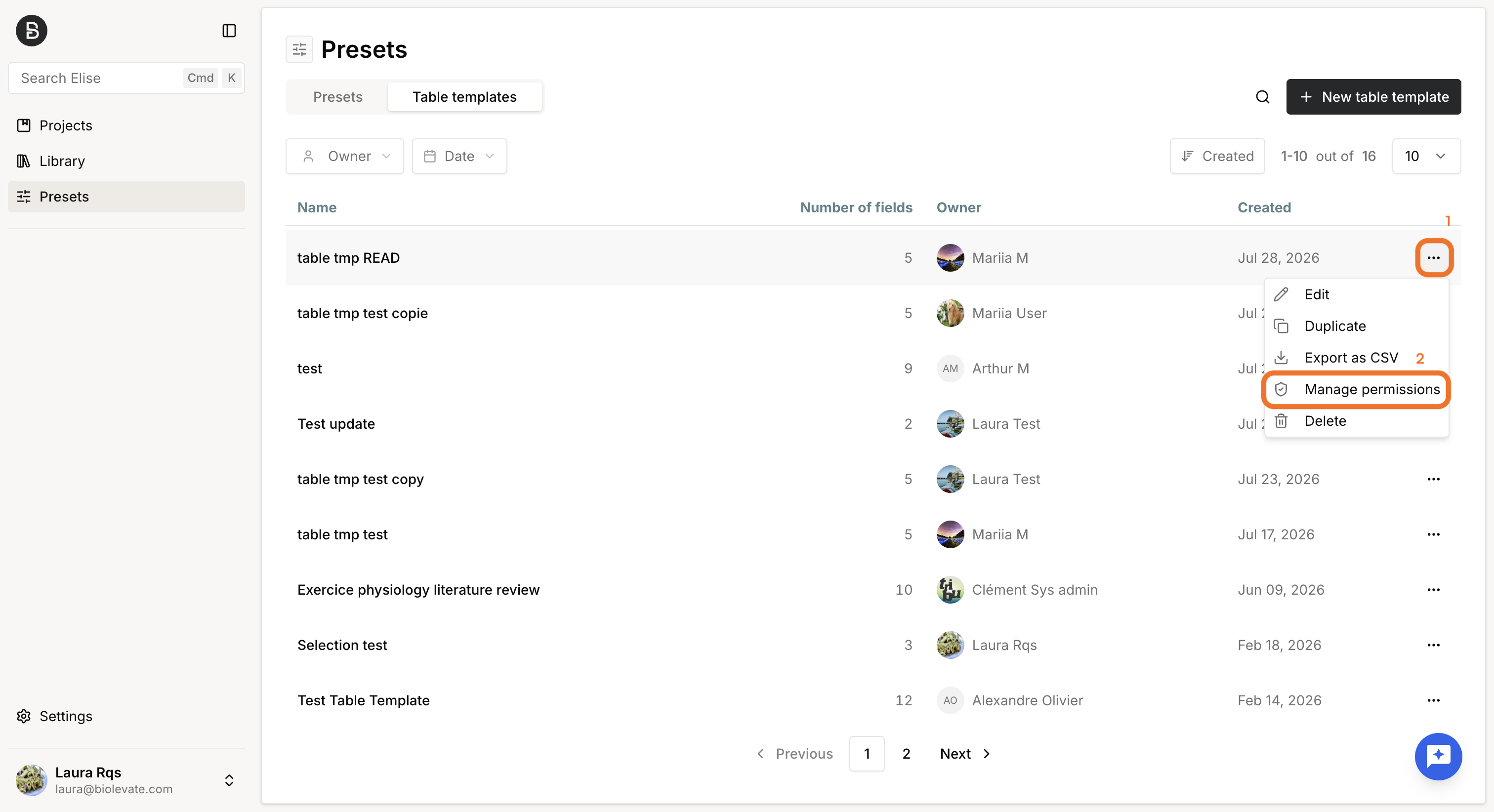
Users included in the selected policy receive Read or Write access according to the permissions defined in that policy.
| Action | Sys admin | Owner | User 'write' | User 'read' | User |
| Create a template | OK | OK | OK | OK | OK |
| Duplicate a template | OK | OK | OK | OK | KO |
| Use template | OK | OK | OK | OK | KO |
| Edit a template | OK | OK | OK | KO | KO |
| Delete a template | OK | OK | KO | KO | KO |
| Manage template policy | OK | OK | KO | KO | KO |
Was this article helpful?
That’s Great!
Thank you for your feedback
Sorry! We couldn't be helpful
Thank you for your feedback
Feedback sent
We appreciate your effort and will try to fix the article