| Permissions |
|
| Related readings |
Editable documents are created and managed within the application.
Unlike imported files, they can be edited directly and integrate with the platform's AI-powered features, references, reviews, and collaboration tools.
TABLE OF CONTENTS
Create an Editable document
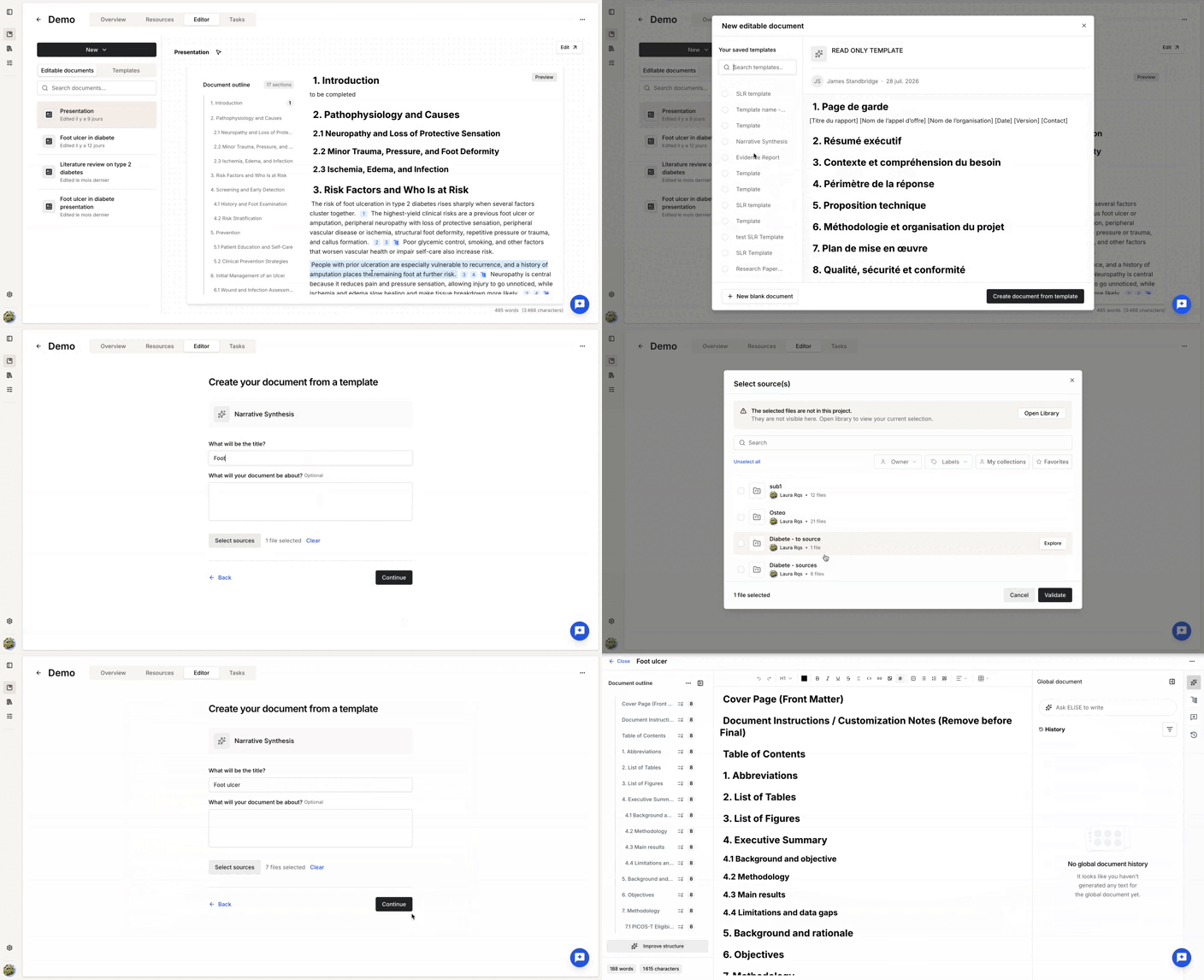
To create an editable document:
- Open the Editor tab of your project.
- Click New editable document.
- Choose whether to start from a template or from a blank document.
- Enter a title.
- Optionally, add a description.
- Optionally, select one or more source documents. Sources can also be added later.
Source documents can be selected from collections available in the project for which you have Write permission.
After clicking Continue, the document opens in the editor.
Use the Editor
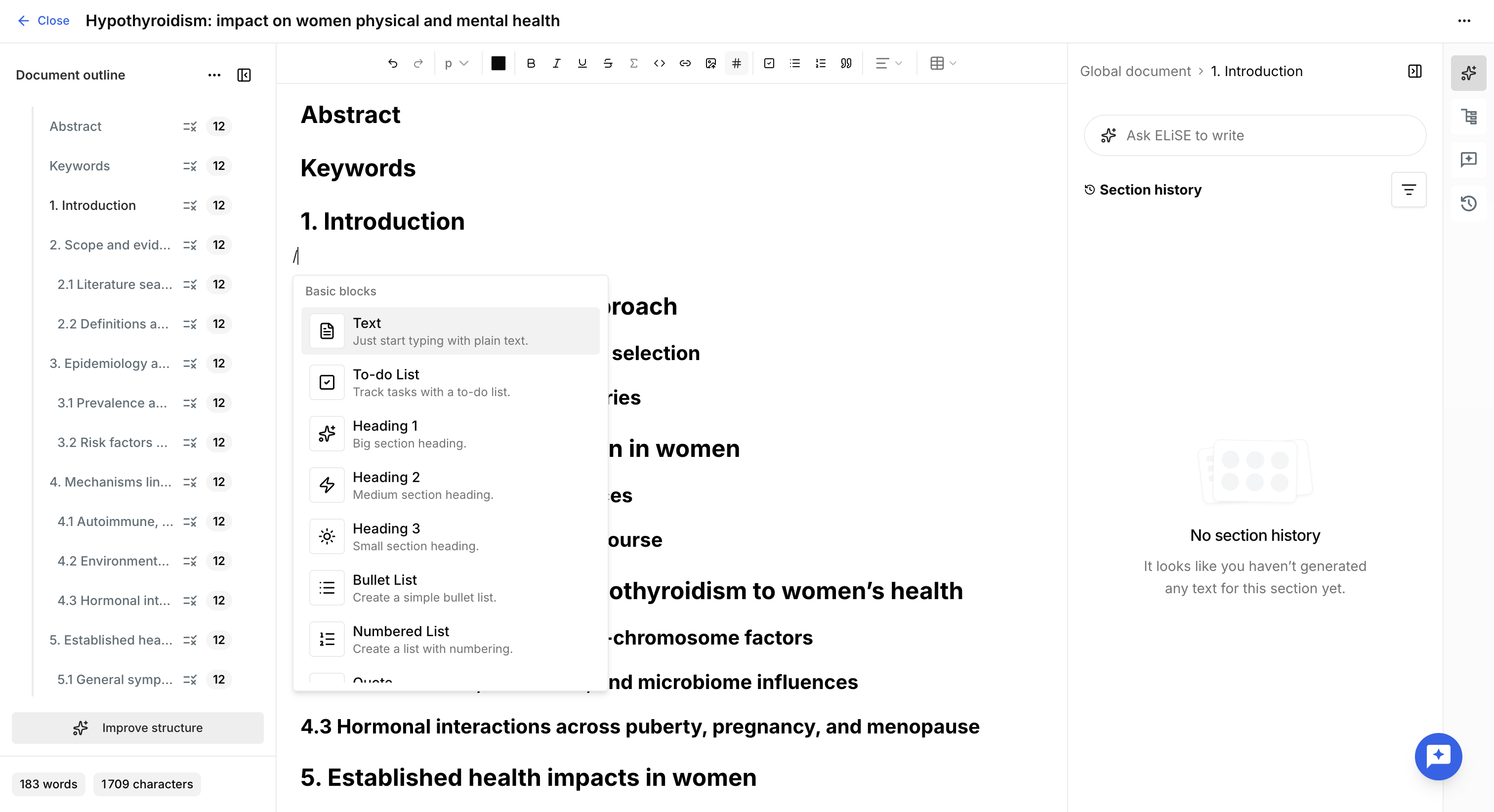
Editable documents provide a rich text editor with standard formatting features.
The toolbar allows you to:
- Format text.
- Insert links.
- Create tables.
You can also type / to access the list of available editing commands.
In addition to manual editing, editable documents support AI-assisted content generation and editing.
Was this article helpful?
That’s Great!
Thank you for your feedback
Sorry! We couldn't be helpful
Thank you for your feedback
Feedback sent
We appreciate your effort and will try to fix the article