| Permissions |
|
| Related readings |
Saved searches preserve a search configuration and its results, making them easy to share, update, and rerun as new publications become available.
TABLE OF CONTENTS
Save a search
To reuse a search later, click Save search.
Enter a name and confirm.
Saving a search preserves both its configuration and its results.
Share a saved search
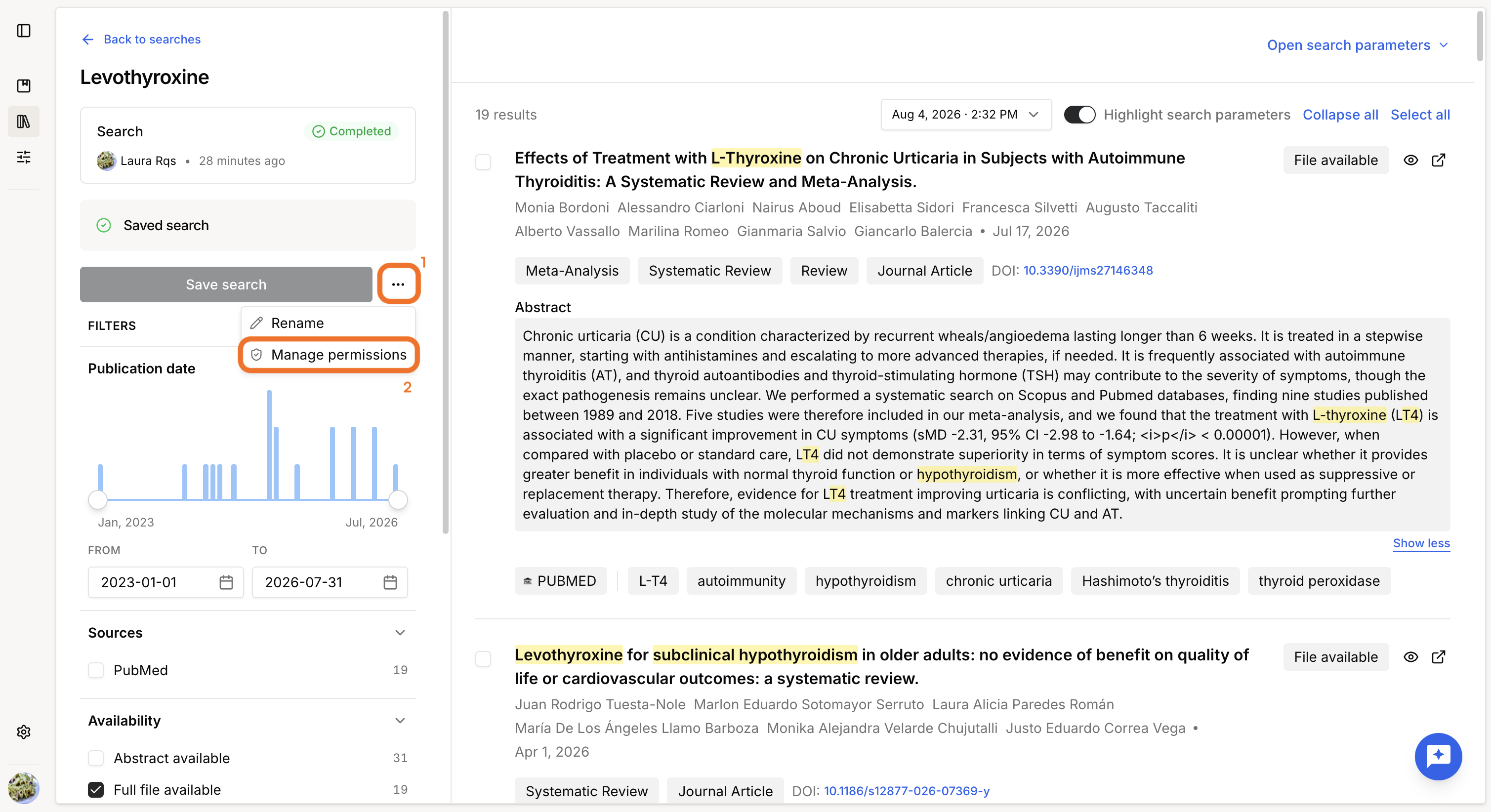
To share a saved search:
- Open the menu next to Save search.
- Select Manage permissions.
- Select an existing policy or create a new one.
Permissions are applied as follows:
- Read: view results, apply temporary filters, and duplicate the search.
- Write: all Read permissions, plus the ability to edit the query and search configuration.
Update a saved search
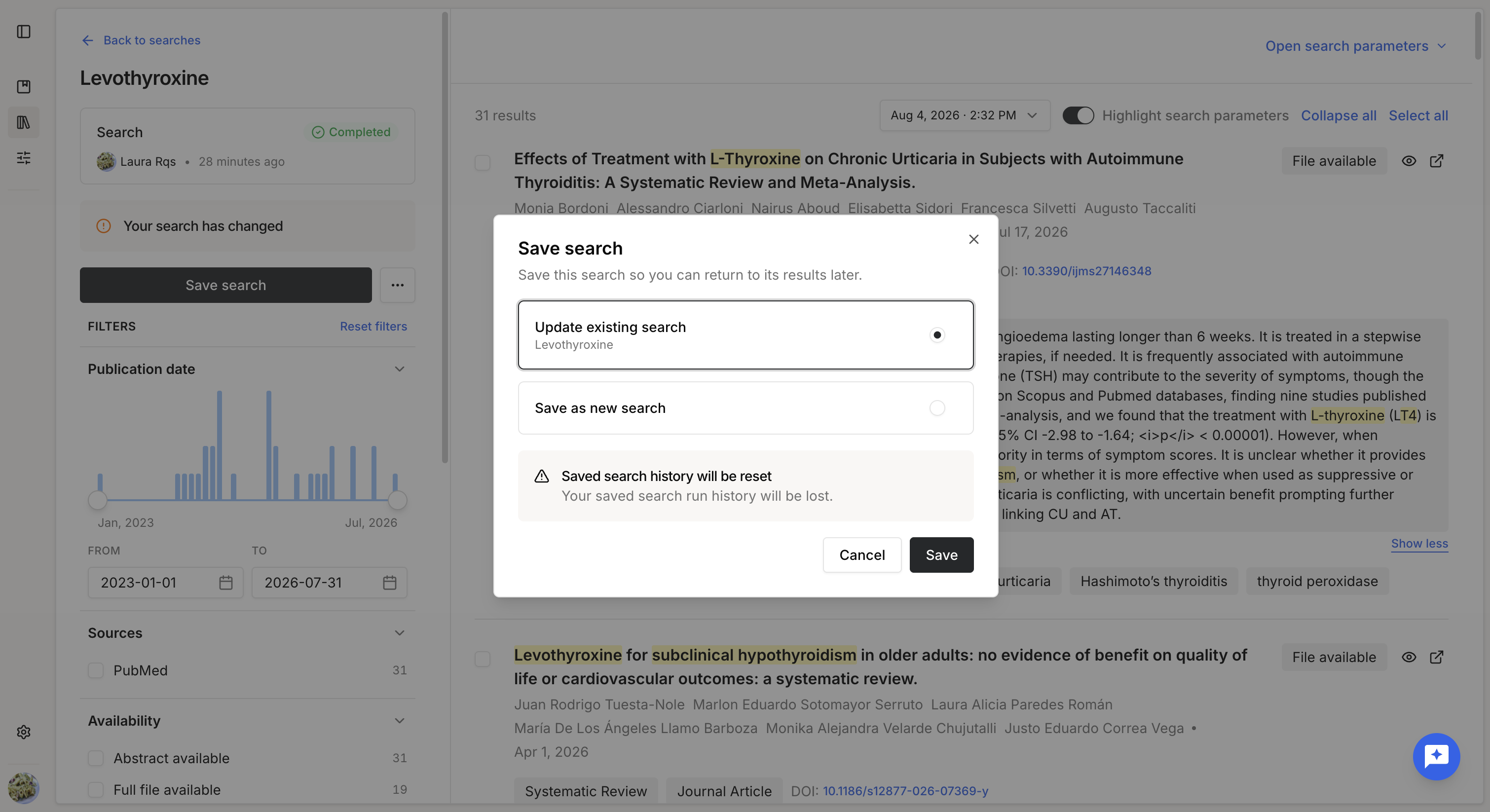
After modifying a saved search, you can choose to:
- Update the existing search.
- Save the modified version as a new search.
You can also duplicate a saved search to create a new search based on the same configuration without modifying the original.
Rerun a saved search
Saved searches can be re-run at any time.
A re-run executes the exact same search configuration, including the selected data sources and query, but against the current state of the databases. As new publications may have beenadded since the previous execution, the results can differ.
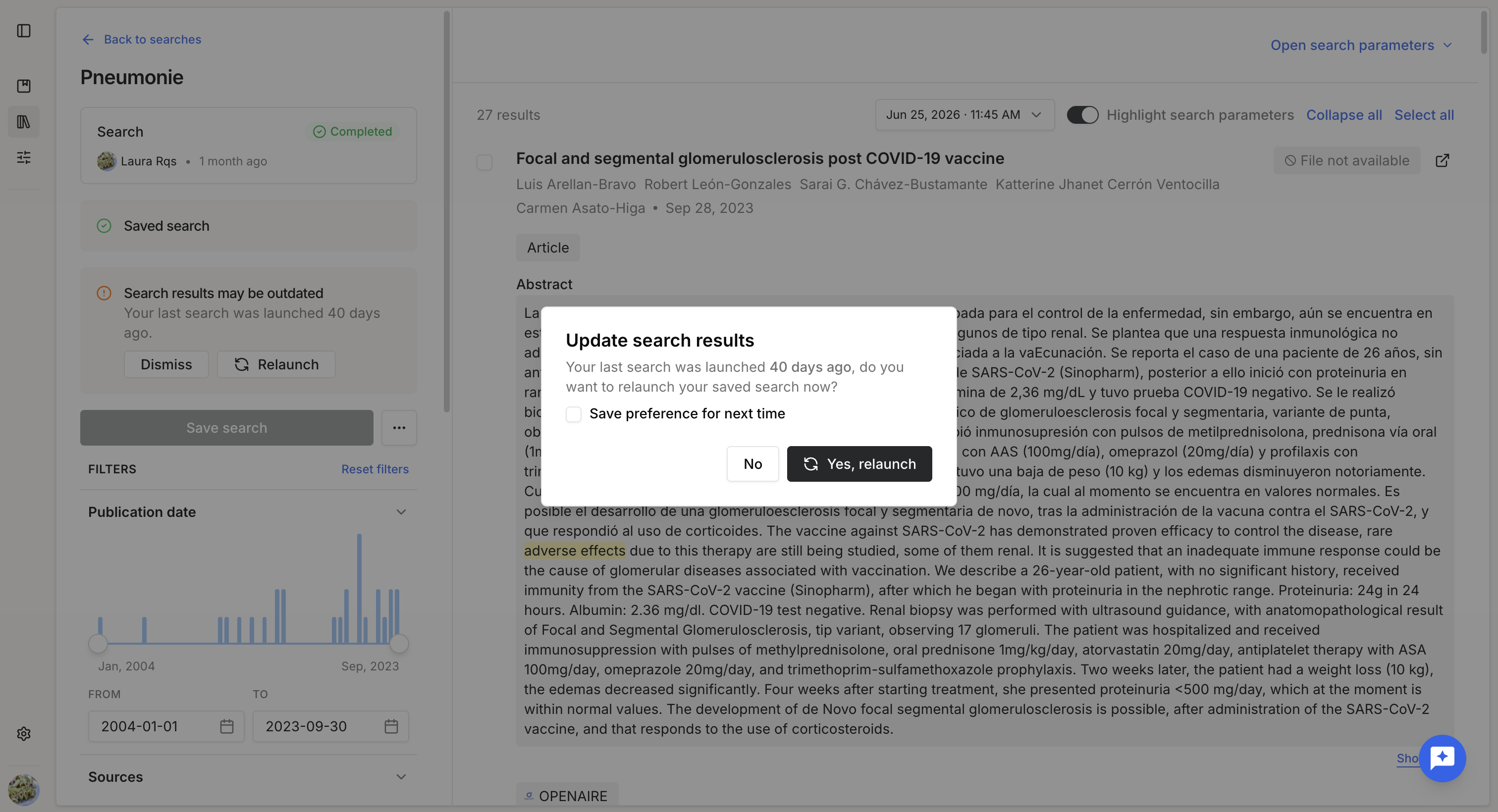
When a saved search has not been executed for some time, the platform automatically suggests re-running it to retrieve the latest publications.
Review run history
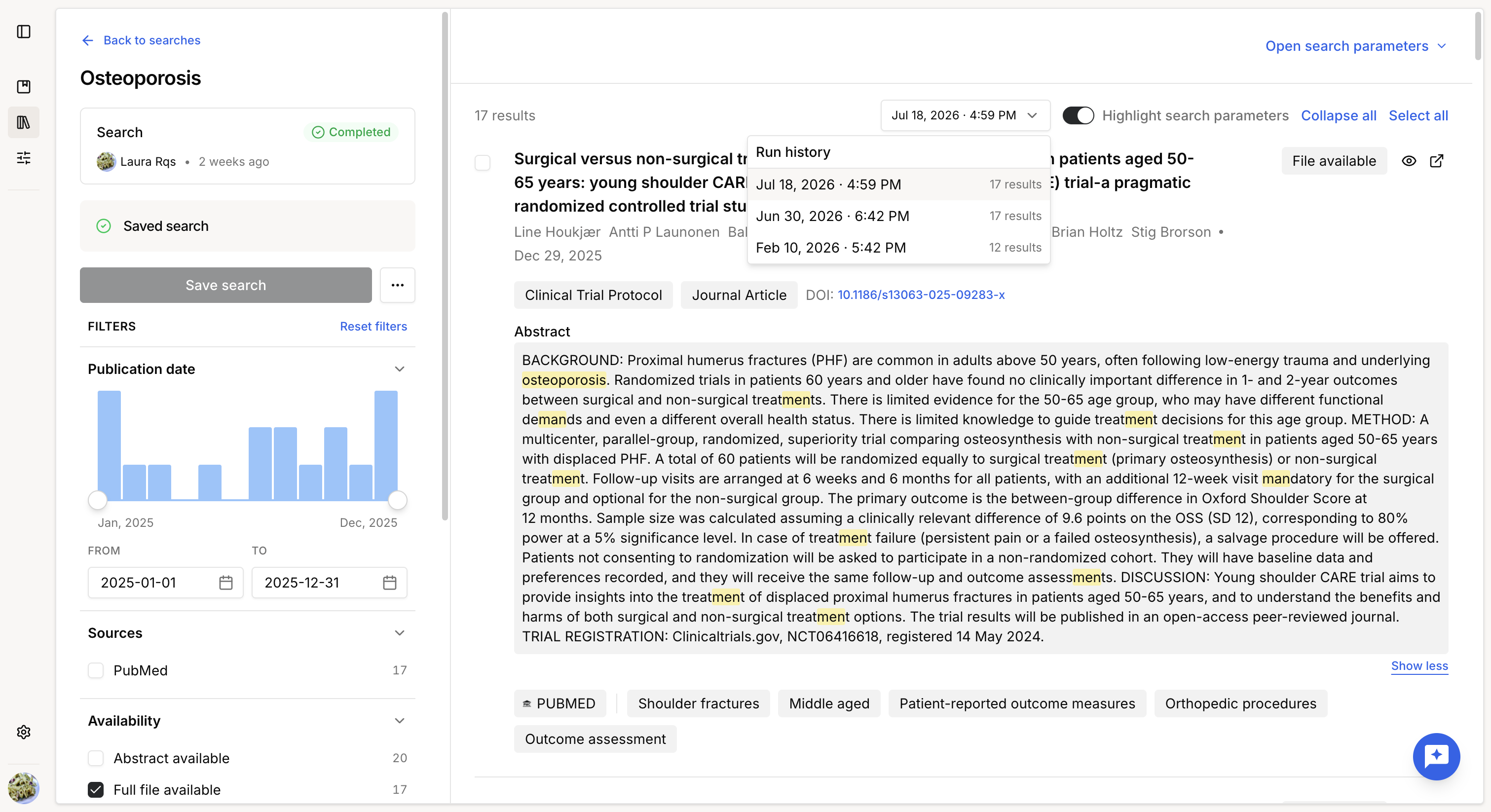
Each execution of a saved search is recorded in its Run history.
From the run history, you can compare the results of different executions to identify newly retrieved publications or changes in the result set over time.
The search configuration remains unchanged between runs; only the execution date and the available data in the external databases differ.
Was this article helpful?
That’s Great!
Thank you for your feedback
Sorry! We couldn't be helpful
Thank you for your feedback
Feedback sent
We appreciate your effort and will try to fix the article