| Permissions |
|
| Related readings |
Files can be enriched with extracted knowledge and metadata through the Knowledge tab. Extracted results can be reviewed, reused across collections, and recomputed when needed.
TABLE OF CONTENTS
Access document knowledge
To access the knowledge associated with a document:
- Open the document preview.
- Select the Knowledge tab in the right-hand panel.
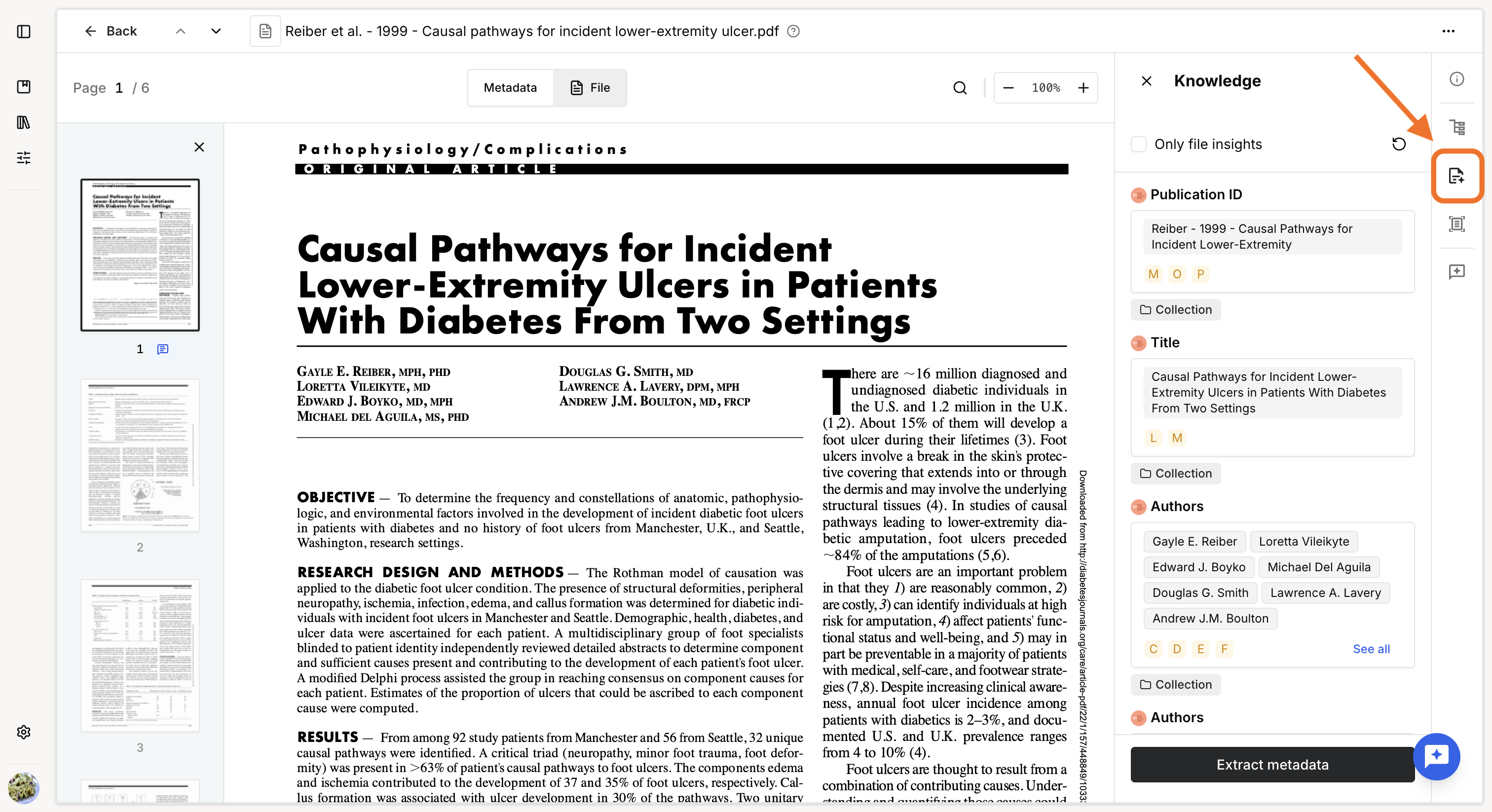
If the document has already been processed in a Knowledge table, the existing knowledge, explanations, and supporting arguments are displayed.
Knowledge configured through a Knowledge table cannot be edited from the document preview. To modify it, use the Knowledge table linked to the collection.
The following actions are available:
- Filter on file insights: display only knowledge specific to the current document.
- Recompute all: recompute all knowledge associated with the document. This can be useful after reindexing the document, when a new index may produce more accurate results.
- Extract metadata: add new knowledge specific to the document.
Add document-specific knowledge
Select Extract metadata to add a new knowledge field or use an existing knowledge preset to extract information from the document.
Document-specific knowledge applies only to the current document and is not automatically added to a Knowledge table.
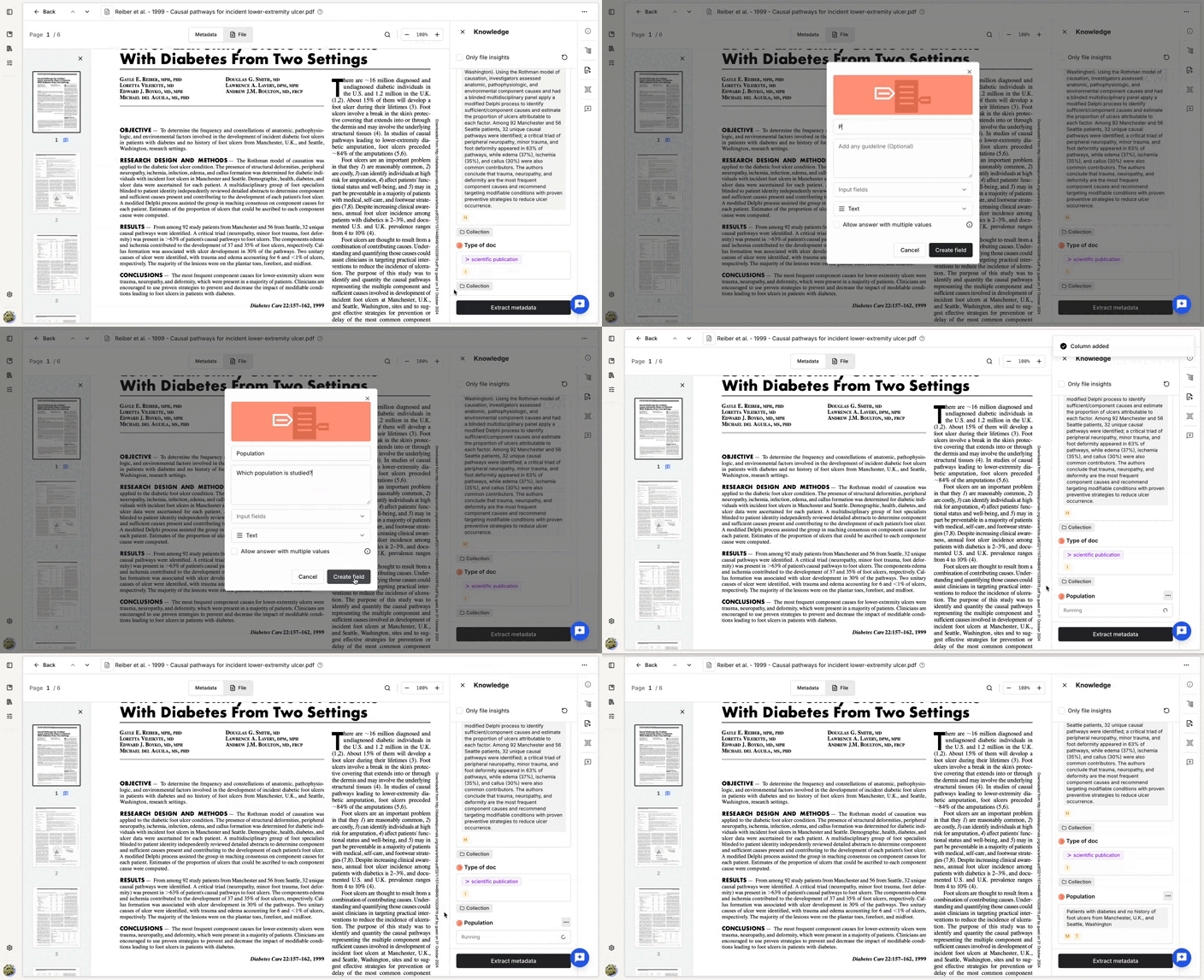
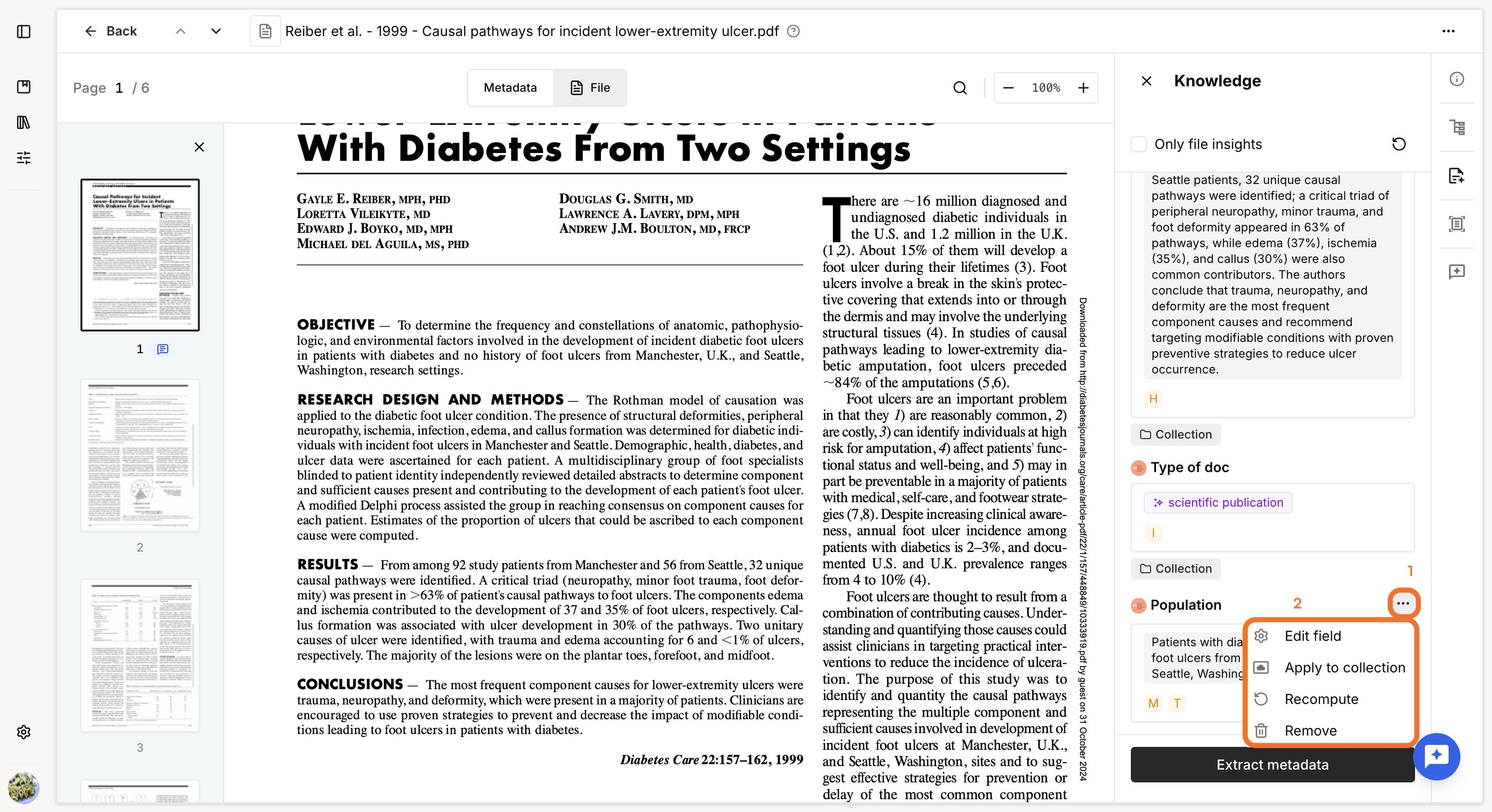
For each document-specific knowledge field, you can:
- Edit field configuration: modify the extraction configuration and recompute the result.
- Apply to collection: extend the extraction to the entire collection. This:
- applies the same configuration to the other files in the collection
- creates a corresponding column in the Knowledge table linked to the collection
- changes the knowledge on the current document from document-specific to collection-level knowledge
- Recompute: run the extraction again using the current configuration.
- Remove: delete the document-specific knowledge.
Was this article helpful?
That’s Great!
Thank you for your feedback
Sorry! We couldn't be helpful
Thank you for your feedback
Feedback sent
We appreciate your effort and will try to fix the article